Your new gift set is three weeks from launch, and the factory just told you the mugs are done but they can't pack them. The printed boxes never arrived, because the box printer was waiting on artwork you thought you'd approved a month ago. Your launch email is already scheduled, your 3PL is expecting cartons, and nobody told you any of this until today.
I built an Amazon FBA and Shopify brand to $3M ARR, and on the direct to consumer side my worst delays almost never came from the main factory. They came from the smaller suppliers around it, like the box printer, the insert printer, and the freight booking nobody confirmed. This guide is how I manage every supplier behind a DTC product, from the first sample to the day the product goes live in your store.
TL;DR
- A DTC product usually has several suppliers behind it, like a factory, a packaging printer, an insert printer, a forwarder, a customs broker, and a 3PL, and the slowest one sets your launch date.
- Keep one supplier file per product with each component's supplier, MOQ, lead time, payment terms, and a backup, and put one PO number on every order.
- Approve a signed golden sample and signed packaging proofs before you pay a deposit, because your customer unboxes the product themselves.
- Pay by wire or bank transfer only after checking bank details, use Alibaba Trade Assurance with suppliers you don't know yet, and book a pre-shipment inspection before you pay the balance.
- Plan each launch backward from the day you sell, leaving room for Chinese New Year, then score every supplier after each order.
What DTC Supplier Management Means
DTC supplier management is how a direct to consumer brand picks, orders from, pays, checks, and plans around the companies that make and move its products. For a brand that imports, that's usually a factory overseas plus a handful of smaller suppliers for packaging, inserts, freight, customs, and storage. The goal is simple to say and hard to do: the right product, in the right packaging, at your warehouse before the day you planned to sell it.
DTC brands have a few problems that a reseller or a plain Amazon listing doesn't. Your customer opens the box at home, so packaging and small defects matter more. Your sales come in waves around launches, drops, and holidays, so a late supplier costs you a whole campaign. And your products often need parts from two or three suppliers before the factory can pack a single unit.
If you're just setting up suppliers and purchase orders inside your store, start with our Shopify supplier management setup guide, which walks through the Shopify admin screens. If you're comparing tools, our roundup of supplier management software for FBA and Shopify importers covers the options. This post sits between the two and focuses on running several suppliers around a launch.
The Suppliers Behind One DTC Product
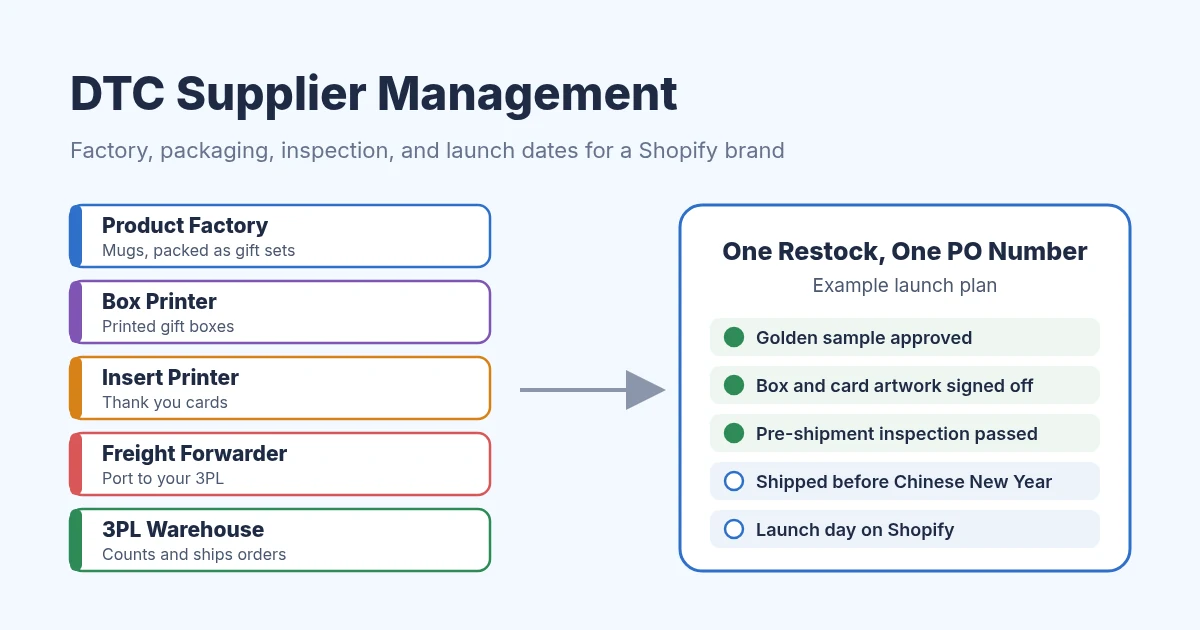
Here's a common example: a ceramic mug sold as a gift set with a printed box and a thank you card. The factory makes the mugs, but it can't pack the sets until the box printer and the insert printer deliver. After that, a freight forwarder moves the cartons, a customs broker clears them, and a 3PL or your own warehouse receives them.
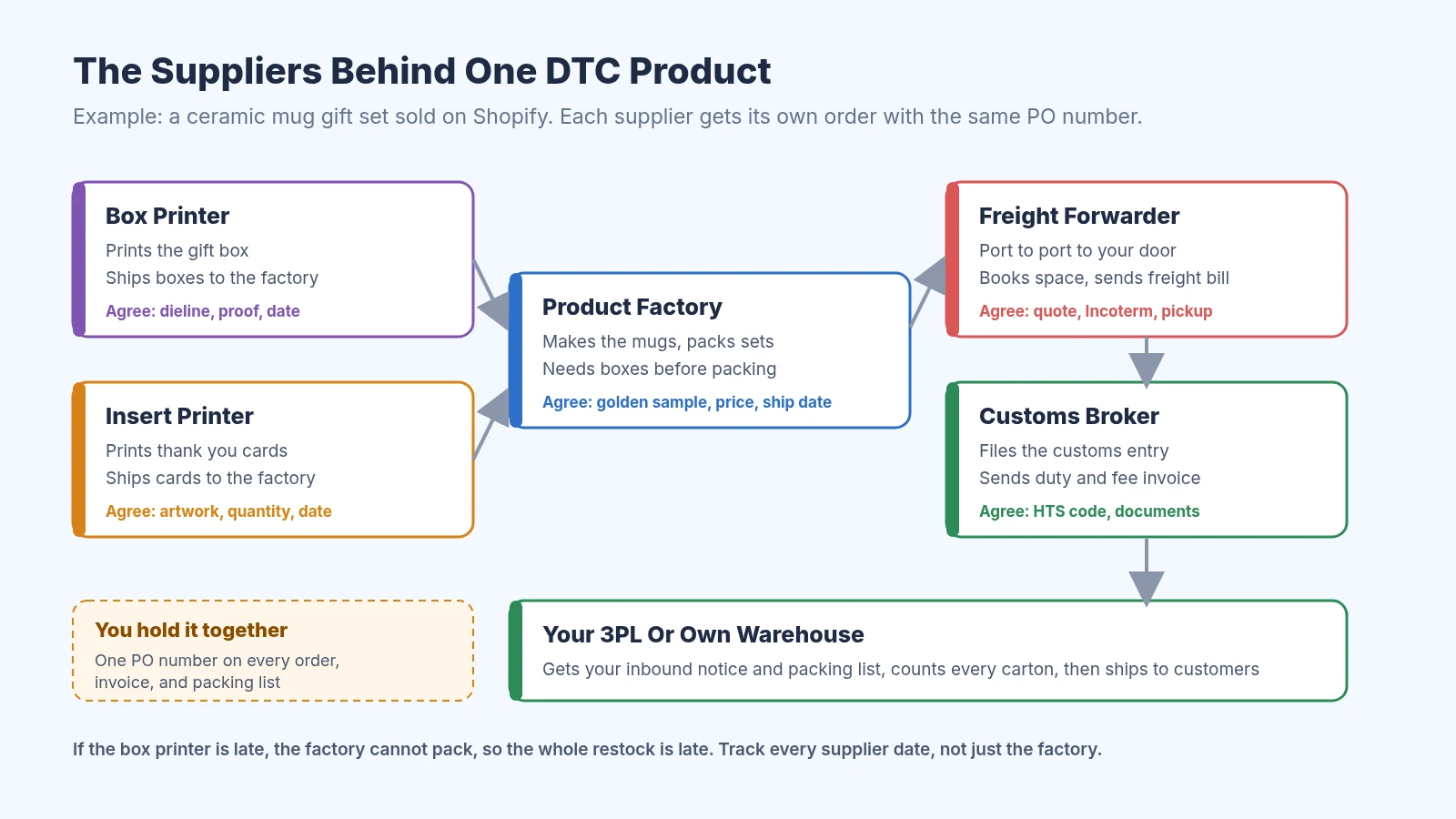
The suppliers behind one DTC gift set and what you agree with each
The important part of that picture is the arrows into the factory. If the box printer is a week late, the whole restock is a week late, even if the factory finished on time. Most of my missed launch dates came from one of those small arrows.
Who books the freight depends on your Incoterm. If the factory quotes FOB, you hire the forwarder, and if it quotes DDP, the factory handles freight and duty for you. Our guide to FOB vs EXW vs DDP explains each option, and it applies to Shopify brands just as much as FBA sellers.
Step 1: Keep One Supplier File Per Product
Shopify lets you set one vendor per product, which is useful for sorting your product list. It won't tell you who prints the box, what the MOQ is, or which supplier has no backup. So for every product, I keep a short supplier file with one row per component.
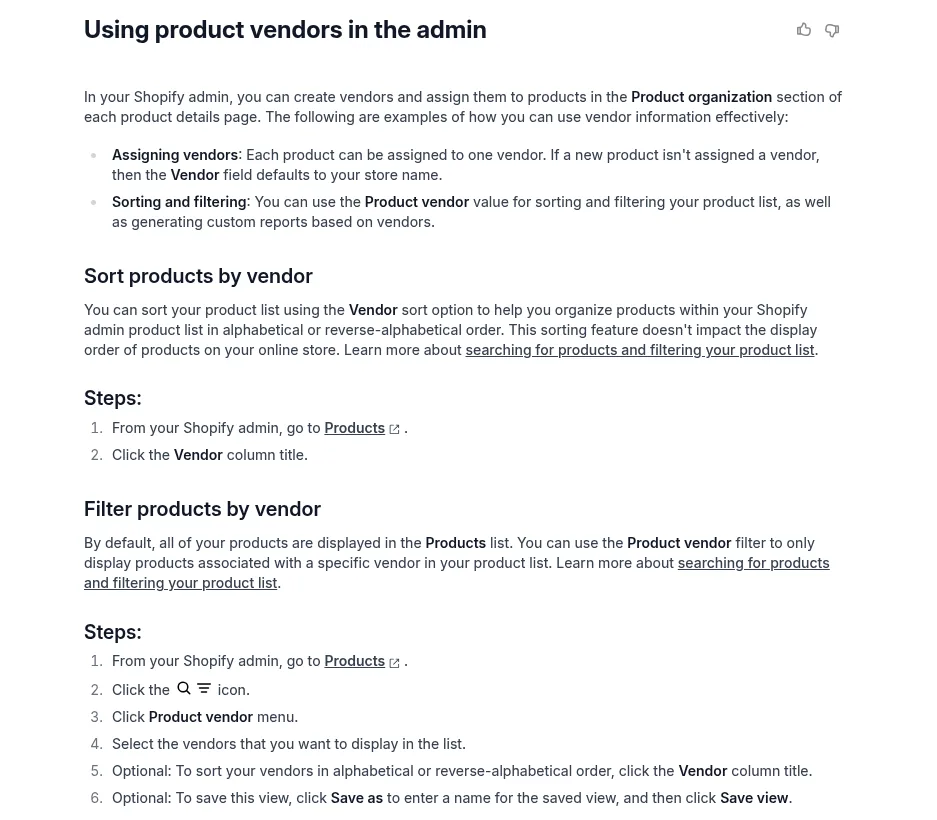
Shopify holds one vendor name per product
Each row lists the component, the supplier, the MOQ, the lead time, the payment terms, and a backup. I also keep the contact person, the bank details I've already verified, photos of the golden sample, and how many orders arrived on time. A free Google Sheets file is plenty for this, with one tab per product.
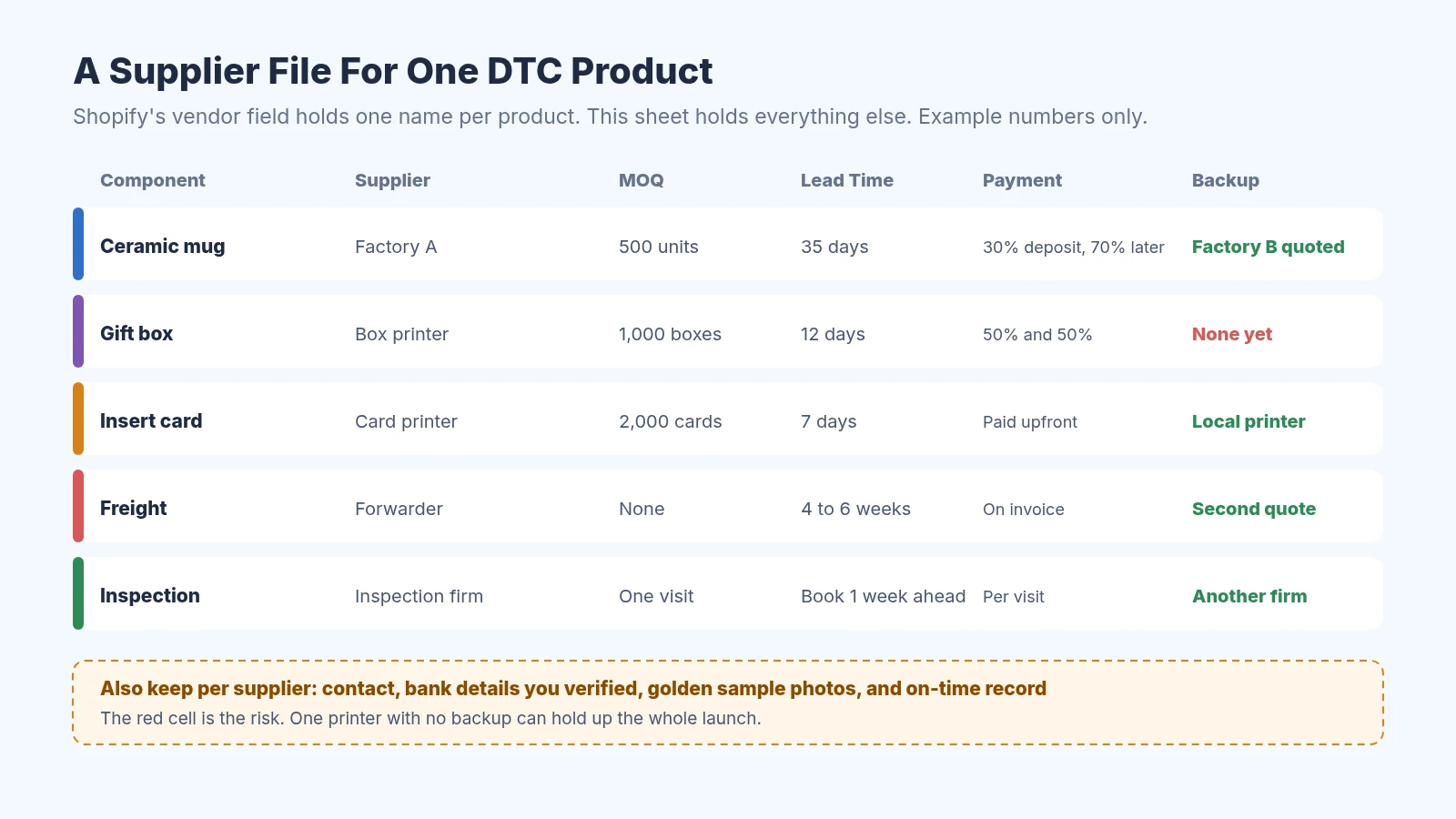
An example supplier file with the risky row in red
Google Sheets is enough for a supplier file
Then give every order a purchase order number, and use the same number with every supplier on that restock. The box printer, the insert printer, the factory, the forwarder, and your 3PL all put it on their paperwork. You can build the PO with our free purchase order creator or the purchase order template, and our guide on how to create a purchase order covers what to include.
Step 2: Approve A Golden Sample Before The Deposit
A golden sample is the one approved unit that the whole production run has to match. Ask the factory for a pre-production sample in the exact material, color, and finish, check it at home the way a customer would, and sign and date it. Keep one sample yourself and ask the factory to keep a matching signed one on the line.
Write down anything you can measure, like size, weight, color code, and logo position, and add photos to the supplier file. When an inspector or the factory asks what "good" looks like, you can point to the sample and the numbers. Samples cost money and shipping, and I include them in landed cost along with the factory price, freight, and duty.
If you're asking several factories for quotes and samples at once, our free RFQ template keeps every request in the same format. The supplier onboarding process guide covers the documents to collect from a new factory before the first order.
Step 3: Lock Packaging Artwork With Every Printer
Packaging is where DTC brands lose the most time, because it involves more people than you expect. The printer sends a dieline, which is the flat template for the box, and your designer places the artwork on it. Then the printer sends a proof, and nothing gets printed until you approve it in writing.
I give each printer its own PO with the same reference number as the factory order, the quantity, the delivery address at the factory, and the date the factory needs it. Ask the factory for that date before you place the printing order, because they'll want boxes a few days before packing starts. Check the box size against the product sample too, since a box that's 2 mm too small means a reprint.
Order a little more packaging than product, because some boxes get damaged in packing. Printers often have higher MOQs than factories, so the extra boxes can go toward your next restock. Note the leftover count in your supplier file so you don't order again by accident.
Step 4: Pay Each Supplier Safely
Most factories ask for a deposit before production and the balance before shipping, paid by wire or bank transfer. Printers and smaller suppliers often want more upfront, sometimes the full amount. Our guide to 30/70 payment terms with Chinese suppliers explains the common splits and when to push back.
A wire is very hard to reverse, so check the bank details on every invoice against the ones you verified before. If a supplier emails to say their bank account changed, call them on a number you already have before you send anything. With a supplier you haven't worked with before, I'd use Alibaba Trade Assurance on Alibaba instead of wiring money directly.
Alibaba Trade Assurance covers orders you place and pay on Alibaba
Once you trust a supplier, a business account like Wise can make international bank transfers cheaper than a regular bank wire. Keep each payment confirmation with the PO, because your bookkeeper will need it. Our guide to DTC invoice processing covers checking each supplier invoice before you pay it.
Wise Business for bank transfers to suppliers you already trust
Step 5: Inspect Before You Pay The Balance
You won't be at the factory, so someone else has to look at the goods before they ship. A pre-shipment inspection is a visit by an independent inspector who pulls random units, checks them against your golden sample and specs, and sends you a report with photos. Inspection companies like QIMA do this when most of the order is finished and packed.
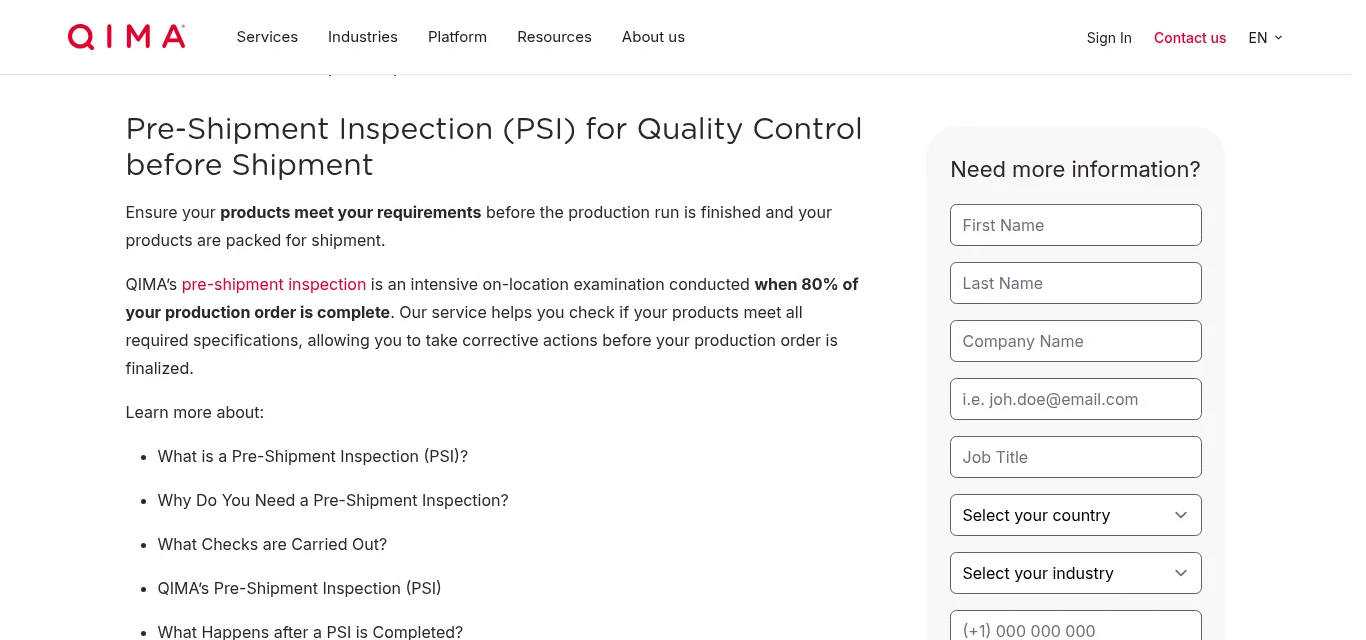
QIMA's page on pre-shipment inspections
Book it at least a week ahead and send the inspector your golden sample photos, measurements, and packaging proofs. Ask them to check the printed boxes and inserts too, since a wrong barcode or a typo on the box is just as bad as a cracked mug. Prices vary by company and location, so ask two firms for a quote.
Only pay the balance after the report passes or the factory fixes what failed. Once the balance is sent, you've lost most of your leverage. Add the inspection fee to your supplier file so you can see what quality checks cost per order.
Step 6: Plan Launches Backward From The Day You Sell
A DTC launch has a fixed date, so I plan every supplier backward from it. Start with the day you want to sell, then subtract buffer time, receiving at your 3PL, customs, ocean transit, inspection, production, and packaging. If the dates don't fit, move the launch now instead of rushing the factory later.
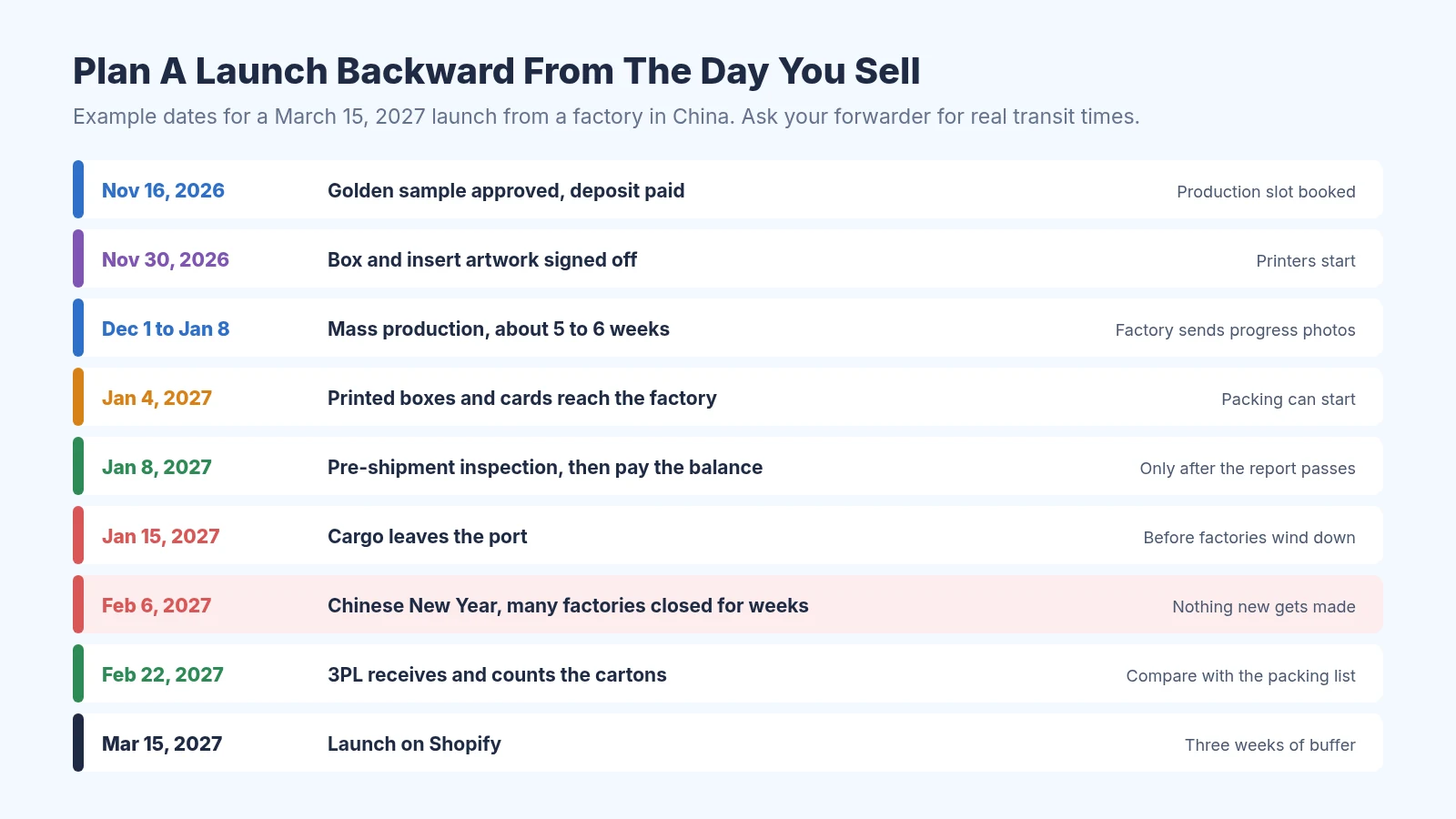
An example launch plan that ships before Chinese New Year
The biggest date to plan around is Chinese New Year, which falls on February 6, 2027. Many factories slow down weeks before it, close for a couple of weeks, and take a while to get back to full speed afterward. Ask each supplier in writing for their last production day, their reopening date, and when they expect full capacity.
Holidays on your side matter too. Black Friday is November 27, 2026, and goods that haven't left the factory by early November usually won't make it by ocean in time. Our free lead time calculator adds up production and transit time, and the lead time tracker template helps you record what each supplier actually took.
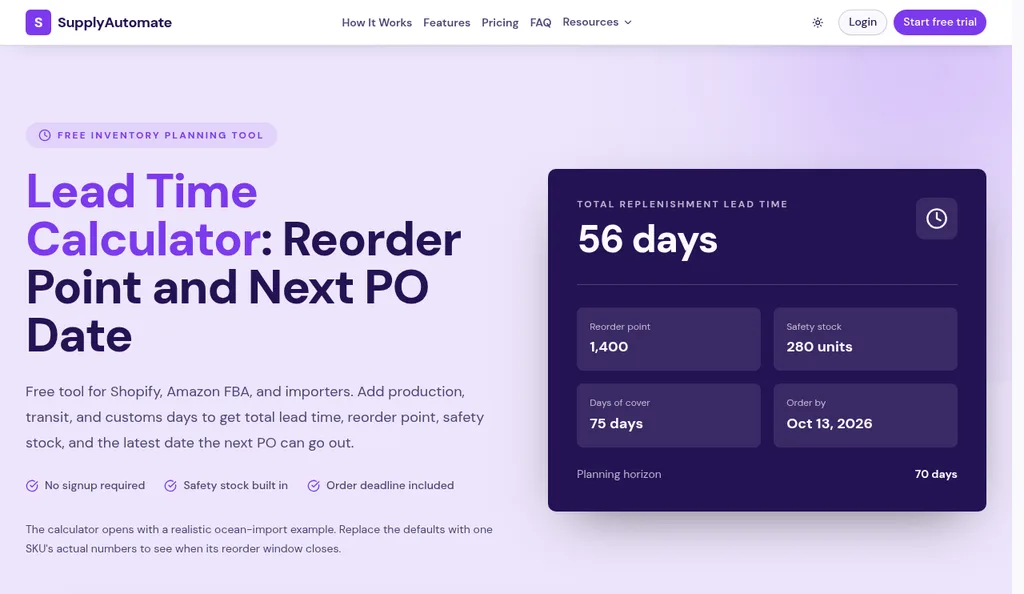
The free lead time calculator for planning restocks
For restocks after launch, our guides on the reorder point formula for importers and how to calculate safety stock help you decide when to order again. If you sell through Shopify, turning Shopify reorder points into purchase orders shows how to act on those numbers.
Step 7: Tell Your 3PL What Is Coming
Your 3PL can only receive what it knows about. When the cargo ships, send them the PO number, the packing list, the number of cartons, the units per SKU, and the expected delivery date. Many 3PLs want an advance shipping notice in their own format, so ask what they need before your first order.
Ask the factory to label every carton with the PO number, the SKU, and the units inside, and send them our free packing list template so the list arrives in a format you can read. When the 3PL finishes counting, compare their receiving report with the packing list. Anything missing or damaged goes back to the factory or the forwarder while the order is still fresh.
If you receive stock into a Shopify location, Shopify's inventory transfers let you mark items received against a supplier shipment. Our Shopify inventory management guide covers that routine step by step.
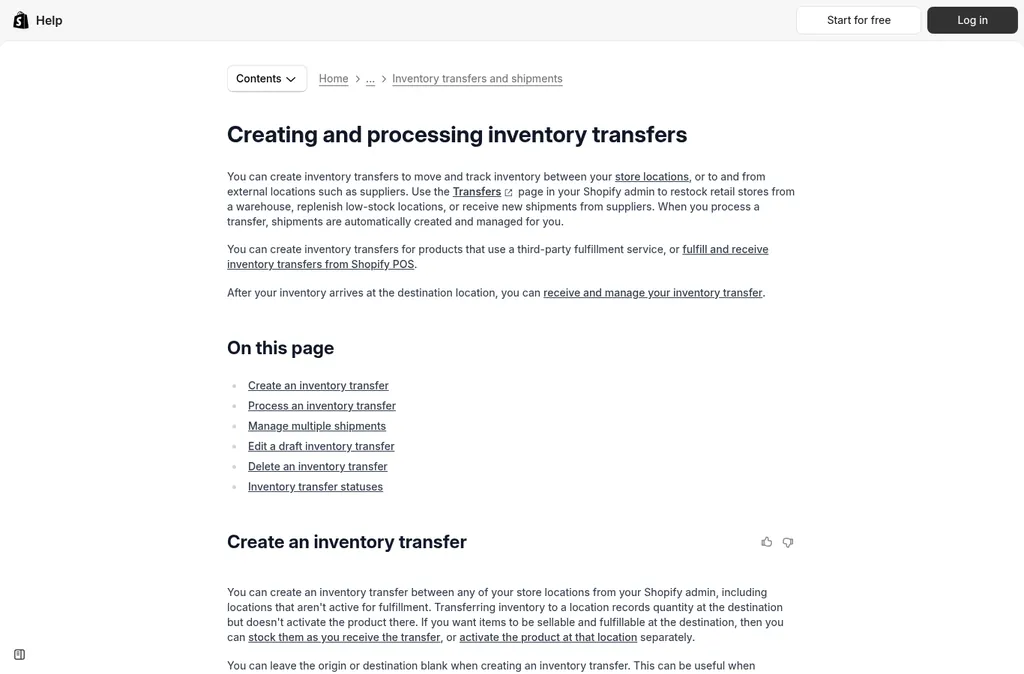
Shopify transfers for receiving supplier shipments
Step 8: Score Every Supplier After Each Order
After every restock, I write down how each supplier did. Did they ship on the date they promised, did the goods pass inspection, did the invoice match the PO, and how fast did they answer messages? It takes ten minutes, and after a few orders the pattern is obvious.
Our free supplier evaluation matrix template scores suppliers on price, quality, on-time delivery, lead time, and communication. The supplier evaluation matrix guide explains how to weight each one.

The free supplier evaluation matrix template
Use the scores to decide where you need a backup. For any component with only one supplier and a poor score, ask a second supplier for a quote and a sample before the next busy season. You don't have to switch, but a tested backup means one late supplier can't sink a whole launch.
Common DTC Supplier Mistakes
- Tracking only the factory. Packaging and insert printers set your ship date as often as the factory does, so their dates belong in the plan.
- Approving artwork in a chat. A thumbs up in a message thread is easy to lose, so approve proofs in writing with the file name and version.
- Paying the balance before inspection. Once the money is sent, fixing defects is the factory's choice, so inspect first.
- Forgetting Chinese New Year. A restock placed in January can easily slip to March, so order earlier or plan around it.
- Leaving samples out of landed cost. Samples, freight, and duty are part of what a product costs you, so add them before you set your price.
Our guide to managing supplier orders over WeChat covers keeping chat approvals organized. If you want earlier warning when a supplier is slipping, see whether supplier management software can flag late shipments early.
Where Software Fits
For one or two products, a supplier file, a PO number, and a calendar will do the job. Our post on whether supplier management software is worth it for one supplier runs the math. Software starts to help when several restocks overlap, or when a teammate needs to see where every order stands without asking you.
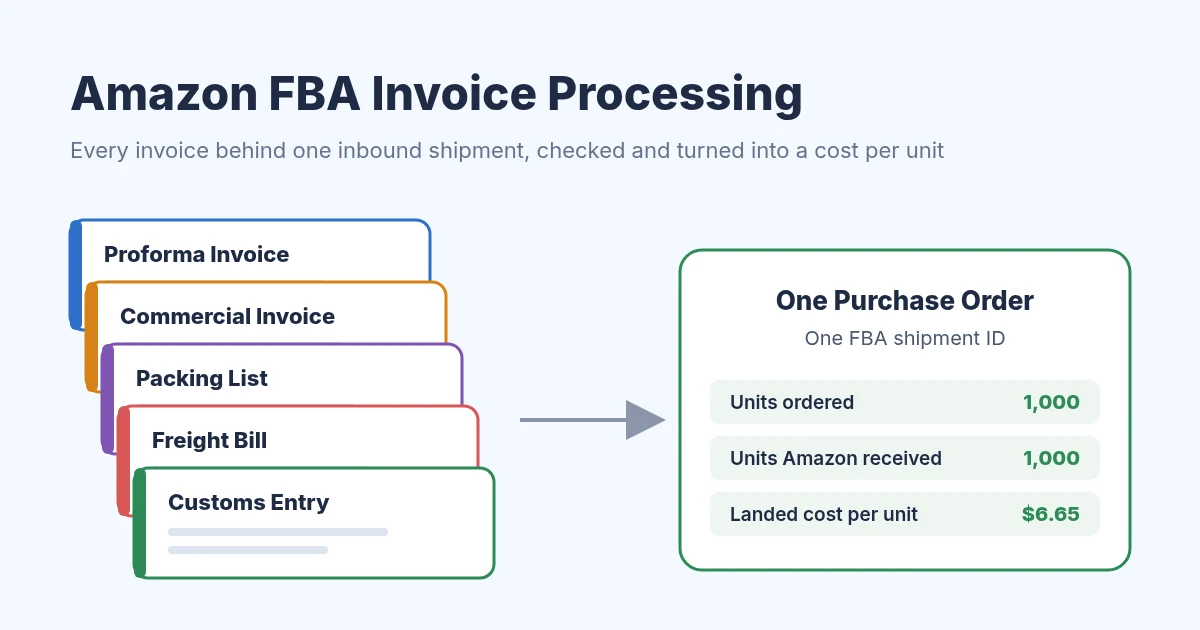
SupplyAutomate is the tool I built for that. Each purchase order keeps its supplier, production status, and documents together, and you upload the supplier invoice, packing list, freight bill, and customs entry to it. It tracks the parcel or ocean container and works out landed cost per unit from the factory price, freight, duty, and samples.
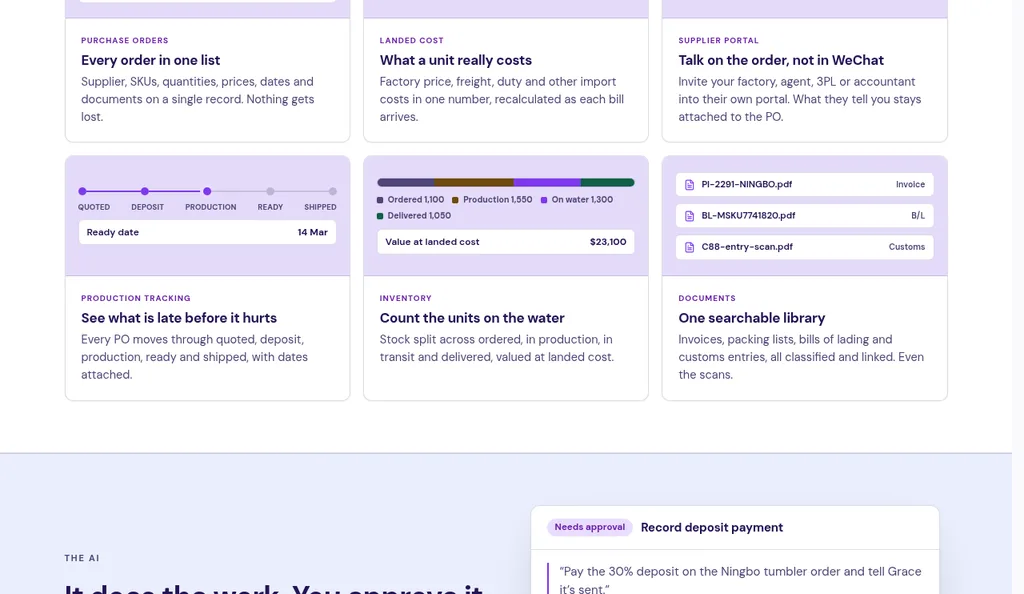
SupplyAutomate tracks each purchase order from quote to shipped
It doesn't connect to Shopify, Amazon, WooCommerce, or your accounting software, and it doesn't sync sales or orders. You export to CSV or Excel when you need the numbers elsewhere. You can see how it works for Shopify brands and Amazon FBA sellers, and pricing is a 14-day trial, then $199 a month or $1,999 a year.
If you'd rather hand the whole job to someone, our outsourced supply chain service manages purchase orders, suppliers, and freight for you. For a wider view of the tools out there, see our guides to supplier management platforms, supplier portal software, and production tracking software.
Frequently Asked Questions
What Is DTC Supplier Management?
It's how a direct to consumer brand chooses, orders from, pays, checks, and plans around the companies that make and ship its products. For an importing brand, that usually means a factory plus packaging printers, a forwarder, a customs broker, and a 3PL. The goal is to get the right product to your warehouse before the day you planned to sell it.
How Many Suppliers Does A Small DTC Brand Need?
Fewer than you'd think, but more than one. Most small brands have one factory per product and one or two packaging suppliers, plus freight and storage partners. The ones that matter most are the ones with no backup, so start there.
What Is A Golden Sample?
It's the approved unit that the whole production run has to match. You sign and date it, keep one copy, and ask the factory to keep a matching one. Inspectors compare random units from your order against it.
When Should I Order Before Chinese New Year?
Chinese New Year falls on February 6, 2027, and many factories wind down weeks before it. For goods to ship before the break, I'd have samples and artwork approved by late November or early December. Ask each supplier for their exact closing and reopening dates in writing.
Does SupplyAutomate Connect To Shopify?
No. SupplyAutomate has no Shopify connection, so it doesn't read your sales or update your store. It keeps your purchase orders, supplier documents, and shipment tracking together and works out landed cost per unit, and you export to CSV or Excel when you need the numbers elsewhere.
How I'd Run Suppliers For A Small DTC Brand
If I were starting a DTC brand today, I'd make a supplier file for each product before placing a single order. I'd approve a signed golden sample and signed packaging proofs, pay a known supplier by bank transfer or a new one through Trade Assurance, and book an inspection before the balance. Then I'd put every supplier's dates on one calendar, working backward from launch day.
None of this needs expensive software, and it saves you from the call where the mugs are ready but the boxes aren't. After a few restocks you'll know which suppliers keep their dates and which need a backup. When the calendar gets crowded, the guides below cover the next questions you'll probably have.
Related Guides
Shopify Supplier Management: A Beginner's Setup Guide
How to manage suppliers in Shopify: add suppliers, send purchase orders, receive stock, and track lead times, payments, and scores Shopify doesn't keep.

Supplier Management Software For FBA And Shopify Importers: 11 Picks
What supplier management software does for Amazon FBA and Shopify importers, when email stops working, how to trial it with your own PO, and 11 tools compared.
Supplier Management Platform: What It Is and Who Needs One
A supplier management platform puts POs, supplier messages, QC and landed cost in one workspace. Here is how small e-commerce brands use one.

Supplier Onboarding Process: 5 Steps for E-Commerce
Build a supplier onboarding process for Amazon FBA, Shopify, and WooCommerce with five steps for risk checks, documents, systems, training, and reviews.
Supplier Evaluation Matrix For Importers
A weighted factory scorecard: total cost, on-time, quality, docs. Worked table: 8.15 vs 7.00 vs 7.90, so you stop picking on memory.

Can Supplier Management Software Flag Late Shipments Early?
How supplier and PO software flags late shipments, what data it needs to do it, and how Zoho Inventory, Odoo, Terminal49 and SupplyAutomate handle delays.

How To Manage Supplier Orders Over WeChat
WeChat is the channel, not the PO. How FBA and Shopify importers version orders, treat screenshots as evidence, and check landed cost before the next reorder.
30/70 Payment Terms With Chinese Suppliers Explained
How 30/70 deposit and balance terms work with Chinese factories, how they compare with 20/80, full prepayment, and open account, and how to tie each payment to documents.
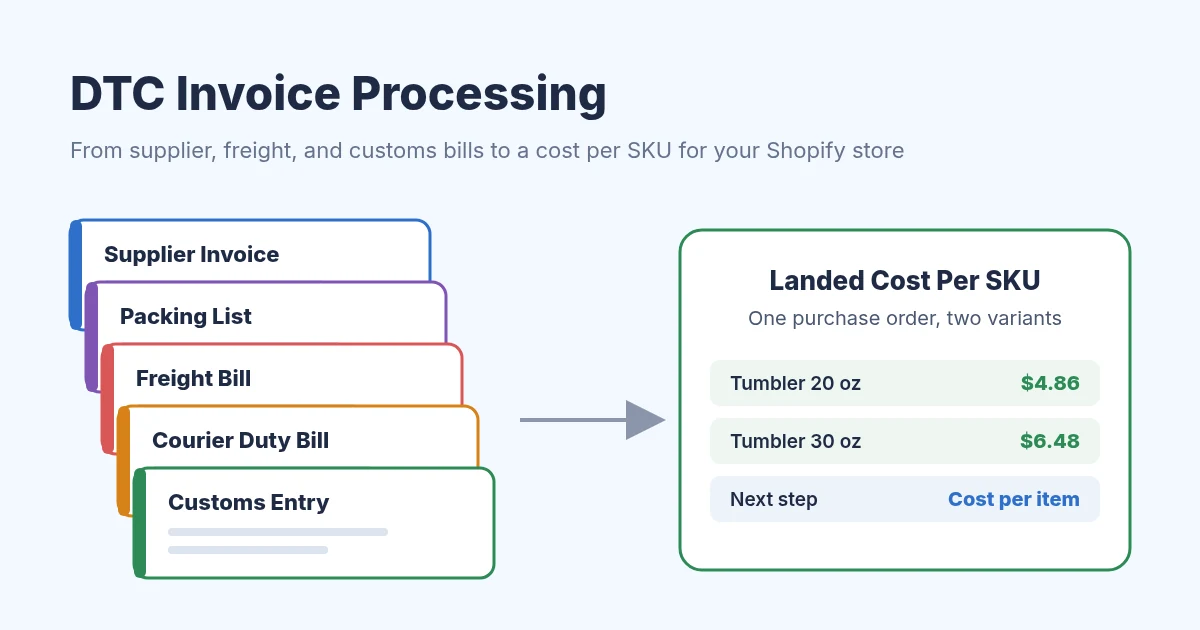
DTC Invoice Processing: A Guide For Shopify Brands
DTC invoice processing for Shopify brands that import: check supplier, freight, courier, and customs bills, then set landed cost per SKU and per variant.
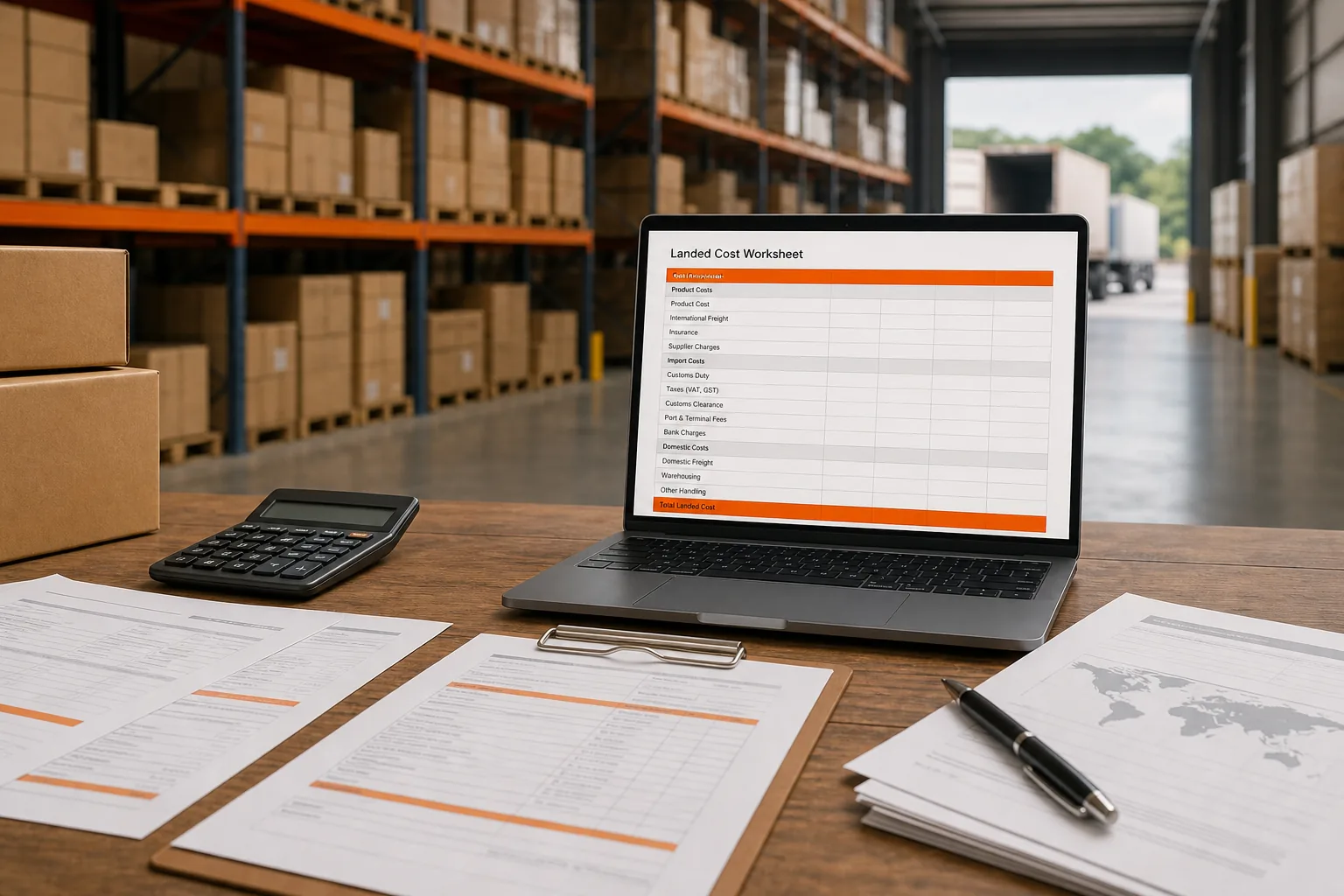
How To Calculate Shopify Landed Cost: Factory Price To Unit Cost
Shopify importers: turn a $20 factory price into inventory landed cost at $27 per sellable unit, and keep checkout duty as a separate job from the SKU cost field.
Supplier Management Software Cost In 2026
Supplier management software cost in 2026: published $0 to $1,000+ monthly bands, first-year vs recurring math, and the fees most quotes hide.

Best Supply Chain Control Tower Software for E-Commerce
Compare supply chain control tower software for e-commerce sellers, including visibility strengths and fit for Amazon FBA, Shopify, and WooCommerce.
SupplyAutomate Pages And Free Tools
SupplyAutomate For Shopify Brands
SupplyAutomate For Amazon FBA Sellers
SupplyAutomate Pricing
Outsourced Supply Chain Manager
Free Landed Cost Calculator
Cost per unit after product, freight, and duty
Free Lead Time Calculator
Lead time, reorder point, and the latest date the next PO can go out
Free MOQ Calculator
EOQ vs factory MOQ, and the annual premium of the minimum
Free Import Duty Calculator
Live HTS rate plus CBP fees, before you place the PO
Free Freight Cost Estimator
Compare sea and air freight cost, chargeable weight, and transit time
Free Purchase Order Creator
Build a purchase order online and download it as a PDF
Free Supplier Evaluation Matrix Template
Free RFQ Template
Free Packing List Template
Free Lead Time Tracker Template