
The worst way to find out an order is late is from your stock report. By the time a best seller hits zero, the factory slipped its ready date three weeks ago, the booking rolled to a later vessel, and nobody noticed because the only place the dates lived was a spreadsheet that gets updated on Fridays. Most delays aren't surprises at all once you look back, since the warning signs were there in the dates. They just weren't in front of anyone.
So can supplier management software flag late shipments early? Yes, but only as early as the dates it holds, and how it gets those dates matters more than any alert feature. This guide explains what the software actually checks, what data it needs, and how four tools I checked on their official pages in October 2026 handle late orders and late containers. If you're still comparing tools in general, our guide to supplier management software covers the wider category.
A quick product note so the SupplyAutomate section reads accurately. SupplyAutomate doesn't connect to Shopify, Amazon, WooCommerce, QuickBooks, or Xero. It works from the documents you upload, such as supplier invoices, packing lists, bills of lading, freight bills, and customs entries, plus parcel and ocean container tracking, and you can export orders and landed cost to CSV or Excel.
TL;DR
- Software flags a late shipment by comparing a promised date with today's date or with an actual milestone. No promised date on the order means nothing to flag.
- There are two places an order can run late. Production delays show up against the factory's ready or ship date, and transit delays show up as ETA changes on the container or parcel.
- Zoho Inventory lets you set an expected delivery date on each purchase order and send a time-based email alert before it, and its reports show which orders are overdue.
- Odoo Purchase reports the average days each vendor takes to deliver, which helps you spot suppliers whose lead times are slipping. Terminal49 sends milestone and exception alerts for ocean containers.
- SupplyAutomate tracks each PO through quoted, deposit, production, ready, and shipped with dates attached, shows which orders are past their ready date, and tracks containers and parcels once goods ship.
How Software Spots A Late Shipment
Every late shipment alert comes down to a comparison between a date someone promised and what has actually happened. For a purchase order, that's usually the factory's ready date or ship-by date. For freight, it's the vessel's ETA or the date the container is available for pickup. When today passes the promised date without the milestone being marked done, or the ETA moves later, the software can flag the order.
That sounds simple, and it is, which is why the hard part is the data. The promised date has to be on the order in the first place, and the actual milestones have to reach the software without someone typing them in. A tool that depends on a person updating each order every week will flag delays about as late as a spreadsheet does, because the alert can only fire after the update.
It's also worth separating rules from trends. A rule flags one order that missed its date. A trend shows that a supplier's lead time has been creeping up across several orders, even if none of them was technically late. Both are useful, and our guide to the reorder point formula for importers explains why a slipping lead time quietly eats your safety stock.
The Two Kinds Of Late
Production delays are the first kind, and they're the ones that do the most damage because they happen earliest. The factory confirmed a ready date when you paid the deposit, and that date passes without a ship notice or a packing list. You only catch this if the ready date is recorded on the PO and someone or something is watching it. Our lead time calculator shows how much of a typical import lead time sits in production before anything moves.
Transit delays are the second kind. The goods have shipped, but the vessel is delayed, the container rolls to a later sailing, or customs holds it. These show up in carrier and container tracking data as milestone changes and ETA updates. Container tracking tools are good at this part, while purchase order and inventory tools mostly aren't, because they don't watch the ship.
Late Shipment Tools At A Glance
| Tool | What it can flag | Where the dates come from | Price when checked |
|---|---|---|---|
| Zoho Inventory | Purchase orders approaching or past their expected delivery date | The expected delivery date you enter on each PO | Free for 50 orders a month, paid plans from $29 a month billed annually |
| Odoo Purchase | Vendors whose average days to receive is rising | Confirmation and receipt dates recorded in Odoo | See Odoo's pricing page |
| Terminal49 | Container milestones, ETA changes, holds, and last free day | Carrier and terminal tracking data | Free for up to 10 active containers |
| SupplyAutomate | POs past their ready date, plus shipment ETAs from tracking | Dates on each PO stage, uploaded documents, and parcel and container tracking | $199 a month or $1,999 a year, 14-day trial |
Zoho Inventory
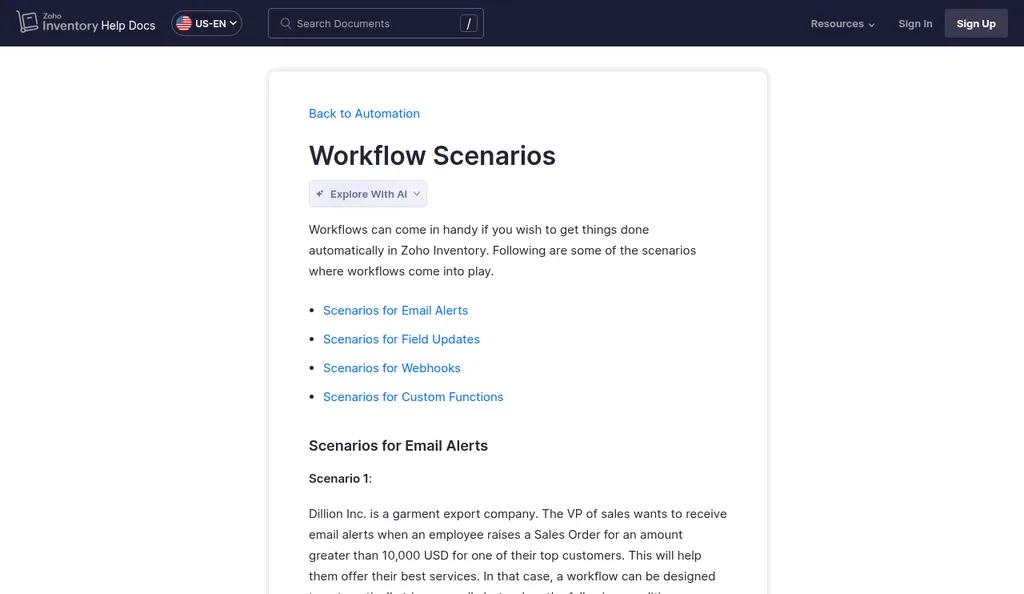
Zoho Inventory workflow scenarios help page, checked October 2026
Zoho Inventory is a good example of the rule-based approach done simply. According to its knowledge base, each purchase order has an expected date of delivery field, which is the deadline you need the items delivered by. That one field is what everything else depends on.
From there, Zoho's workflow scenarios show how to send an email alert seven days before the expected delivery date, so the vendor gets a reminder before the order is late. To see orders that have already slipped, the Purchase Order Details report lists every PO with its status, expected delivery date, and vendor, and Zoho describes it as a way to monitor open purchase orders and identify overdue deliveries.
The limit is that Zoho is checking the date you entered against the calendar. It doesn't know whether the factory has actually finished production or whether the container has left port, so the alert is a reminder to go and ask.
Odoo Purchase
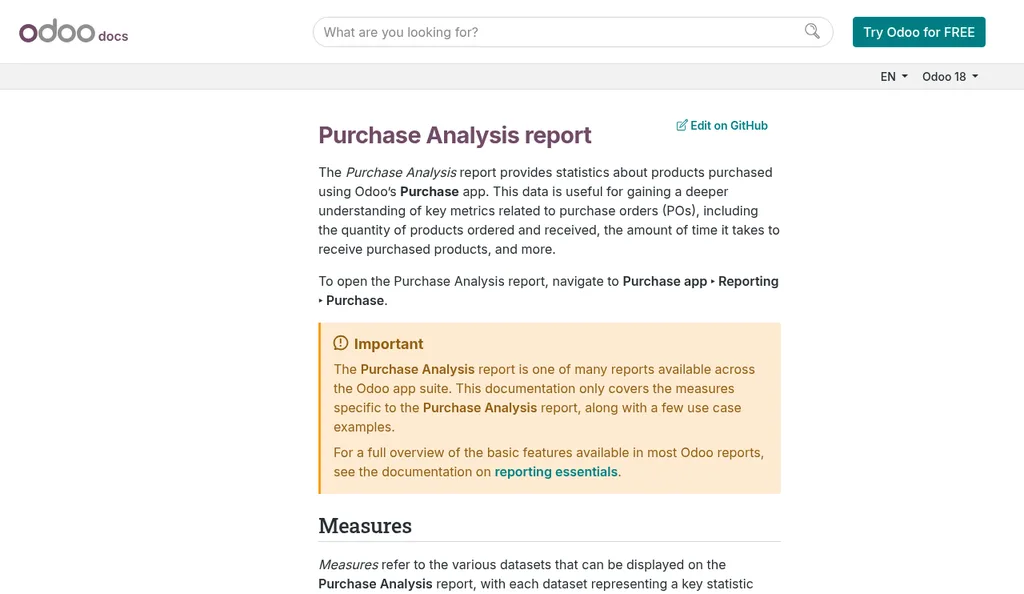
Odoo Purchase Analysis report documentation, checked October 2026
Odoo is more useful for the trend side of the problem. The Purchase Analysis report documentation lists measures including Days to Confirm and Days to Receive, and it walks through a use case of grouping by vendor to see how long each supplier takes on average to deliver. In Odoo's example, one vendor averages more than four times longer than the others, which is exactly the kind of pattern you want to see before you place the next order.
That kind of report doesn't stop a single order from being late, but it tells you which suppliers to watch and how much buffer to add to their lead times. It depends on receipts being recorded in Odoo, so it works best when your warehouse team receives goods in the same system.
Terminal49
Terminal49 homepage, checked October 2026
Once goods are on the water, a container tracking tool is the right instrument. The Terminal49 homepage describes tracking of major milestones, including ETAs, holds, and last free day, along with milestone and exception alerts that send real-time notifications so you can deal with issues before they become critical.
The Terminal49 pricing page lists a free plan for tracking up to 10 active containers at a time, with paid plans adding planning and performance reporting. For a brand shipping a few containers a month, the free plan covers the transit side of late shipment alerts. It won't tell you anything about a factory that is running behind before the container is booked.
SupplyAutomate
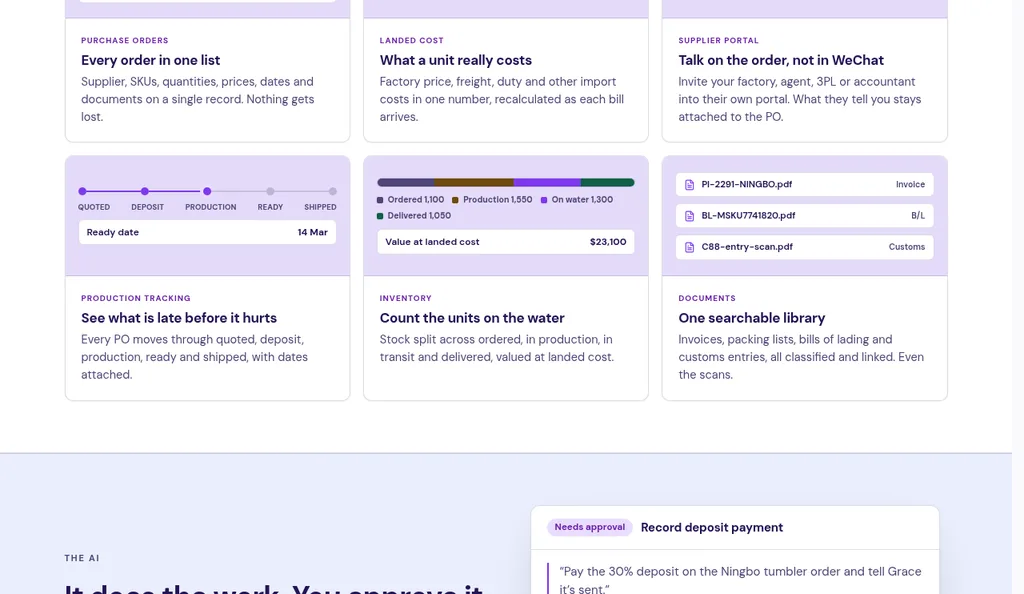
SupplyAutomate homepage production tracking feature, checked October 2026
SupplyAutomate covers both kinds of late for brands that import from overseas factories. Every purchase order moves through quoted, deposit, production, ready, and shipped, with dates attached, so the factory's ready date is on the order rather than in a chat thread. The dashboard shows how many orders are in production and how many are past their ready date, and you can ask the assistant what is late this week.
Once goods ship, parcel and ocean container tracking show where each shipment is, and the documents you upload, such as the packing list, bill of lading, and customs entry, are read and filed on the right order. You can invite your supplier to the PO so they can post updates and documents there instead of in WeChat, which helps get the actual dates in sooner. The landed cost per unit is built from the factory price, freight, duty, and samples on the same order.
SupplyAutomate doesn't predict delays from supplier history or send automated emails to factories, and it doesn't push anything into your store or accounting system. The software is $199 a month or $1,999 a year with a 14-day trial and no card required, and you can export orders to CSV or Excel at any time.
What Data You Need For Early Warnings
Whatever tool you use, three pieces of data make early warnings possible. Each purchase order needs a promised ready or ship date as a calendar date, which our purchase order template puts on the header for this reason. You need the actual milestone dates as they happen, from supplier updates, ship notices, and shipping documents. And once goods ship, you need container or parcel tracking so ETA changes reach you without asking.
History is the fourth piece, and it builds up over time. Recording when each order was actually ready and when it actually arrived gives you each supplier's real lead time, which is what you should plan against. Our guides to how to calculate safety stock and reconciling a supplier invoice to a purchase order cover how those dates feed into buying decisions.
A Simple Weekly Late Shipment Check
Even with software, a short weekly routine catches most problems. Every Monday, look at any order past its ready date or within a week of it, and message those suppliers for a confirmed date. Then look at shipments in transit and check for ETA changes, especially anything that would push arrival past your reorder point.
Finally, write down what changed. If a supplier misses dates twice in a quarter, add buffer to their lead time before the next order, and if a lane keeps running late, plan for it in your reorder point. It takes fifteen minutes, and it turns late shipments from surprises into things you saw coming.
Frequently Asked Questions
Can Supplier Management Software Predict Late Shipments?
Most tools flag orders that have passed a promised date or are close to it, rather than predicting delays. Reports like Odoo's average days to receive by vendor help you spot suppliers whose lead times are slipping, so you can plan for it before the next order.
How Does Software Know A Shipment Is Late?
It compares a promised date, such as the expected delivery date or factory ready date on the PO, with today's date or an actual milestone. For goods in transit, container tracking tools watch for ETA changes and exceptions reported by carriers and terminals.
Do I Need A Separate Container Tracking Tool?
If your purchase order software doesn't track containers, a tool like Terminal49 covers the transit side, and its free plan tracks up to 10 active containers. SupplyAutomate includes parcel and ocean container tracking on the purchase order.
Can A Spreadsheet Flag Late Supplier Shipments?
A spreadsheet can highlight orders past a date with conditional formatting, but only when someone opens it and the dates are current. Our guide to moving from Excel to automated purchase order tracking covers when that stops being enough.
Does SupplyAutomate Send Late Shipment Alerts To Suppliers?
No. SupplyAutomate shows which purchase orders are past their ready date and tracks shipments, and its assistant can draft a message to your supplier that waits for your approval before it goes out.
Catching The Next One Early
You don't need a sophisticated system to catch most delays early. You need the promised date on every order, the actual dates coming in without retyping, and a few minutes each week to look at what's slipping. Start with whichever of those is missing today, and the next late order should show up on your screen weeks before it shows up in your stock report.