Here's a message most importers get at least once. You ordered 10,000 units, the deposit is paid, and two days before the ship date the supplier writes to say 6,000 are packed and ready and the other 4,000 will follow in about three weeks. You say yes, because waiting means a stockout, and now one purchase order has turned into two shipments, two freight bills, two customs entries, and maybe two balance payments.
So can purchase order software keep track of that? Mostly, yes. Recording what arrived and what's still owed against a PO is called partial receiving, and most inventory and PO tools handle it. The harder part is cost, because each batch carries its own freight and duty, and the landed cost per unit of the first 6,000 usually isn't the same as the last 4,000. This guide walks through what a partial shipment does to a PO, how a few common tools record it, how to work out landed cost per batch, and how I set it up in SupplyAutomate.
I'll be upfront about our own product, since it handles this differently from the tools below. SupplyAutomate doesn't connect to Shopify, Amazon, WooCommerce, QuickBooks, or Xero, and it doesn't sync stock or orders. It works from the documents you upload, such as supplier invoices, packing lists, freight bills, and customs entries, plus parcel and ocean container tracking, and each order ships in full on a shipment. If you need line-by-line partial receiving on a single PO, the tools in the middle of this post do that, and I'll explain the setup I use in SupplyAutomate further down.
TL;DR
- Yes, most purchase order and inventory software can record a partial shipment. You log the quantity that arrived on each PO line, the PO stays open, and the remaining balance shows as outstanding until it ships or you cancel it.
- Shopify's built-in purchase orders handle partial deliveries through linked inventory transfers, Zoho Inventory uses partial purchase receives, and inFlow lets you partially receive each line or split the PO by what has been received.
- Receiving tells you what arrived, and landed cost is a separate job. Each batch has its own freight bill and customs entry, so cost each batch on its own units and blend them once everything lands.
- In SupplyAutomate a shipment carries whole orders, so when a supplier splits a PO, the cleanest setup is one order per shipment, each with its own supplier invoice, documents, tracking, and landed cost.
- Ask the supplier for a separate commercial invoice and packing list for each shipment. Your customs broker will want them anyway, and it makes every system, including a spreadsheet, much easier to keep straight.
What A Partial Shipment Does To A Purchase Order
A purchase order is an agreement for a set quantity at a set price, and a partial shipment breaks it into pieces. When 6,000 of 10,000 units leave the factory, every line on the PO now has three numbers: what you ordered, what has shipped or arrived, and what is still open. Good tracking keeps all three visible, so nobody assumes the order is finished just because a container showed up.
The open balance is where things usually go wrong. If someone closes the PO after the first shipment, the 4,000 units still owed can drop off everyone's radar until you notice the stock never arrived. The other common slip is payment. Under terms like 30/70 the balance is often due before the goods ship, so agree with the supplier in writing whether you pay the full balance before the first batch or pay it in two parts as each batch goes.
Then there's the paperwork. Each physical shipment normally has its own packing list, bill of lading, freight invoice, and customs entry, even when the supplier invoiced the whole PO at once. Our guide to reconciling a supplier invoice to a purchase order covers the matching side, and it gets much easier when every document carries your PO number.
How Purchase Order Software Records Partial Shipments
Most tools use the same idea. Instead of marking the whole PO as received, you record a receipt for the quantities that actually arrived, line by line, and the software keeps the PO open with the rest outstanding. When the second batch lands you record another receipt, and the PO closes once everything is in or the leftover is cancelled.
Below are three common tools that do this, described from their own help pages. I picked them because plenty of small ecommerce brands use them, and each one handles the open balance a little differently. If you want a wider comparison, our roundup of the best purchase order management software covers more options.
Shopify Purchase Orders
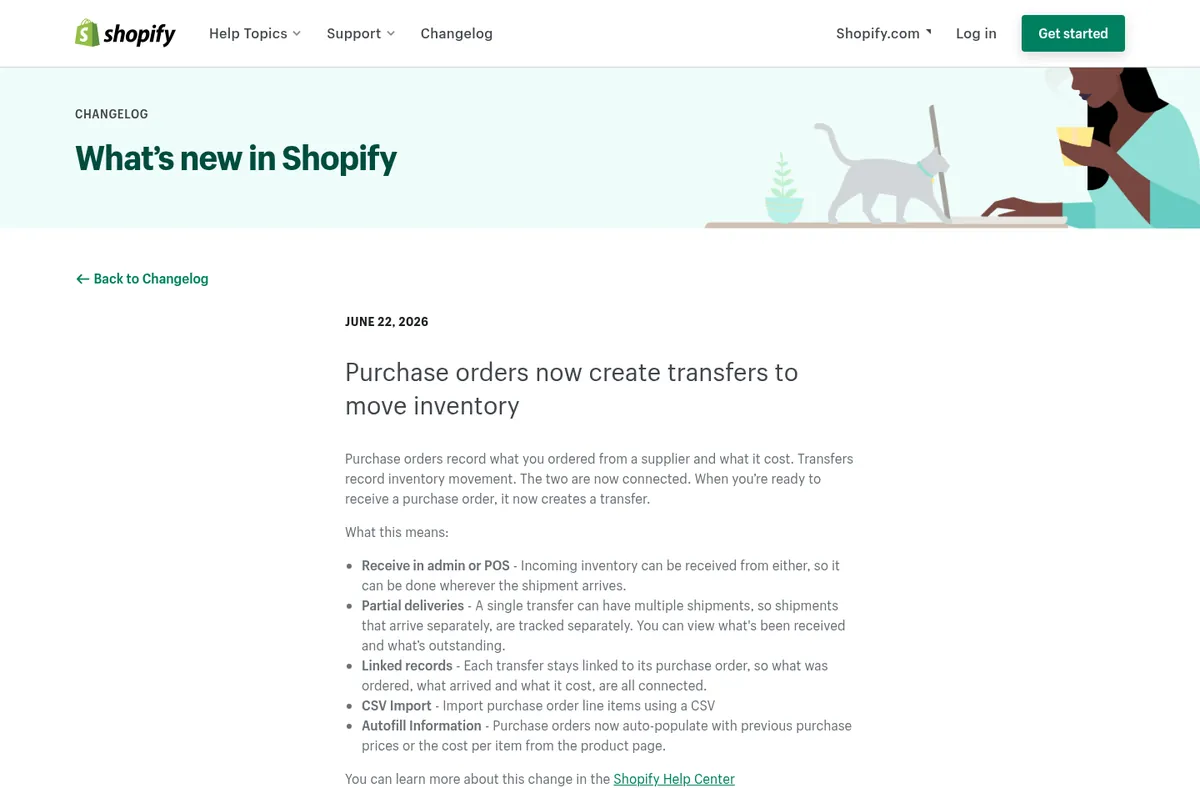
Shopify changelog, checked October 2026
Shopify has purchase orders built into the admin, and since June 2026 a purchase order creates a linked inventory transfer when it's time to receive. Shopify's help page on receiving inventory from a purchase order explains that receiving happens on the transfer, and if you only receive some items, the transfer stays In progress until you receive the rest. The changelog post adds that a single transfer can hold multiple shipments, so batches that arrive separately are tracked separately.
That's a good fit if you sell on Shopify and want received stock to show up as available at the right location. The purchase order itself only has Draft and Ordered statuses, so partial progress is something you check on the transfer, and the same help page covers adding shipping costs and fees to a shipment. If you're working out how those costs end up in Shopify's cost per item field, our post asking whether Shopify cost tracking is enough for landed cost goes through it.
Zoho Inventory
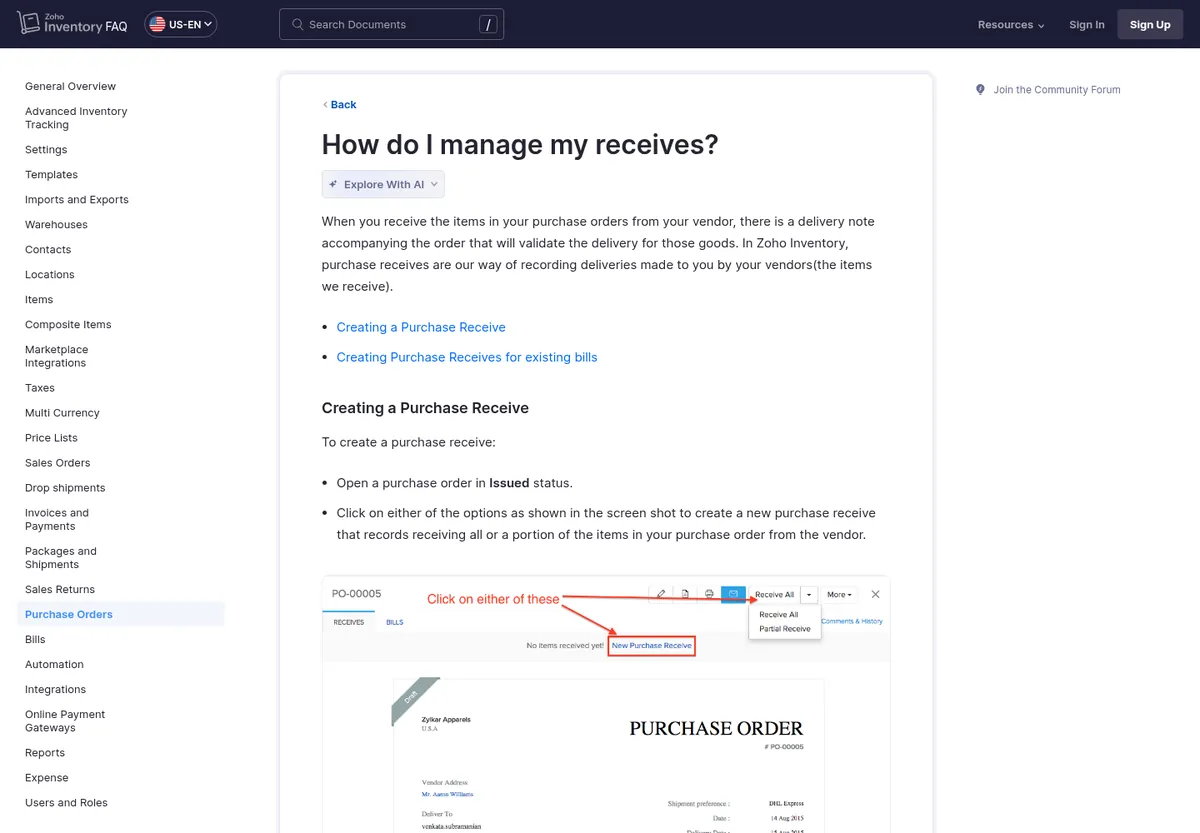
Zoho Inventory receives FAQ, checked October 2026
Zoho Inventory records deliveries as purchase receives. Its FAQ on managing receives shows a Partial Receive option on an issued purchase order, where you enter the quantity that arrived, and the purchase order help page lists Partially Received as its own PO status. Each receive is listed on the purchase order's overview, so you can see both batches in one place.
The part I like is how Zoho handles the leftover. Once a PO is partly received or billed, you can cancel selected items from the quantity that hasn't been received yet, which is a tidy way to close out a PO when the supplier tells you the last few hundred units aren't coming. You can also convert receives into bills, which helps if you pay the supplier per shipment.
inFlow Inventory
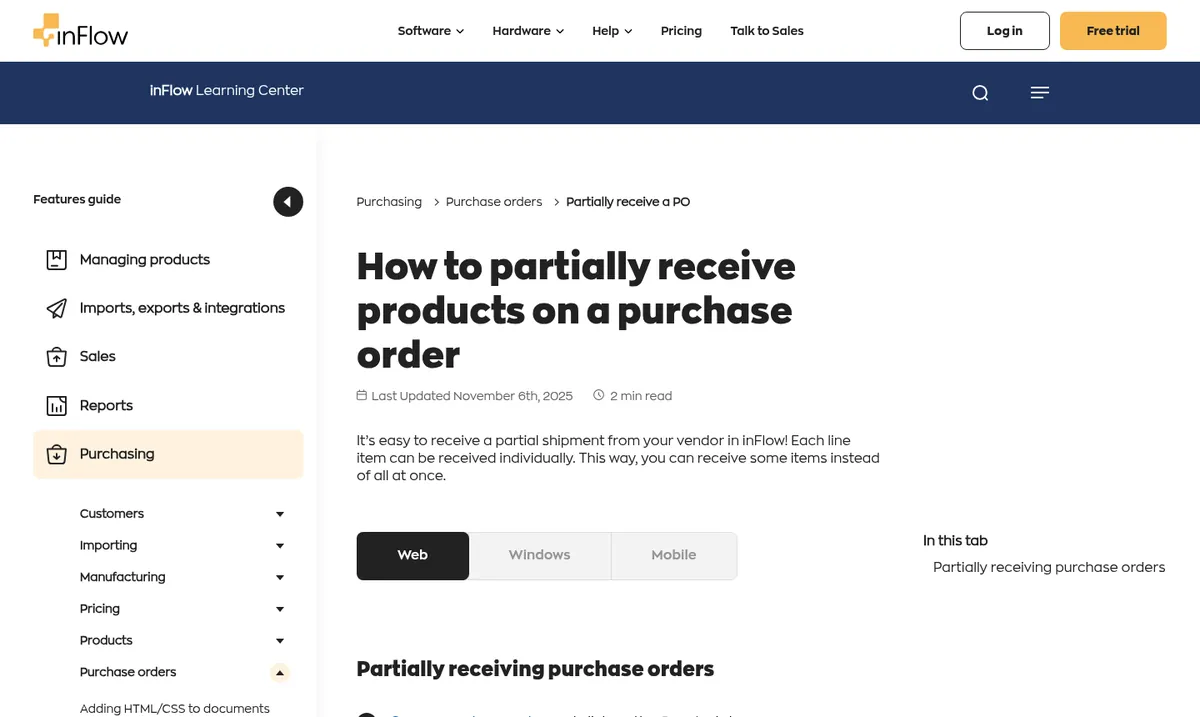
inFlow partial receiving guide, checked October 2026
inFlow Inventory lets you receive each line of a purchase order on its own. Its guide to partially receiving a purchase order has you open the Receive tab, enter the quantity that arrived, choose Partial receive, and optionally set the receive date. Lines that are partly received show a half-filled circle until the rest arrives.
inFlow also has a split by received option that turns one PO into two orders with the same number, PO-XXXXXX-1 for what arrived and PO-XXXXXX-2 for what you're still waiting on. That's close to the setup I use in SupplyAutomate, and it's a handy way to stop a backorder from hiding inside a mostly complete order.
What Happens To Landed Cost When Goods Arrive In Batches
Receiving tells you how many units arrived, but it doesn't tell you what they cost, and with a partial shipment that's where most of the error creeps in. The first batch often goes as a full container while the remainder goes as a smaller LCL shipment or even by air, so the freight per unit on the second batch can look quite different from the first. Duty is assessed on each customs entry too, so each batch comes with its own duty bill.
The safe rule is to cost each batch on its own units first and only blend them at the end. Here's a simple example with made-up numbers, using a $2.00 factory price and a 15% duty rate purely for the math.
| Batch 1 | Batch 2 | Whole PO | |
|---|---|---|---|
| Units | 6,000 | 4,000 | 10,000 |
| Goods at $2.00 | $12,000 | $8,000 | $20,000 |
| Freight | $3,000 | $2,600 | $5,600 |
| Duty at 15% | $1,800 | $1,200 | $3,000 |
| Landed cost | $16,800 | $11,800 | $28,600 |
| Per unit | $2.80 | $2.95 | $2.86 |
The mistake to watch for is spreading the first freight bill across all 10,000 units because that's what the PO says. That gives you $0.30 of freight per unit when the real figure is $0.50, so the first 6,000 units look like they cost $2.60 when they actually cost $2.80, and every sale until the second freight bill arrives shows a margin that's a little too good. Our guides to landed cost per unit and allocating freight across multiple SKUs go deeper on the allocation methods.
It also helps to be clear about what goes into the number. In SupplyAutomate landed cost is the factory price, freight, duty, and samples, and marketplace fees sit outside it. If you sell through Amazon FBA, our post on adding Amazon FBA shipment costs to landed cost explains where fulfillment and storage fees belong.
How To Track A Partial Shipment In A Spreadsheet
If you're still on a spreadsheet, you can handle partials with one small change in structure. Give each PO line one row per shipment, with columns for ordered quantity, shipped quantity, a shipment reference such as the container or tracking number, ship date, and open balance. The open balance is the ordered quantity minus everything shipped so far for that line, and filtering for anything above zero gives you a list of what suppliers still owe you.
Then put each batch's freight bill and customs entry against that batch's rows, so the cost math in the table above happens per shipment. Our free purchase order template and packing list template are clean starting points. If the sheet is getting heavy, our guide to moving from Excel to automated purchase order tracking covers when and how to switch.
How I Handle Partial Shipments In SupplyAutomate
In SupplyAutomate a shipment carries whole orders. You can put several orders on one shipment, and the freight and duty on that shipment are spread across the orders on it in proportion to their goods value, but the app won't split one order's quantity across two shipments. So when a supplier tells me a PO will go in two batches, I set it up as two orders, one for each shipment, with the quantities each batch will carry.
The easiest way to make that work is to ask the supplier for a separate commercial invoice and packing list for each shipment, which your customs broker will want anyway. Upload each batch's invoice, packing list, freight bill, and customs entry, and each half ends up with its own documents, parcel or container tracking, and landed cost per unit built from the factory price, freight, duty, and samples. Make sure both invoices carry your original PO number, so the two halves are easy to find together when you're talking to the supplier.
If a short shipment surprises you after the fact, trust the invoice for what actually shipped. Edit the order's quantities to match it, and open a new order for the balance once the supplier confirms when it will go. I find that cleaner than leaving a half-finished order open for weeks, because each order then lines up with one invoice, one set of shipping documents, and one landed cost.
You can invite the supplier to the order so they can share updates and documents directly, and you can export orders and landed cost reports to CSV or Excel whenever your accountant needs them. SupplyAutomate is $199 a month or $1,999 a year after a 14-day trial, and our pricing page has the details. If you sell on Shopify or Amazon, our pages for Shopify brands and Amazon FBA sellers show how this fits next to your store, and if you'd rather have someone else chase the factory and keep split orders straight, that's what our Outsourced Supply Chain Manager does.
Frequently Asked Questions
Can Purchase Order Software Track Partial Shipments From Suppliers?
Yes. Most purchase order and inventory tools let you record a receipt for the quantity that arrived on each line, keep the PO open, and show the remaining balance as outstanding. Shopify, Zoho Inventory, and inFlow all document how to do this in their help centers.
What Happens To A Purchase Order When A Supplier Ships Part Of It?
The PO stays open, with each line showing the ordered, received, and open quantities. It closes when the rest arrives or when you cancel the remaining balance, so only close it early once the supplier has confirmed the rest isn't coming.
Does Landed Cost Change With A Partial Shipment?
Usually, yes. Each batch has its own freight bill and customs entry, so cost each batch on its own units and blend them into one average once everything has landed.
Should I Pay The Balance Before Every Partial Shipment?
That depends on what you agree with the supplier. Under 30/70 terms the balance is usually due before shipping, so settle in writing whether you pay the full balance before the first batch or split it across both shipments.
Does SupplyAutomate Update Shopify Or Amazon Inventory When A Batch Arrives?
No. SupplyAutomate doesn't connect to Shopify, Amazon, WooCommerce, QuickBooks, or Xero. It tracks orders, shipments, documents, and landed cost, and you export to CSV or Excel when another system needs the numbers.
Keeping Split Shipments Straight
Partial shipments are a normal part of buying from factories, and they only get painful when the open balance or the second freight bill gets lost. Whatever tool you use, keep the remaining quantity visible, ask for documents per shipment, and cost each batch on its own units. Do those three things and a split order is really just two smaller orders, which any decent system, or a careful spreadsheet, can handle.