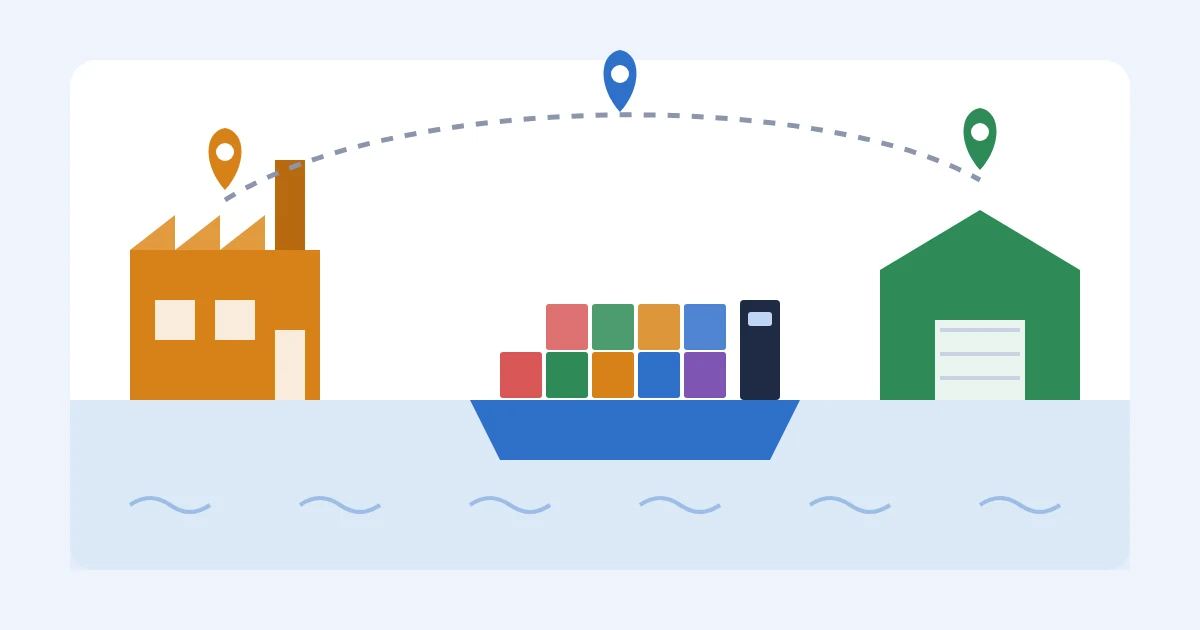
Your first container left Ningbo three weeks ago. The factory sent a photo of the pallets, the forwarder sent a PDF with a long reference number, and since then nobody has told you anything. Your Amazon shipment is waiting in Seller Central, a sales event is coming, and you honestly can't say whether your boxes are in the middle of the Pacific or sitting at a port waiting on customs.
I built an Amazon FBA and Shopify brand to $3M ARR, and for years my version of visibility was a spreadsheet full of tracking numbers I copied out of WeChat late at night. This guide explains what supply chain visibility software shows a small seller, which tools cover which part of the trip, what they cost, and how I'd set things up for your next order.
TL;DR
- Supply chain visibility software tells you where an order is and when it will be ready to sell. For a small importer that means five stops: production, booking, the ocean, customs and the port, and receiving at your warehouse or Amazon.
- No single cheap tool sees all five stops. Container trackers like Terminal49 and Shipsgo cover the ocean, parcel trackers like 17TRACK cover samples and express boxes, and Seller Central or Shopify shows receiving.
- You can start for free. Terminal49 tracks up to 10 active containers at no cost, Shipsgo gives new users 3 free credits, and the 17TRACK website and app are free.
- Flexport includes its tracking platform when it moves your freight, while enterprise control towers are built for far bigger teams than a first-time seller.
- The gaps most sellers feel are on the factory side and the cost side. SupplyAutomate covers production status, your documents, container and parcel tracking, and landed cost, for $199 a month after a 14-day trial.
What Supply Chain Visibility Means For A Small Seller
Big companies use the phrase for control towers that watch thousands of shipments from hundreds of suppliers. If that's the world you're curious about, our guide to supply chain control tower software covers platforms like project44 and o9. For a seller with one or two factories, visibility is much simpler: you want to know where each purchase order is, when it will be ready to sell, and what it cost.
Each of those questions leads to a real decision. If production slips, you might air freight part of the order or slow down ads before you run out of stock. If the container is stuck at the port, you need to warn your 3PL or move your Amazon delivery date. If the landed cost comes in higher than you planned, you want to fix your price before you sell the whole batch at a thin margin.
The Five Stops Between The Factory And Your Shelf
Every ocean order passes through the same five stops, and a different company holds the update at each one. Visibility gets much easier once you know who to ask at each stop and which number unlocks the answer.
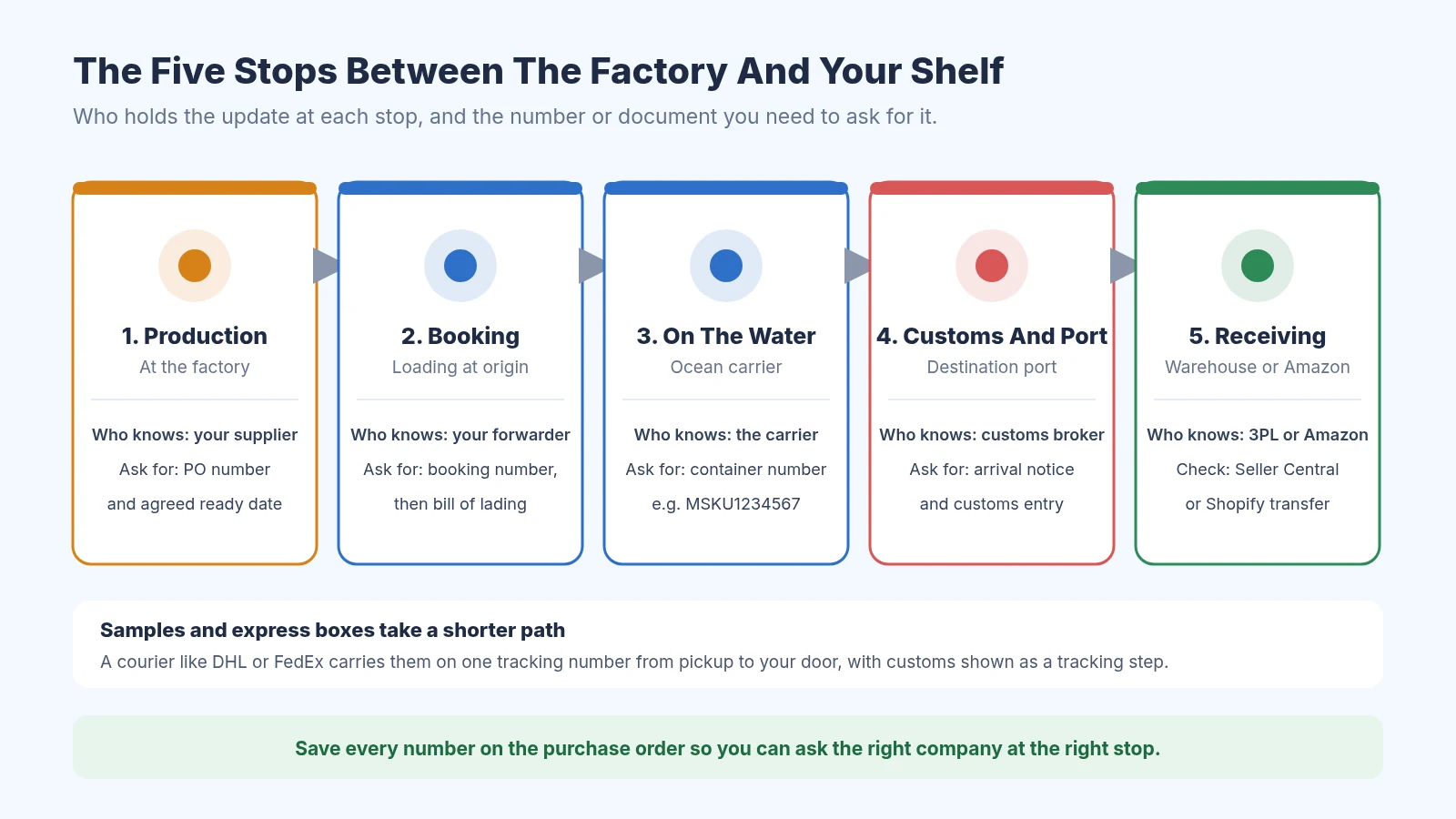
Each stop has a different company holding the update and a different number to ask for
- Production at the factory. Only your supplier knows whether the goods will be ready on time. Your anchor is the PO number and the ready date you both agreed in writing.
- Booking and loading. Your freight forwarder books space on a ship and loads the goods. You get a booking number first and a bill of lading once the ship sails.
- On the water. The ocean carrier tracks the container. The container number, four letters followed by seven digits, is what every tracking tool asks for.
- Customs and the port. Your customs broker files the entry, you pay duty, and the terminal releases the container. You get an arrival notice and a customs entry.
- Receiving. Your 3PL, your own warehouse, or Amazon checks the units in. Amazon shows this in Seller Central, and Shopify shows it when you receive a transfer.
Samples and small express orders take a shorter path. They travel with a courier like DHL or FedEx on one tracking number from pickup to your door, and customs clearance shows up as a step in that same tracking history.
What You Can See For Free
Before you pay for anything, you can get decent visibility with free tools and a bit of routine. Keep one row per purchase order in Google Sheets with columns for the ready date, booking number, bill of lading, container number, ETA, and the date the goods were received. Ask your forwarder to send the container number the day it's loaded, then paste it into one of the free trackers below.
Our free purchase order creator gives every order a clean PO number to hang everything on, and the packing list template makes it easy to check what arrived against what you paid for. The free tools do a good job on the movement of boxes. What they can't tell you is whether the factory is running late, whether the packing list matches the PO, or what the order cost once freight and duty landed.
Container Tracking Tools For Ocean Freight
Terminal49
Terminal49 tracks ocean containers using carrier and terminal data, so you can follow the vessel, the ETA, and port events without logging into each shipping line's website. Its free plan tracks up to 10 active containers at a time with up to 3 users, shipment details, basic notifications, and 50 document credits. The Lite, Essential, and Complete plans add full dashboards, more document processing, and API access, and you request pricing or book a demo for those.
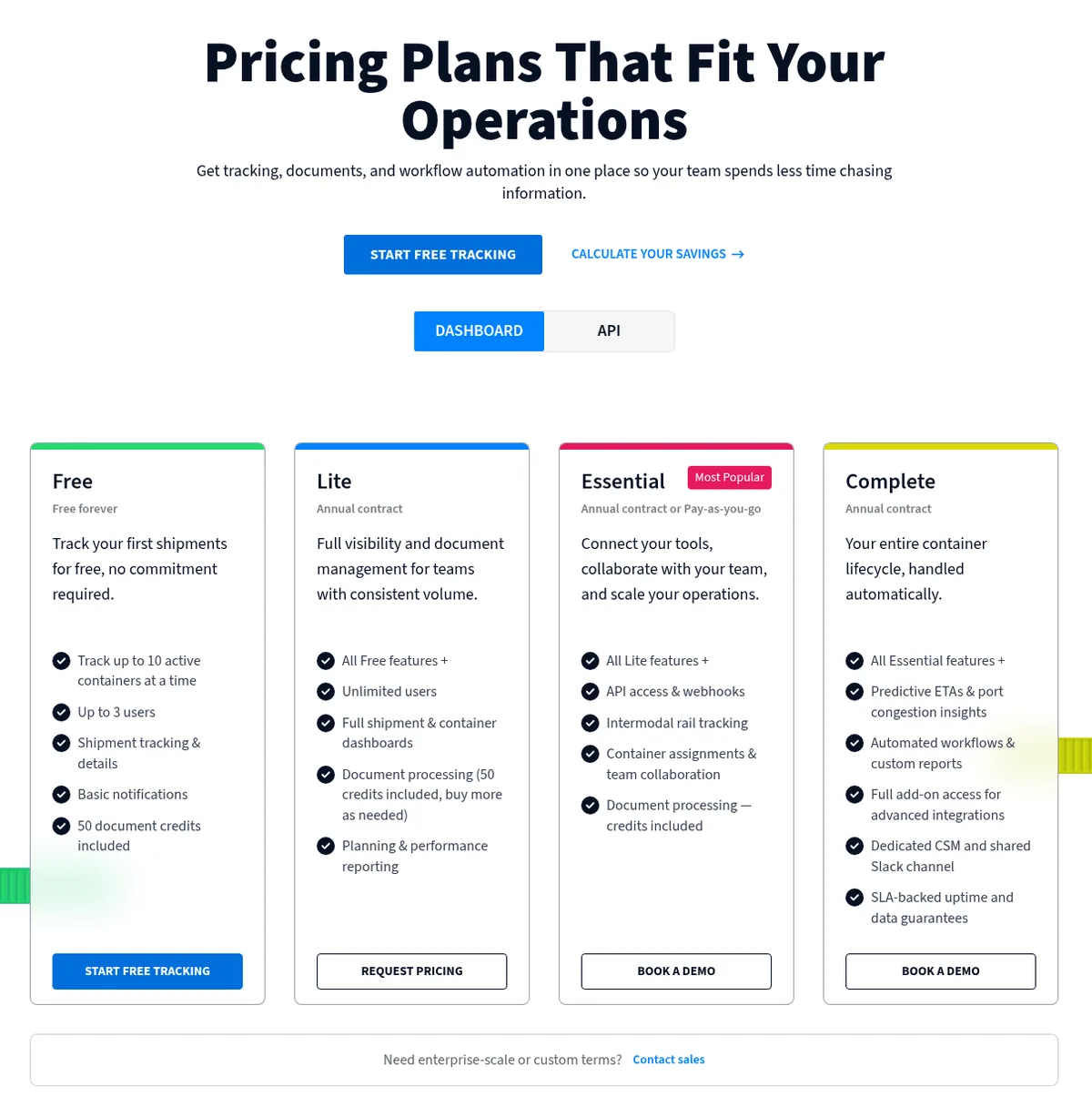
Terminal49's free plan covers up to 10 active containers at once
For a seller shipping one or two containers a month, the free plan is plenty. The paid tiers are aimed at freight forwarders, customs brokers, and larger shippers, so you probably won't need them for a long time.
Shipsgo
Shipsgo charges per shipment with credits, so there's no monthly plan to keep paying between orders. Each new shipment uses one credit, and if you track by master bill of lading, every container on that bill counts as a single credit. New users get 3 free credits, purchased credits last for a year, and the price calculator showed $1,000 for 500 credits when I looked.
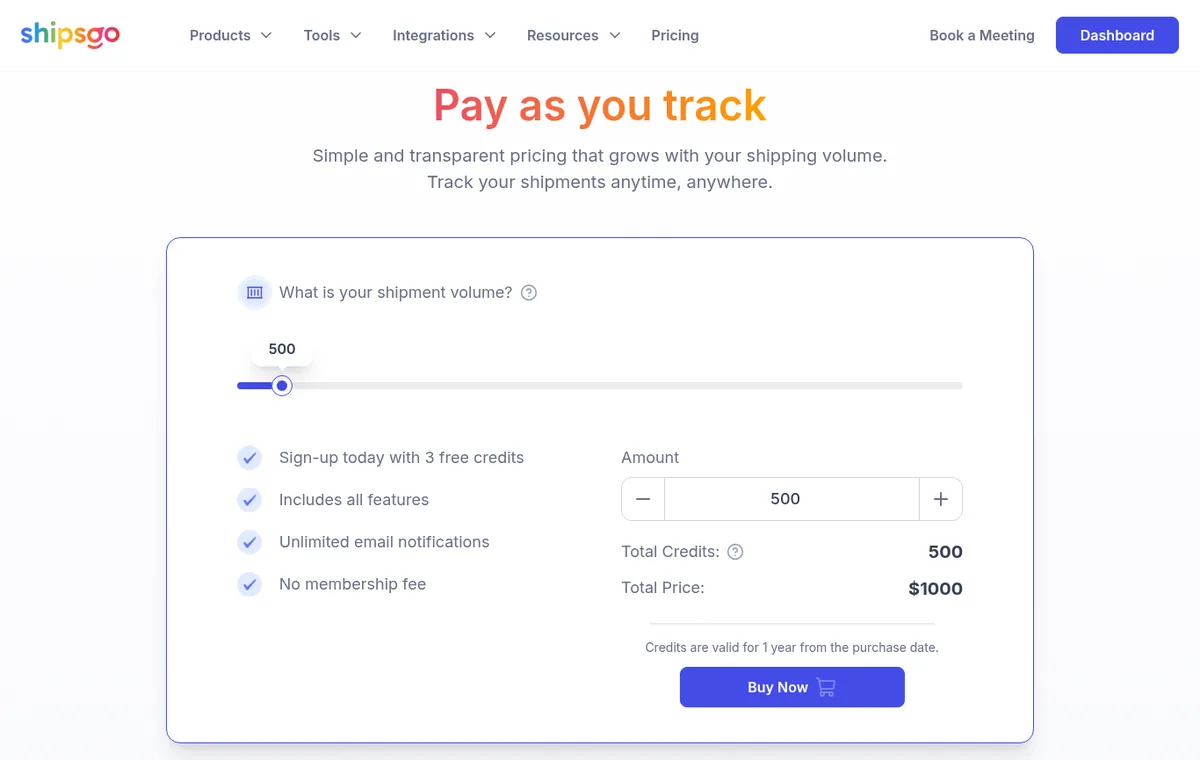
Shipsgo sells tracking credits, and each new shipment uses one
Shipsgo also tracks air cargo, which helps if you ever air freight part of an order to cover a stockout. Paying per shipment suits sellers with a handful of orders a year who don't want another subscription.
Parcel Tracking Tools For Samples And Express Boxes
17TRACK
17TRACK follows parcels across more than 3,500 carriers, including China Post, Cainiao, YunExpress, DHL, and FedEx. You can paste up to 40 tracking numbers at once on the website, and the mobile app is free. It's the easiest way to follow samples and small express orders from China without checking five different carrier sites.
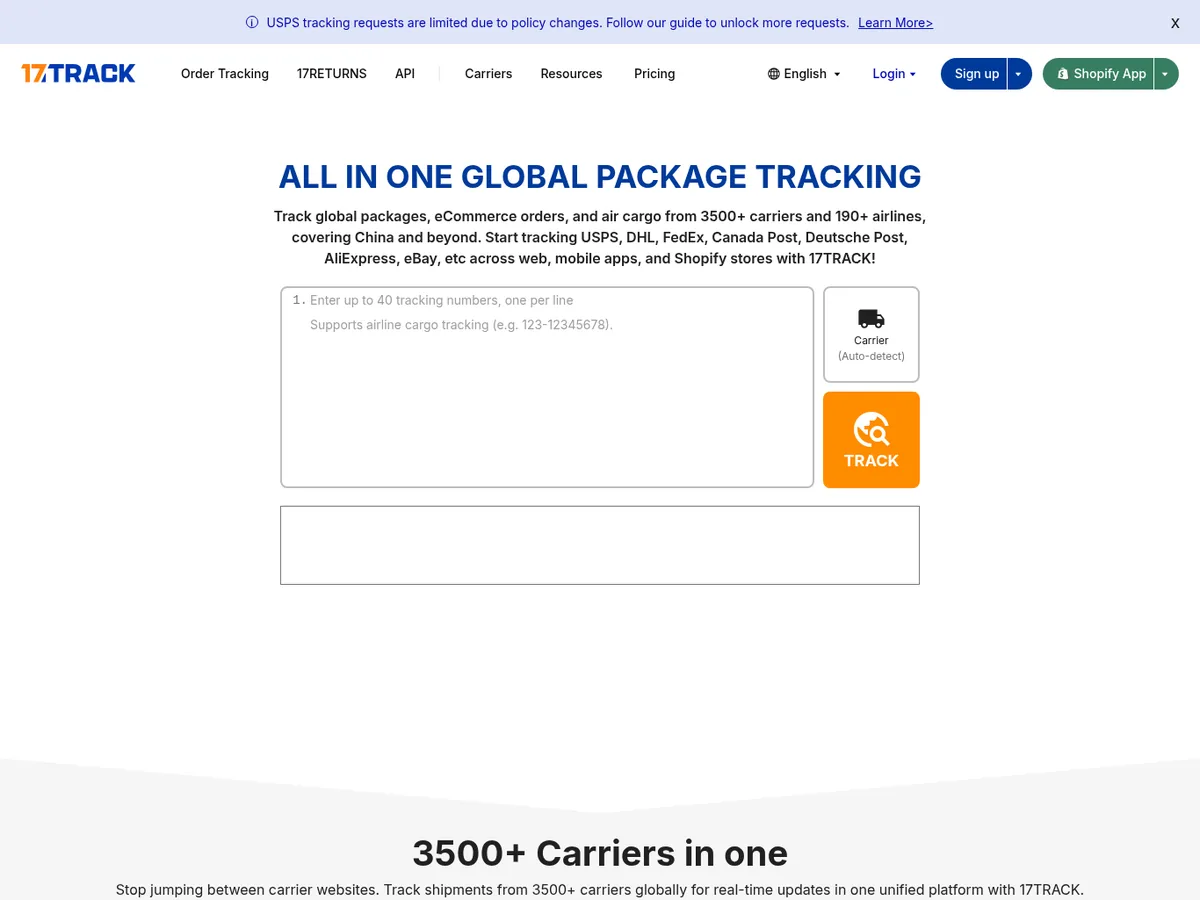
17TRACK reads tracking numbers from Chinese and Western carriers in one search box
17TRACK also has a Shopify app, but that app tracks orders you send to customers. For inbound samples and express boxes, the free website and app are usually all you need.
AfterShip
AfterShip Tracking is built mainly for orders going out to your customers. Essentials starts at $29 a month for 6,000 shipments a year, with a branded tracking page and email and SMS updates, and it connects to Shopify and WooCommerce. I've included it because a lot of sellers searching for visibility software end up on its pricing page, and it's good to know which direction it looks.
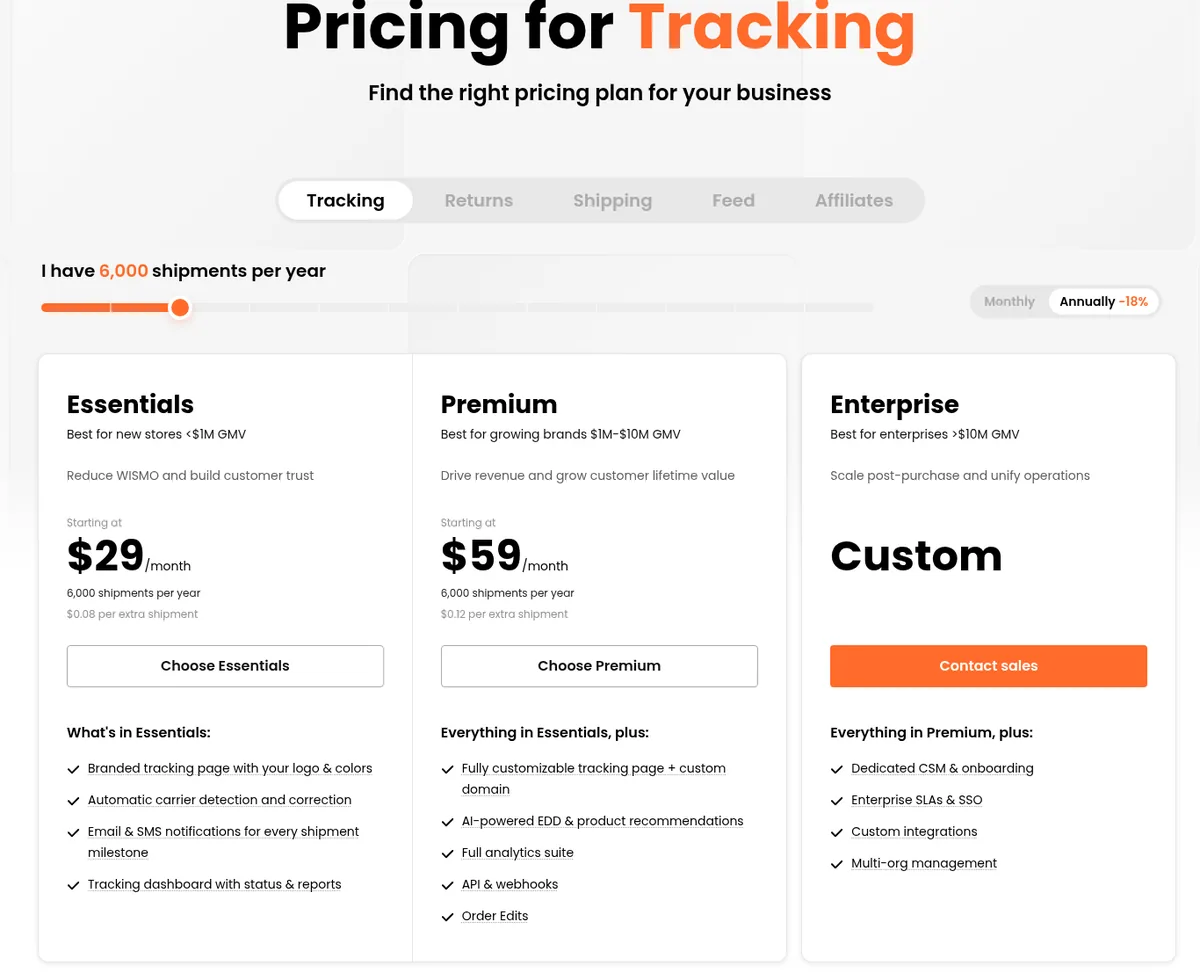
AfterShip prices its tracking plans by yearly outbound shipments
If your inbox is full of "where is my order" emails from customers, AfterShip is worth a look. If the problem is the container you're waiting on, start with a container tracker instead.
Forwarder Dashboards
Flexport
If you book freight with Flexport, you get its platform as part of the service. Flexport says the platform is free for its customers, and its dashboard shows shipments, purchase orders, containers, and customs declarations with milestones and exceptions. Flexport also says the platform can include freight you move with other forwarders.
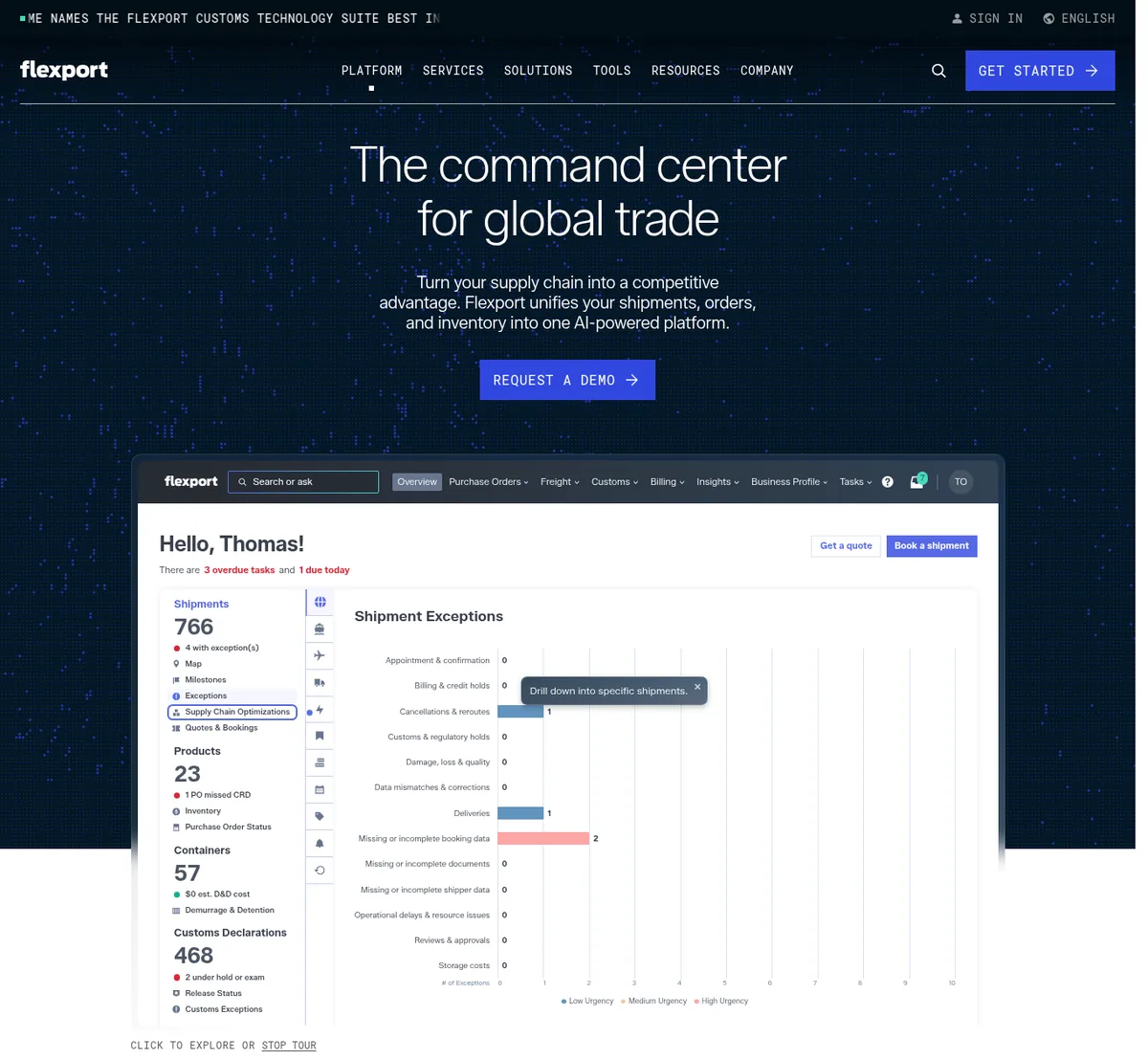
Flexport's dashboard groups shipments, purchase orders, containers, and customs in one view
The best view comes when Flexport actually moves your goods, so this choice is really about which forwarder you use. Plenty of smaller forwarders have a tracking portal too, or will email updates at each milestone, so ask yours what they offer before you add another tool.
Seeing Inbound Stock In Amazon And Shopify
The last stop lives in your sales channel. In Amazon Seller Central, each inbound shipment moves through statuses like Shipped, In transit, Delivered, Checked in, Receiving, and Closed, and Amazon explains each one in its FBA shipment tracking guide. Delivered only means the shipment reached the facility and hasn't been checked in yet, so don't count on those units until they're received.
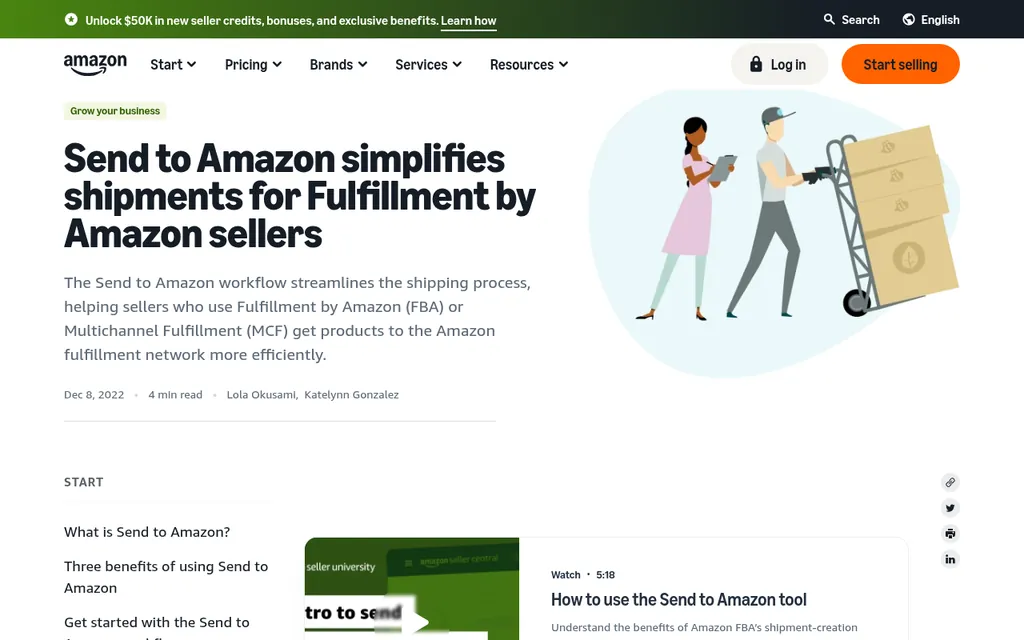
Send to Amazon is where you create the inbound shipment that Seller Central tracks
On Shopify, inventory transfers let you record stock coming from a supplier and receive full or partial quantities at a location. That shows incoming stock in your admin, although it only knows what you type in. Our guides to Shopify inventory management and Amazon FBA inventory management walk through both setups step by step.
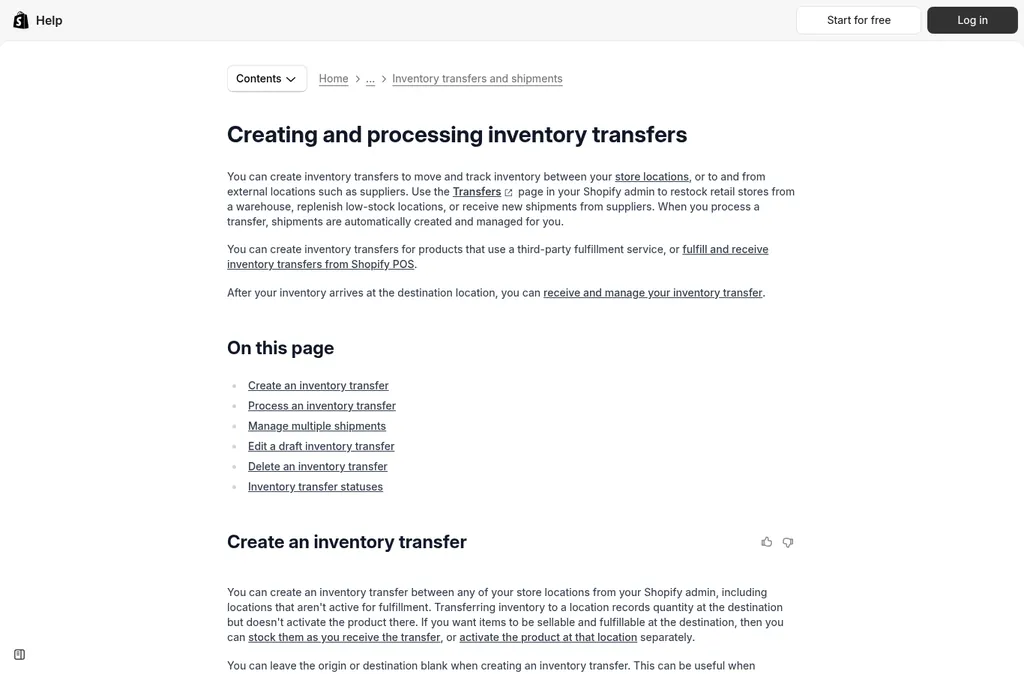
Shopify transfers let you receive supplier stock in full or in part
Where SupplyAutomate Fits
SupplyAutomate is my product, so take this section with that in mind. It covers the two stops the trackers above can't see: the factory and the cost. Each purchase order moves through quoted, deposit, production, ready, and shipped with dates attached, so a late order stands out before it turns into a stockout. You upload the documents you already get, like supplier invoices, packing lists, freight bills, and customs entries, and they stay on the PO.
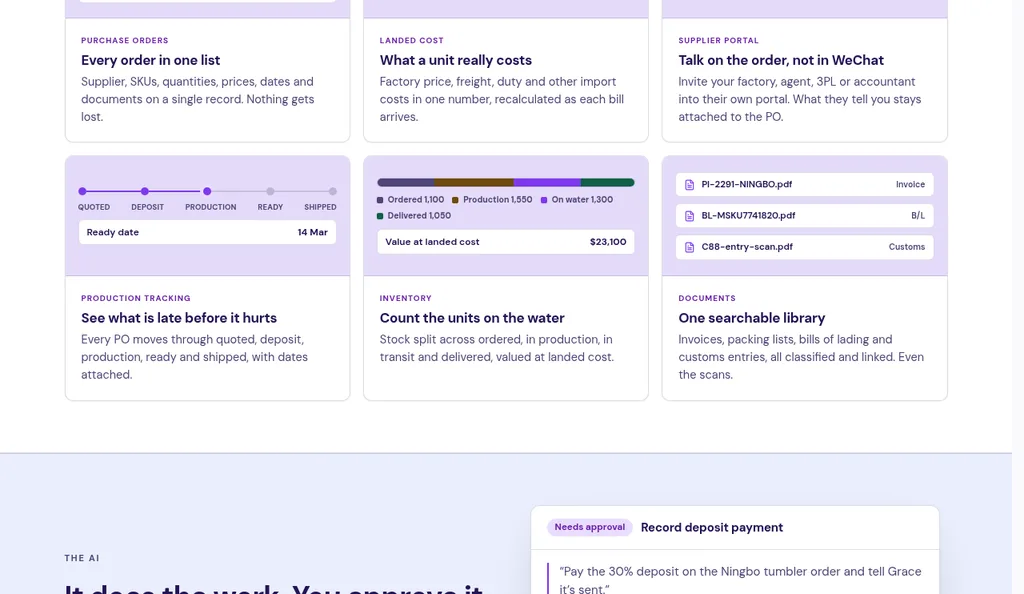
Production status sits on each purchase order in SupplyAutomate
It also tracks parcels and ocean containers, and it works out landed cost per unit from the factory price, freight, duty, and samples. It has no connection to Amazon, Shopify, WooCommerce, QuickBooks, or Xero, and it doesn't sync sales or orders. You still check receiving in Seller Central or Shopify, and you can export your data to CSV or Excel whenever you need it.
Pricing is a 14-day trial, then $199 a month or $1,999 a year per workspace. You can see how it works for Amazon FBA sellers and Shopify brands, or check the pricing page for what's included.
How These Tools Compare
Most sellers end up combining two or three of these tools, so it helps to see which stop each one covers. The chart shows coverage by stop, and the table below adds what each tool costs to start.
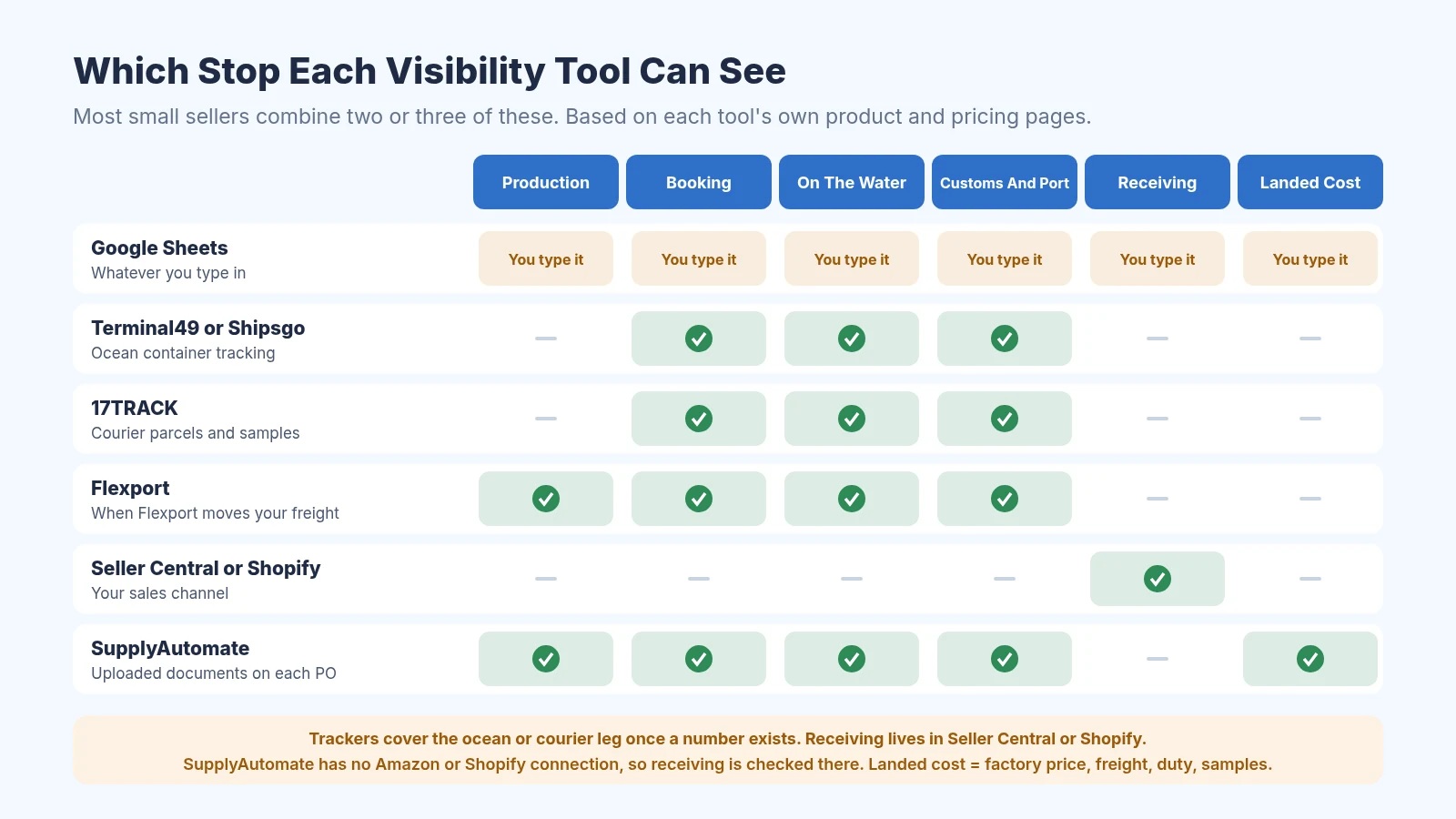
Which stop each tool can see, from the factory to landed cost
| Tool | What it sees | Best for | Starting price |
|---|---|---|---|
| Google Sheets | Whatever you type in | Your first one or two orders | Free |
| Terminal49 | Ocean containers and port events | One or more containers a month | Free for up to 10 active containers |
| Shipsgo | Ocean containers and air cargo | A few shipments a year | 3 free credits, then credits per shipment |
| 17TRACK | Courier parcels from 3,500+ carriers | Samples and express boxes | Free website and app |
| AfterShip | Orders going out to your customers | Cutting "where is my order" emails | $29 a month |
| Flexport | Shipments, POs, containers, and customs | Sellers who book freight with Flexport | Free for Flexport customers |
| Seller Central and Shopify | Receiving at Amazon or your locations | The last stop | Included with your account |
| SupplyAutomate | Production status, documents, container and parcel tracking, landed cost | Importers placing regular POs | $199 a month after a 14-day trial |
How To Set Up Visibility For Your Next Order
You don't need every tool on day one. This is the routine I'd follow on your next order, and it works with free tools until the volume justifies paying for more.
- Write a PO with a ready date. Use the free purchase order creator or our purchase order template, and get the factory to confirm the ready date in writing.
- Set three check-ins with the factory. Ask for an update after the deposit clears, halfway through production, and a week before the ready date, with photos each time. Pay the deposit by wire or bank transfer, or through Alibaba Trade Assurance if you found the supplier on Alibaba.
- Collect the shipping numbers. Get the booking number when the forwarder books space, then the bill of lading and container number on the day the ship sails. Add the container to Terminal49 or Shipsgo the same day.
- Keep one folder per PO. Save the commercial invoice, packing list, bill of lading, freight bill, and customs entry together. Our free commercial invoice template helps if your factory's paperwork is messy.
- Pad the ETA. The vessel ETA is when the ship arrives, and customs, port pickup, and trucking all come after that. The free lead time calculator helps you plan the full door to door time.
- Watch receiving until it closes. Track the Amazon shipment until it shows Receiving and then Closed, or receive the Shopify transfer, and compare what arrived with the packing list.
- Work out landed cost. Once the freight bill and customs entry arrive, run the numbers through the landed cost calculator and check that your price still works.
If you'd like a deeper look at the factory side, our guide to production tracking software covers how to catch late orders early. For the money side, how to calculate landed cost walks through the math with a real example.
Frequently Asked Questions
What Is Supply Chain Visibility Software?
It's software that shows where your orders and shipments are and when they'll arrive. For a large company that can mean a control tower watching thousands of shipments. For a small importer it usually means a container tracker, a parcel tracker, and some way to see production status and costs for each purchase order.
Is There Free Supply Chain Visibility Software?
Yes, for the movement of boxes. Terminal49's free plan tracks up to 10 active containers, Shipsgo gives 3 free credits, and 17TRACK is free for parcels. Flexport's platform is free if Flexport moves your freight, and Google Sheets is free for keeping it all on one row per order.
How Do I Track A Container From China?
Ask your forwarder for the container number or the bill of lading number on the day the ship sails. Paste it into a container tracker like Terminal49 or Shipsgo, or into the shipping line's own website. If your goods share a container with other shippers, track the house bill of lading through your forwarder instead.
Can Visibility Software Show When Amazon Receives My Inventory?
Seller Central shows this for every inbound shipment, from Shipped through Receiving and Closed. Container trackers follow the box, and they can't see Amazon's receiving scans, so you still check receiving in Seller Central. Compare what Amazon received against your packing list once the shipment closes.
Does SupplyAutomate Connect To Amazon Or Shopify?
No. SupplyAutomate has no Amazon, Shopify, WooCommerce, QuickBooks, or Xero connection, and it doesn't sync sales or orders. You upload your supplier documents, it tracks parcels and ocean containers, and you can export to CSV or Excel.
What I'd Set Up First
If I were waiting on my first or second container today, I'd keep it simple. I'd add the container to Terminal49's free plan, track samples in 17TRACK, keep one row per PO in a sheet, and check Seller Central until the shipment closed. That covers most of the "where is it" panic for nothing.
Once I was running a few POs at the same time with more than one factory, the questions would change to which order is late and what each one really cost. That's when it makes sense to trial a tool that keeps production, documents, tracking, and landed cost on the purchase order. You can start a free trial of SupplyAutomate with one real order and see whether it saves you the late night spreadsheet work.
Related Guides

Best Supply Chain Control Tower Software for E-Commerce
Compare supply chain control tower software for e-commerce sellers, including visibility strengths and fit for Amazon FBA, Shopify, and WooCommerce.

Best Supply Chain Management Software For FBA And Shopify Importers
How Amazon FBA and Shopify importers should choose SCM software: what it means vs ERP and OMS, when spreadsheets fail, six category fits, and a one-week trial on your own PO.
Best Amazon FBA Supply Chain Software
Compare the best Amazon FBA supply chain software for inventory, costs, shipping, forecasting, and multichannel eCommerce across Amazon, Shopify, and WooCommerce.

Shopify Supply Chain App Review: SupplyAutomate
Shopify supply chain app review: what SupplyAutomate covers versus inventory, OMS, and fulfillment apps, plus setup, Amazon MCF, AliExpress connectors, and landed cost.

Production Tracking Software: A 2026 Guide for Small Brands
Discover how production tracking software helps small e-commerce brands streamline operations, reduce errors, and scale faster in 2026.
Can Supplier Management Software Flag Late Shipments Early?
How supplier and PO software flags late shipments, what data it needs to do it, and how Zoho Inventory, Odoo, Terminal49 and SupplyAutomate handle delays.
Can Purchase Order Software Track Partial Shipments?
Can purchase order software track partial shipments from suppliers? How partial receiving works, what split batches do to landed cost, and how to set it up.

How To Track Shipping And Manufacturing Costs
Learn how to track shipping and manufacturing costs with a repeatable workflow that connects supplier pricing, freight spend, invoices, and product-level margins.
Amazon FBA Inventory Management: A Step By Step Guide
How to manage Amazon FBA inventory: inventory states, Send to Amazon, shipment reconciliation, capacity limits, IPI, aged fees, and the Inventory Ledger.
Shopify Inventory Management: A Step By Step Guide
How to set up Shopify inventory management: tracking, inventory states, locations, purchase orders, transfers, stock counts, reports, and inventory apps.
5 Best Ecommerce Inventory Management Software For 2026
Compare five ecommerce inventory management tools for Amazon FBA and Shopify importers, covering purchase orders, supplier tracking, and landed cost.
FOB Vs EXW Vs DDP For FBA Sellers
Compare FOB, EXW, and DDP for Amazon FBA importers: who pays freight and duty, where risk transfers, and how each Incoterm changes landed cost per unit.

How To Manage Supplier Orders Over WeChat
WeChat is the channel, not the PO. How FBA and Shopify importers version orders, treat screenshots as evidence, and check landed cost before the next reorder.
SupplyAutomate Pages And Free Tools
SupplyAutomate For Amazon FBA Sellers
SupplyAutomate For Shopify Brands
SupplyAutomate Pricing
Outsourced Supply Chain Manager
Free Landed Cost Calculator
Cost per unit after product, freight, and duty
Free Lead Time Calculator
Lead time, reorder point, and the latest date the next PO can go out
Free Freight Cost Estimator
Compare sea and air freight cost, chargeable weight, and transit time
Free Import Duty Calculator
Live HTS rate plus CBP fees, before you place the PO
Free Purchase Order Creator
Build a purchase order online and download it as a PDF
Free Purchase Order Template
Free Packing List Template
Free Commercial Invoice Template