You sell the same product in two places. Your WooCommerce store ships from a shelf in your garage, most of your stock sits in an Amazon FBA warehouse, and both channels are fed by one factory you found on Alibaba. Every software demo you watch says it "integrates with WooCommerce and Amazon," and you can't tell what that means for your supplier orders.
I built an Amazon FBA and Shopify brand to $3M ARR, and I learned the hard way that a channel integration and supplier management are two different jobs. This guide explains what actually moves between WooCommerce, Amazon, and the tools that connect to both, which tools I'd look at, how to check a vendor's claim before you pay, and how to keep your supplier side straight even if you never buy any of them.
TL;DR
- Yes, several inventory tools connect to both WooCommerce and Amazon FBA. Inventory Planner, Cin7 Core, and Zoho Inventory all document both connections on their own help pages.
- What syncs is channel data: orders, SKUs, stock levels, sales, and FBA inbound shipments. Supplier quotes, deposits, invoices, freight bills, and customs entries never pass through either channel, so no channel sync can deliver them.
- If you only want Amazon to ship your WooCommerce orders from FBA stock, the Amazon Fulfillment (MCF) extension on the WooCommerce Marketplace does that and syncs stock back to your store.
- Before you pay for any tool, find the connection on its official help pages, check which direction data flows, match your SKUs, and test with five products.
- Keep supplier terms, payments, documents, and landed cost in a supplier file or a document-based tool, and pay a new factory through Alibaba Trade Assurance instead of wiring an unknown supplier.
The Short Answer
Yes, but the word "integrate" covers a lot of ground. Most tools that connect to WooCommerce and Amazon FBA are inventory and planning tools. They pull in your orders and stock from each channel, show you combined sales, suggest what to reorder, and let you create purchase orders inside the tool.
What they can't do is pull supplier information out of WooCommerce or Amazon, because neither platform holds it. Your factory quote, the 30% deposit you sent, the commercial invoice, and the customs entry all arrive by email or from your freight forwarder. So the real question for a seller on both channels is two questions: which tool keeps my stock and sales in line across channels, and where do my supplier records live.
What WooCommerce And Amazon Give You On Their Own
WooCommerce core handles stock well for a small store. Its inventory settings let you turn on stock management, set a low stock threshold, and get an email when a product runs low. It has no supplier records or purchase orders of its own, which is why our guide to turning WooCommerce low stock into purchase orders covers the plugins and spreadsheets sellers use to fill that gap.
Amazon covers the FBA side of the trip. In Seller Central you create inbound shipments with Send to Amazon, watch them get received at the fulfillment center, and see restock suggestions based on your sales. Seller Central doesn't keep a list of your factories, their terms, or what you paid them, so the supplier part of the job sits outside Amazon too.
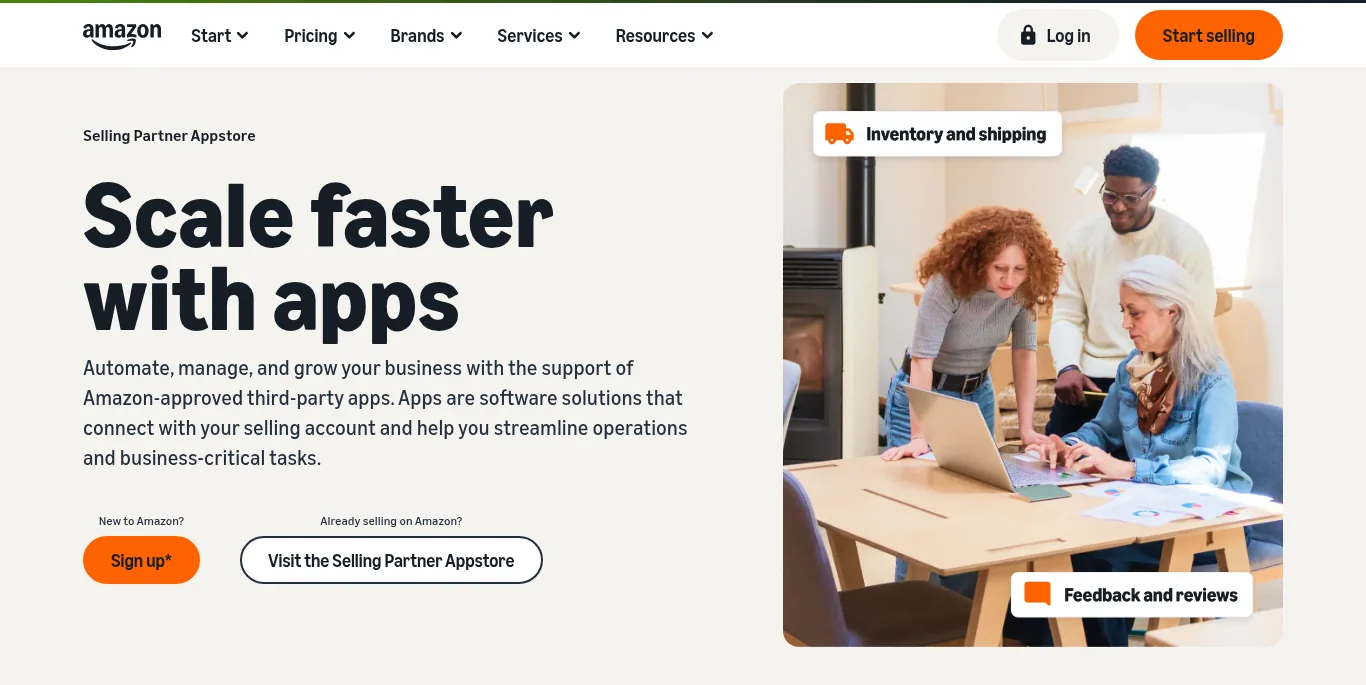
Amazon's Selling Partner Appstore lists apps that are approved to connect to your seller account
Both platforms open their data to other software. WooCommerce has a REST API that tools connect to with a key you create under WooCommerce, Settings, Advanced, REST API. Amazon lists approved apps in the Selling Partner Appstore, and Amazon says all of those apps reach your selling data through its Selling Partner API, which you authorize from inside Seller Central.
What Syncs And What Never Does
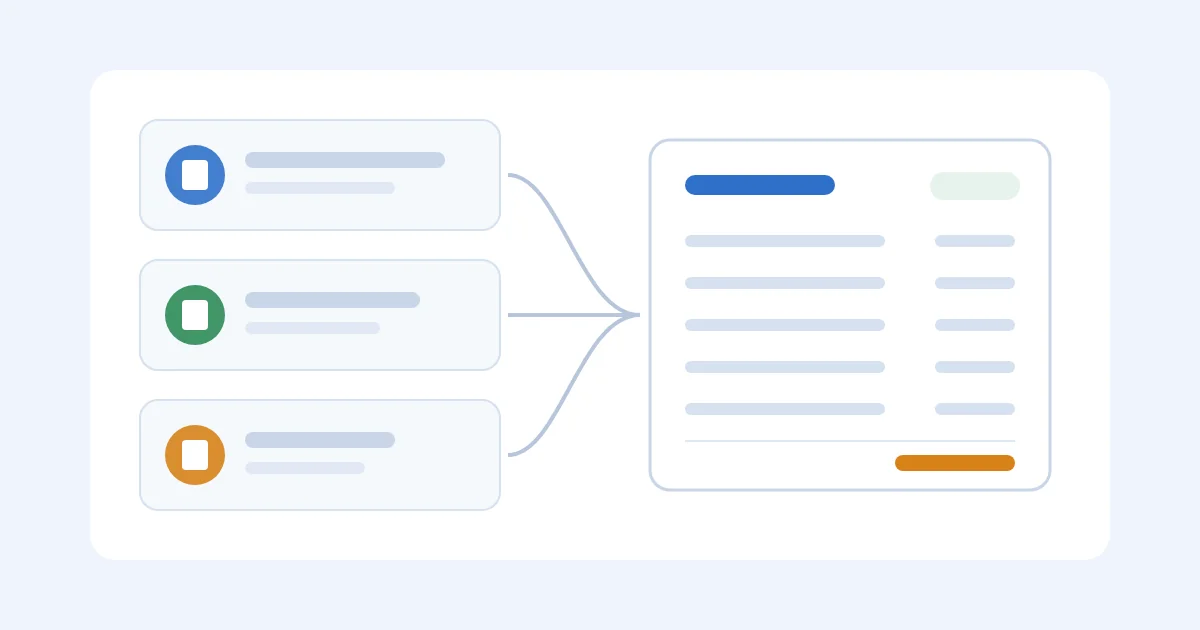
Here is the pattern I've seen across every tool that connects to both channels. Orders and SKUs come in from WooCommerce, stock and sales come in from Amazon, and the tool may push stock counts back to WooCommerce or send a shipment plan to Amazon. That's useful, and it's the part vendors mean when they say "integrates with WooCommerce and FBA."
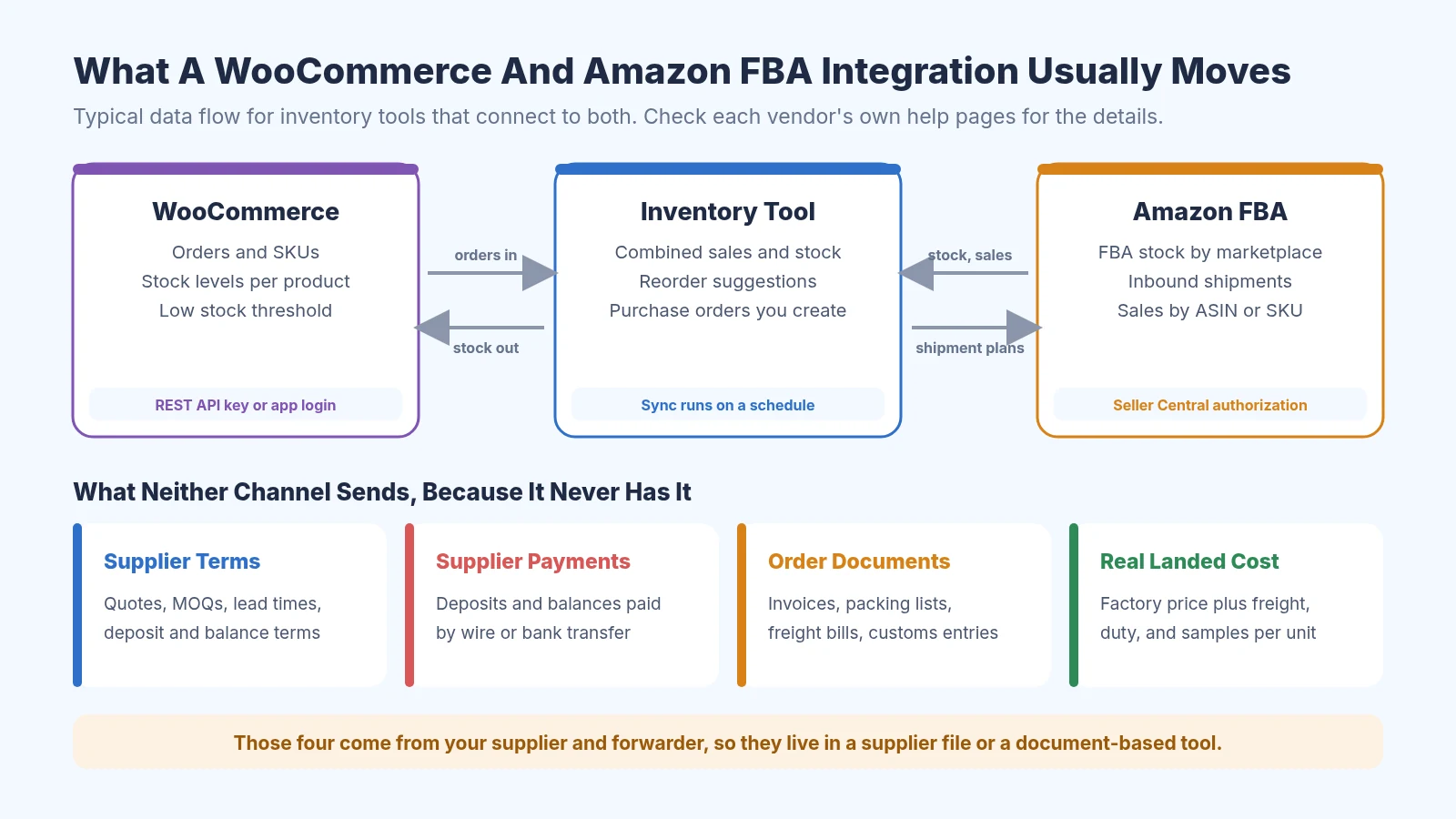
What a WooCommerce and Amazon FBA integration usually moves, and what stays with your supplier
The bottom row of that diagram is the supplier side. Quotes, MOQs, lead times, deposits, invoices, packing lists, freight bills, and customs entries come from your supplier and forwarder, so they have to be typed in, uploaded, or kept in a separate file. Your real landed cost per unit depends on those documents, which is why a channel sync alone won't give it to you.
Tools That Connect To Both, Checked On Their Help Pages
These are the tools I'd look at first as a small seller on both channels. I checked each connection on the vendor's own help pages and noted the limits they state themselves. Pricing changes often, so confirm it on each official site before you sign up.
Amazon Fulfillment (MCF) For WooCommerce
If your main goal is to let Amazon ship your WooCommerce orders from the stock you already have in FBA, start here. The Amazon Fulfillment (MCF) for WooCommerce extension is built by Never Settle and sold on the WooCommerce Marketplace. It sends eligible orders to Amazon's Multi-Channel Fulfillment service and can update your WooCommerce stock levels from your FBA inventory.
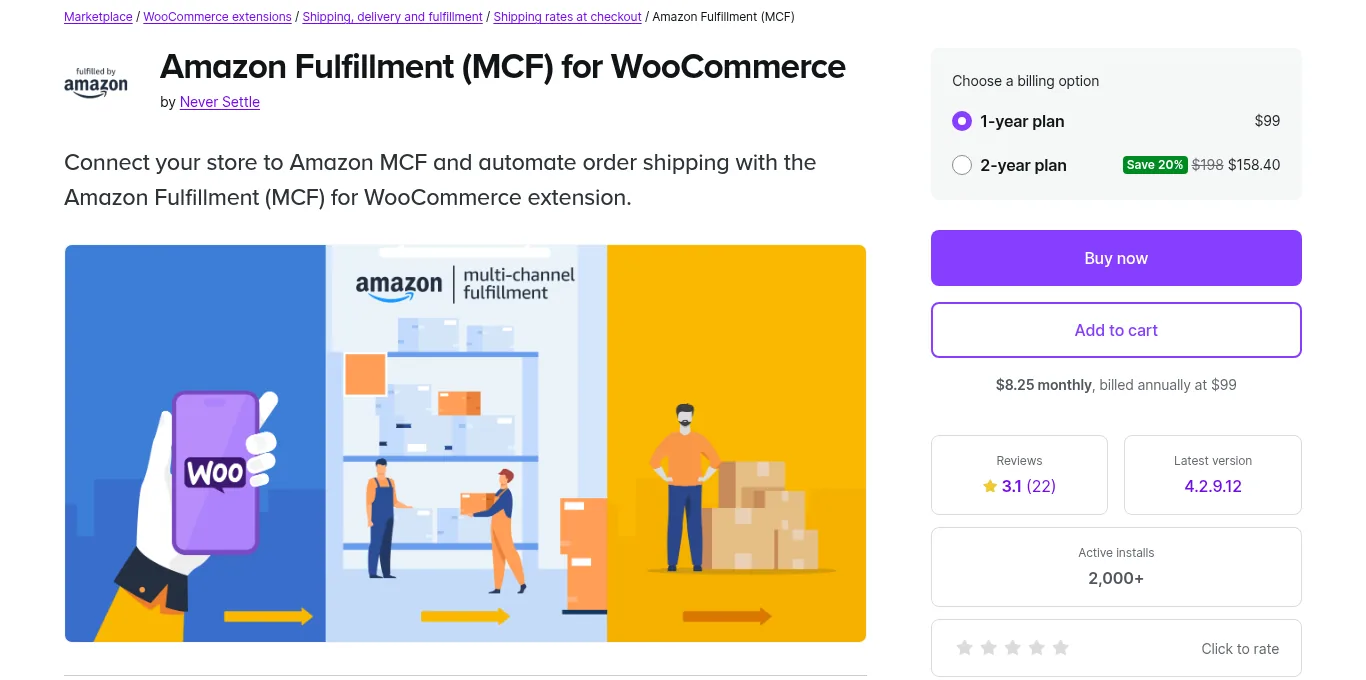
The Amazon Fulfillment (MCF) for WooCommerce extension on the WooCommerce Marketplace
The setup documentation says you need an Amazon Professional seller account with FBA turned on, and that your Seller SKUs in FBA should match your WooCommerce product SKUs. It's a fulfillment connection, so it won't track suppliers, purchase orders, or landed cost. I'd pair it with a supplier file or one of the tools below.
Inventory Planner
Inventory Planner is a forecasting and purchasing tool from Sage that connects to WooCommerce, Amazon, and many other platforms. Its Amazon connector overview says it supports FBA and FBM, can turn your FBA inbound shipments into purchase orders or transfer orders, and can send a purchase order with an FBA destination to Amazon to start a Send to Amazon shipment plan.
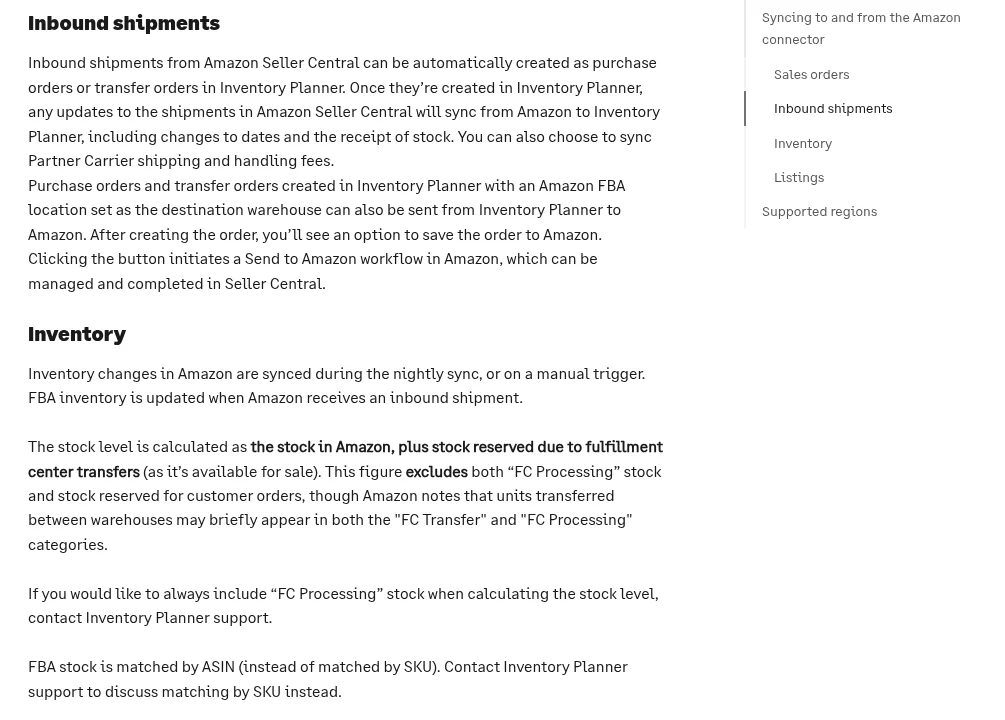
Inventory Planner's help page on how its Amazon connector syncs inbound shipments and inventory
The same help pages are honest about the limits. Inventory Planner describes itself as mostly read only on your sales platforms, Amazon inventory updates in a nightly sync, and FBA stock is matched by ASIN unless support changes it. Its setup guide also notes that inbound shipment purchase orders arrive with no vendor set, because Amazon doesn't send that information, so you still assign the supplier yourself.
Cin7 Core
Cin7 Core is a fuller inventory system with warehouses, purchasing, and accounting links. Its help center documents a WooCommerce integration that syncs products and stock and pulls in sales, and a separate Fulfillment by Amazon integration that treats FBA as an external warehouse location.
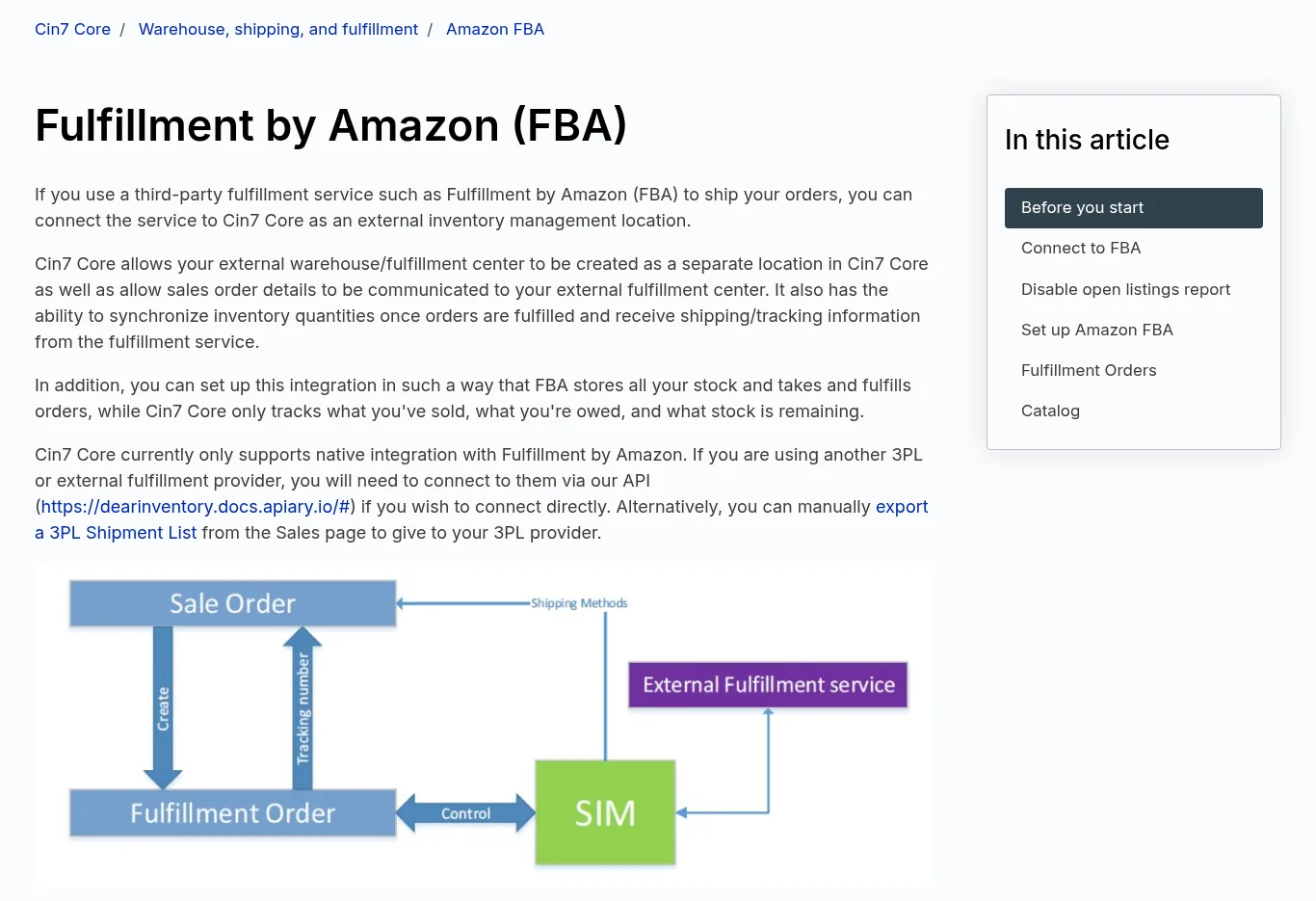
Cin7 Core's help page on connecting Fulfillment by Amazon as an external location
Read the requirements before you budget for it. Cin7's WooCommerce article says each connection needs an external integration license on your subscription, and the FBA article says you need an Amazon Seller Pro account and, for manual setup, the FBA integration added to your plan. For a seller with one factory and a few dozen SKUs, that is a lot of system to set up.
Zoho Inventory
Zoho Inventory is a lower cost option that covers vendors, purchase orders, and receiving. Its WooCommerce integration guide explains how to create a REST API key in WooCommerce, connect the store, and choose whether stock changes in Zoho update WooCommerce.
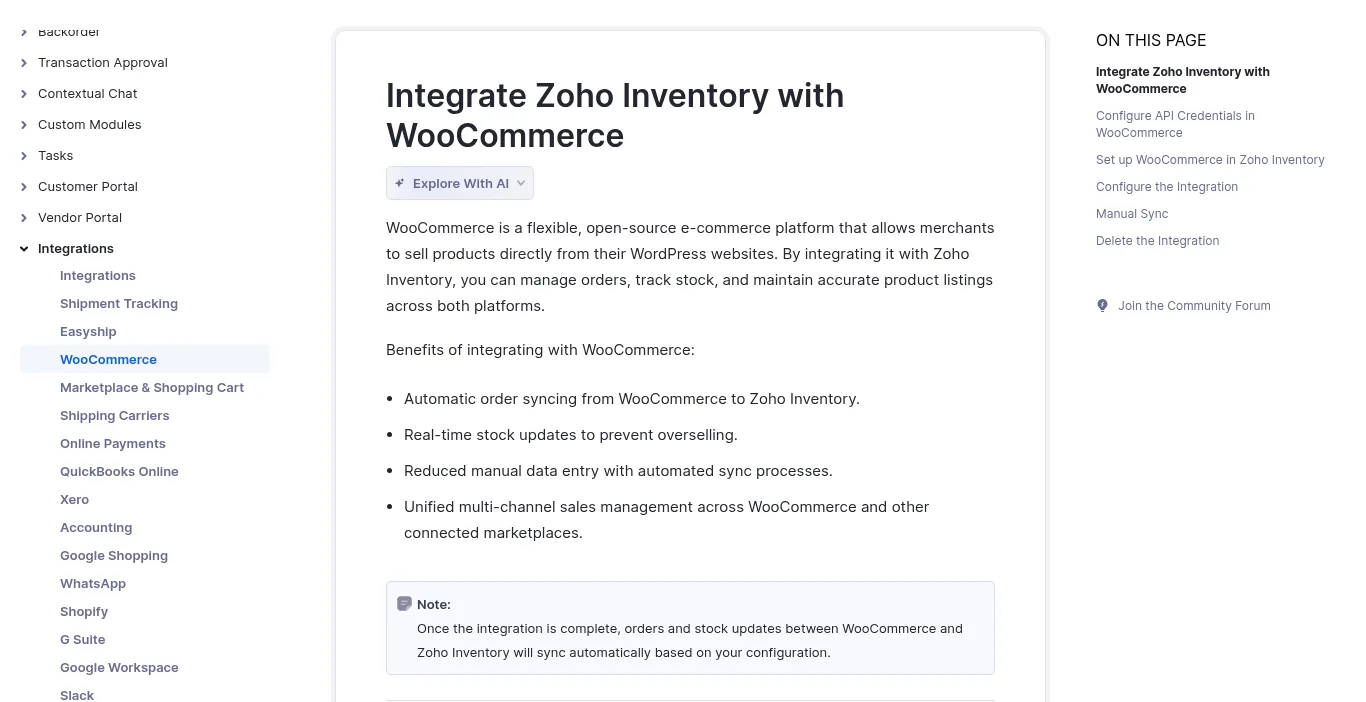
Zoho Inventory's WooCommerce integration guide
On the Amazon side, Zoho maps FBA locations in its Amazon integration and can create an FBA inbound shipment from a purchase order or transfer order. Zoho labels that inbound shipment feature as beta and says it's only in the US, UK, and Canada editions, so check it with a test product first. If you want a wider list of WooCommerce stock tools, our WooCommerce inventory software guide compares more of them.
How To Check An Integration Claim Before You Pay
A logo on a pricing page tells you very little. I'd run these six checks before I paid for anything, and most take a few minutes each.
- Find the connection on the vendor's help center or developer docs, and look for the app in the WooCommerce Marketplace or the Amazon Selling Partner Appstore.
- Write down which way each piece of data moves. Orders in and stock out is common, while purchase orders and costs often stay inside the tool.
- Check how often it syncs. A nightly FBA sync is fine for reorder planning and too slow if you rely on it to stop overselling.
- Match your SKUs. Your WooCommerce SKUs, your Amazon Seller SKUs, and your ASINs need a clear mapping, or the tool will count one product as two.
- Ask whether the connection costs extra. Some tools sell each sales channel or fulfillment connection as an add-on license.
- Test with five products on a free trial. Place a test order on WooCommerce, create a small shipment plan, and see what shows up where before you import your whole catalog.
Ask the vendor one direct question. "Can your tool read my supplier invoices and customs entries, or do I type those in?" The answer tells you whether you are buying channel sync, supplier management, or both, and it saves you from paying for the wrong half.
A Worked Example: One Factory Order, Two Channels
Say you sell silicone baking mats. You order 1,000 units from one factory at $4.00 each, pay a 30% deposit and the 70% balance through Alibaba Trade Assurance, and ship them by sea to your own warehouse. When they arrive, you send 700 to Amazon FBA and keep 300 on the shelf for WooCommerce orders.
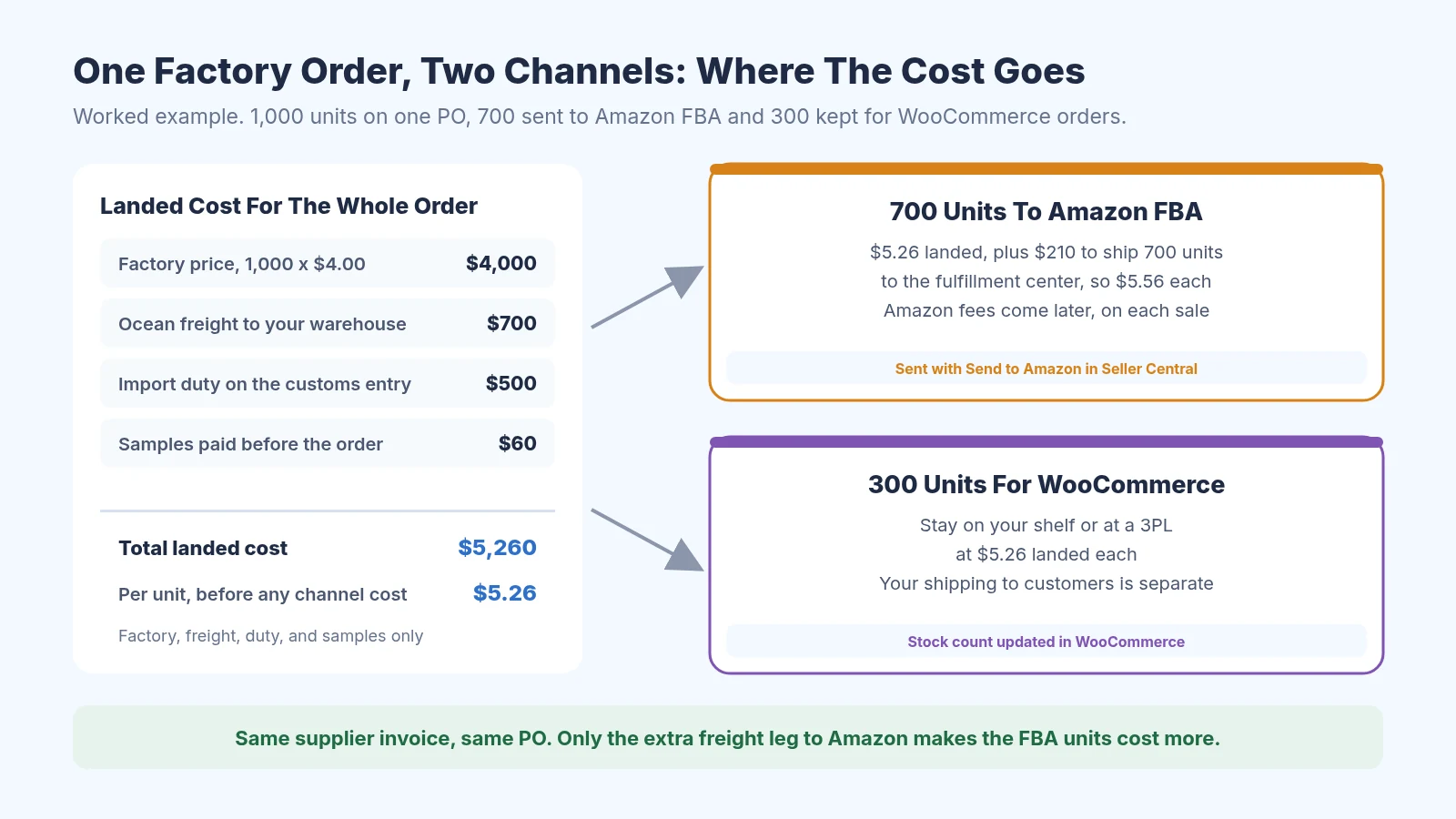
One factory order split across Amazon FBA and WooCommerce, with landed cost per unit for each
The landed cost for the whole order is the factory price of $4,000, plus $700 of ocean freight, $500 of duty on the customs entry, and $60 for samples. That's $5,260, or $5.26 per unit. Sending the 700 FBA units to the fulfillment center costs another $210, so those units land at $5.56 each, while the 300 WooCommerce units stay at $5.26.
Now look at where each number came from. The $4.00 price and the deposit are on the supplier's invoice, the freight is on the forwarder's bill, the duty is on the customs entry, and the $210 is on your Amazon inbound shipment. An integration can show you the 700 and the 300, but every cost in that diagram comes from a document. Amazon's own selling and fulfillment fees come later on each sale, and our Amazon FBA landed cost guide shows how to keep those separate from landed cost.
Running Suppliers For Both Channels Without A Sync
Plenty of sellers on both channels run fine with no paid integration at all. Once a week, download your stock and sales from WooCommerce Analytics and your FBA inventory from Seller Central, and paste both into one sheet with a row per SKU. Our guide to consolidating multichannel purchase orders uses Shopify as the store example, but the same sheet works with a WooCommerce export.
Next to that sheet, keep a supplier file with one row per factory. Record the agreed terms, the bank details you confirmed by phone, the quoted and actual lead times, sample costs, and links to every invoice, packing list, freight bill, and customs entry. The free supplier evaluation matrix and lead time tracker give you a starting layout, and the lead time calculator helps you set a realistic reorder date for each channel.
For a new factory, I'd pay through Alibaba Trade Assurance instead of sending a wire or bank transfer to a supplier you have never worked with. It covers late shipment and quality problems on orders placed and paid through Alibaba, which matters a lot on a first order. Once the goods land, the free landed cost calculator turns the invoice, freight bill, and duty into a per unit cost for each channel.
Where SupplyAutomate Fits
SupplyAutomate covers the supplier half of the diagram above. You upload supplier invoices, packing lists, freight bills, and customs entries, and it reads the key values onto the purchase order, keeps the supplier's terms and payments with it, and tracks parcel and ocean container shipments. It calculates landed cost from factory price, freight, duty, and samples, and you can export the results to CSV or Excel.
SupplyAutomate does not connect to WooCommerce, Shopify, or Amazon, and it doesn't sync sales, orders, or stock levels. If you want channel sync, use one of the tools above for that and keep SupplyAutomate for supplier orders and costs. We have pages for Amazon FBA sellers and Shopify brands, plans are on the pricing page, and if you'd rather hand off supplier follow ups entirely, there's an outsourced supply chain manager service.
For a broader comparison of supplier tools, see our guides to supplier management software and supplier management software for e-commerce brands. The supply chain control tower guide covers tools that track every order and shipment in one view, and the purchase order software roundup covers PO tools.
Frequently Asked Questions
Does WooCommerce Have Built-In Supplier Management?
No. WooCommerce core tracks stock and sends low stock emails, but it has no supplier records or purchase orders. Sellers add a plugin, a connected inventory tool, or a spreadsheet for that part.
Can WooCommerce Orders Be Fulfilled From My FBA Stock?
Yes, through Amazon Multi-Channel Fulfillment. The Amazon Fulfillment (MCF) for WooCommerce extension sends eligible orders to Amazon and can update WooCommerce stock from FBA. Inventory tools like Cin7 Core also document MCF workflows.
Will An Integration Calculate My Landed Cost Across Both Channels?
Usually not on its own. Freight, duty, and sample costs come from your forwarder, customs entry, and supplier, so someone has to enter or upload them. Once they're in, you can split the cost per unit by channel like the worked example above.
Do I Need Separate Tools For WooCommerce And Amazon FBA?
Not for inventory. Tools like Inventory Planner, Cin7 Core, and Zoho Inventory connect to both, so you see combined stock and sales in one place. You may still keep supplier documents and landed cost in a separate file or tool, because neither channel provides them.
Does SupplyAutomate Integrate With WooCommerce Or Amazon FBA?
No. SupplyAutomate has no WooCommerce or Amazon connection and doesn't sync orders or stock. You upload your supplier documents to it, and you can export landed cost and order data to CSV or Excel to use alongside either channel.
How I'd Start If I Sold On Both Today
If I were running a small WooCommerce store next to an FBA account this week, I wouldn't buy a big system first. I'd start the weekly two channel sheet and a supplier file, pay my factory through Trade Assurance, and work out landed cost per channel on the next order. If I wanted Amazon to ship my store orders, I'd add the MCF extension.
When the weekly sheet starts eating an hour or more, that's the time to trial Inventory Planner, Zoho Inventory, or Cin7 Core with five SKUs and run the six checks above. Keep the supplier side in its own place whichever tool you pick, since that's the part that decides what each unit really costs you.
Related Guides
- How To Turn WooCommerce Low Stock Into Purchase Orders
- Best Inventory Management Software For WooCommerce Stores
- Landed Cost Calculator For WooCommerce Sellers
- Amazon FBA Inventory Management
- How To Consolidate Shopify And Amazon FBA Purchase Orders
- Can Inventory Software Prevent Stockouts Across Channels?
- Purchase Order Management For Amazon FBA Sellers
- How To Add Amazon FBA Shipment Costs To Landed Cost
- Supplier Management Software For FBA And Shopify Importers
- Best Supplier Management Software For E-Commerce
- Supplier Onboarding Process For Importers
- 30/70 Payment Terms With Chinese Suppliers Explained
- Is ERP Software Overkill For A Small Shopify Store?
- Best Supply Chain Control Tower Software For E-Commerce
SupplyAutomate Pages And Free Tools
- SupplyAutomate For Amazon FBA Sellers
- SupplyAutomate For Shopify Brands
- SupplyAutomate Pricing
- Outsourced Supply Chain Manager
- Free Landed Cost Calculator
- Free Lead Time Calculator
- Free MOQ Calculator
- Free Import Duty Calculator
- Free Freight Cost Estimator
- Free Purchase Order Creator
- Free Supplier Evaluation Matrix
- Free Lead Time Tracker Template
- Free Landed Cost Spreadsheet Template