
A WooCommerce store usually starts with stock counts typed straight into the product editor, and for a while that works fine. Then you add variations, a second warehouse, a wholesale channel, or a container from an overseas factory, and the numbers in WordPress stop matching what is actually on the shelf. That is normally the point where people start searching for inventory management software, and the options range from a free plugin that lives inside your dashboard to a full inventory system that runs next to the store.
This guide covers the inventory tools I'd look at for a WooCommerce store in October 2026. I checked each one on its official pages, including how it connects to WooCommerce and what it costs, and I kept the list to tools that are built for WooCommerce or have a WooCommerce integration of their own. If you sell across several platforms and want the wider market, our roundup of the best ecommerce inventory management software covers that ground.
A quick product note before we start. SupplyAutomate is not on this list as an inventory tool, because it does not connect to WooCommerce, Shopify, or Amazon and it does not sync stock or orders. It works from the documents you upload, such as supplier invoices, packing lists, freight bills, and customs entries, plus parcel and ocean container tracking, and it exports to CSV or Excel. I'll explain near the end where that fits for a WooCommerce seller who imports.
TL;DR
- WooCommerce's own stock management is free and covers quantity tracking, holds on unpaid orders, and low stock, out of stock, and backorder emails. Start there if you have one location and a modest catalog.
- ATUM is the strongest free plugin option, adding suppliers, purchase orders with PDF export, inbound stock, and inventory logs inside WordPress.
- Zoho Inventory has a native WooCommerce integration and a free plan, with paid plans from $29 a month billed annually.
- Cin7, Katana, and Ordoro are the step up for multichannel sellers, manufacturers, and shippers, at noticeably higher prices.
- None of these tools will tell you your true landed cost per unit on an imported order unless you feed them the freight and duty, so decide where that number comes from before you pick a system.
What WooCommerce Inventory Software Should Do
The core job is keeping the stock number in WooCommerce honest. That means subtracting units when an order comes in, adding them back on returns or cancellations, and warning you before a product sells out. Everything beyond that depends on how your business runs, so it's worth listing your actual problems before you compare feature pages.
Most WooCommerce sellers who outgrow the basics run into the same four gaps. They need to create and receive purchase orders against suppliers, they need stock split across more than one location, they sell on more than one channel and keep overselling, or they make products from components and need bills of materials. Each tool below is strong on a different subset of those, which is why the cheapest and most expensive options can both be the right answer for different stores.
Reordering is the other piece people underestimate. A low stock email is only useful if the threshold behind it reflects your real lead time, which for an imported product includes production, ocean transit, customs, and receiving. Our reorder point formula for importers and the guide to calculating safety stock walk through how to set those numbers, and the free lead time calculator does the arithmetic per SKU.
WooCommerce Inventory Tools At A Glance
| Tool | Best for | WooCommerce connection | Price when checked |
|---|---|---|---|
| WooCommerce stock management | Single location stores with a simple catalog | Built in | Free |
| ATUM | Stores that want suppliers and POs inside WordPress | WordPress plugin | Free core plugin, premium add-ons sold separately |
| Zoho Inventory | Small teams that want a separate inventory app on a budget | Native integration syncing products, orders, and stock | Free plan, then $29, $79, $129, or $249 a month billed annually |
| Cin7 | Multichannel brands and wholesalers | Native integration with real-time stock sync | $349, $599, or $1,199 a month |
| Katana | Makers and brands that manufacture or assemble | Native integration syncing inventory and importing orders | Free for up to 30 SKUs, Advantage on custom pricing |
| Ordoro | Stores that want shipping, inventory, and dropshipping in one app | WooCommerce channel with tracking written back | Inventory plans from $349 a month, 15-day trial |
WooCommerce Built-In Stock Management
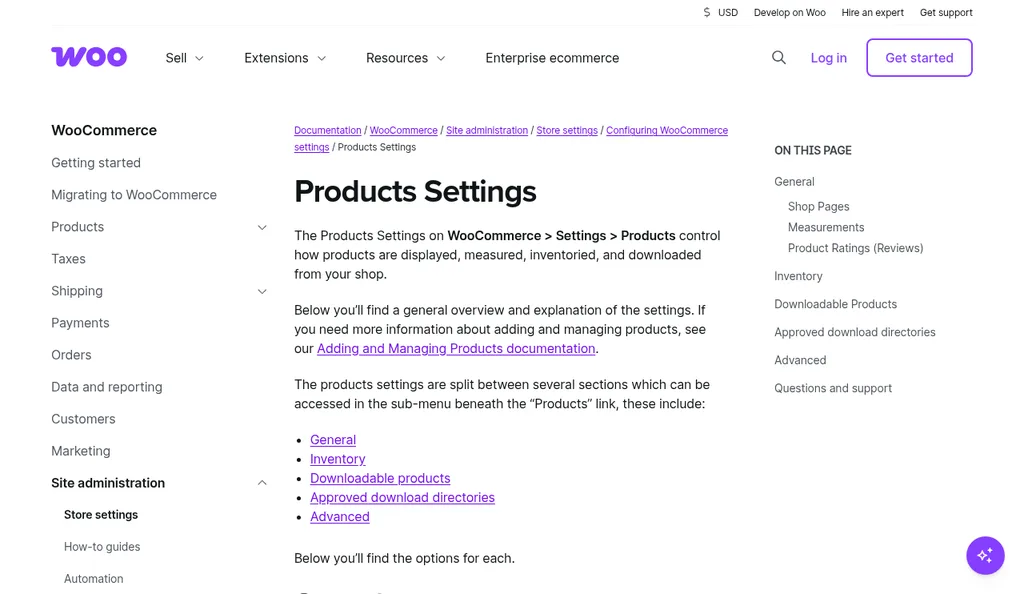
WooCommerce Products Settings documentation, checked October 2026
Before you install anything, check what WooCommerce already does. According to the WooCommerce products settings documentation, enabling stock management turns on managed inventory counts for physical products, so you enter quantities and WooCommerce subtracts items as sales are made or orders are returned. You can hold stock for unpaid orders for a set number of minutes, after which the pending order is cancelled and the held stock goes back to available inventory.
The notification settings are more useful than people expect. You can turn on low stock, out of stock, and backorder emails, send them to one or more addresses, and set a store-wide low stock threshold and out of stock threshold. Variable products can carry their own SKU and stock level per variation, according to the adding and managing products guide, and bulk editing lets you update stock across many products at once.
What WooCommerce does not give you is a supplier record, a purchase order, or any view of stock that is on the way. That's fine for a store that reorders from one or two suppliers and keeps a simple spreadsheet, and if that describes you, our free purchase order template covers the paperwork side. Once you are juggling several open orders at different stages, it's time to look at the tools below.
ATUM Inventory Management For WooCommerce
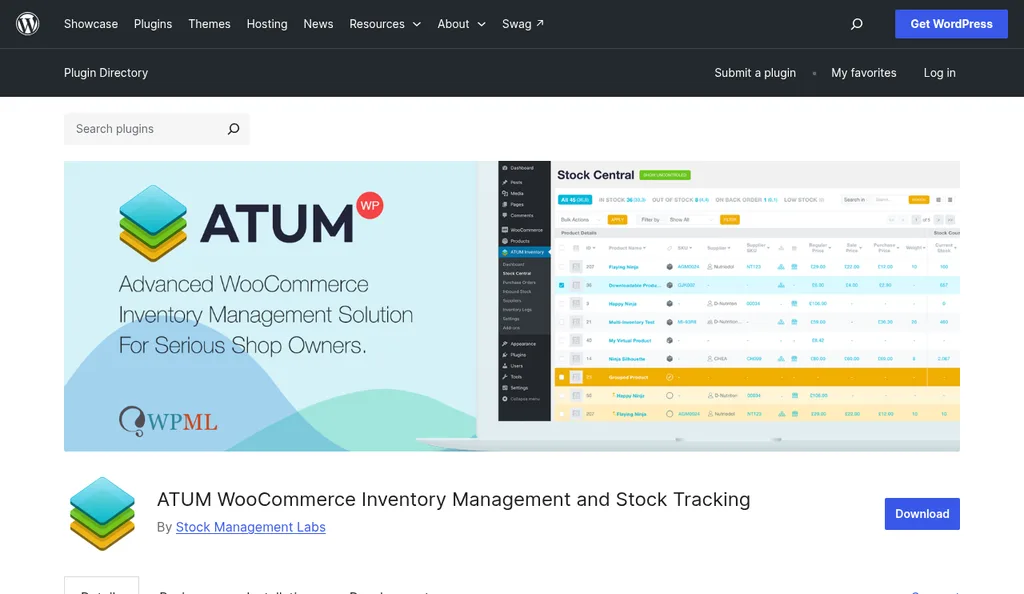
ATUM on the WordPress.org plugin directory, checked October 2026
ATUM, made by Stock Management Labs, is a free plugin that runs inside your WordPress admin, which is its biggest advantage. The WordPress.org listing describes Stock Central, a single screen showing every product with its SKU, stock, purchase price, and supplier, where you can edit stock and prices without opening each product. It also adds inventory logs for reserved stock, customer returns, inbound stock, and warehouse damage.
For buyers, the useful parts are suppliers and purchase orders. ATUM lets you save supplier records, pair products with suppliers, set a different supplier per variation, and create purchase orders with PDF export. When the goods arrive you add them to stock at a storage location, and pending incoming stock shows up in Stock Central, so you can see what is on order next to what is on hand.
The trade-off is that everything lives in your WordPress database, and the plugin's more advanced features come as premium add-ons sold separately. That suits a single WooCommerce store well. If you also sell on Amazon or wholesale, a separate inventory app with its own channel integrations is usually easier to keep accurate.
Zoho Inventory
Zoho Inventory homepage, checked October 2026
Zoho Inventory is a cloud inventory app with a native WooCommerce connection. The Zoho Inventory WooCommerce help page explains the setup: you create a REST API key with read and write permissions in WooCommerce, then add your domain, consumer key, and consumer secret under the Shopping Cart and POS settings in Zoho Inventory. You can configure how items are matched, how stock syncs, and how often orders come across, and you can trigger a manual sync when you need one.
Zoho's WooCommerce integration page says products are mapped by SKU or item name, orders sync at a frequency you choose, and stock-on-hand changes in Zoho Inventory are pushed back to WooCommerce. When a sales order is fully shipped in Zoho Inventory, the shipment details are updated in WooCommerce too, so customers see the order move.
Pricing is the main reason small stores pick it. The Zoho Inventory pricing page lists a free plan for 50 orders a month, then Standard at $29 a month for 500 orders, Premium at $79 for 3,000, Plus at $129 for 7,500, and Enterprise at $249 for 15,000, all per organization and billed annually, with a 14-day free trial. If you already use Zoho Books for accounting, the two fit together without much setup.
Cin7
Cin7 homepage, checked October 2026
Cin7 is built for brands selling through several channels at once, such as WooCommerce, marketplaces, retail stores, and wholesale accounts. Its WooCommerce integration page describes a native integration that imports WooCommerce orders into Cin7, pushes inventory updates back to the store in real time, and sends fulfillment status back to WooCommerce. Inside Cin7 you can manage suppliers, set reorder points, generate purchase orders, and use its demand forecasting.
The price reflects that scope. The Cin7 pricing page lists Standard at $349 a month with 5 users, 2 ecommerce and app integrations, and 6,000 sales orders a year, Pro at $599 a month with 10 users, 4 integrations, 24,000 orders a year, and material requirements planning, and Advanced at $1,199 a month for high-volume operations with warehouse management. Prices are in USD and exclude taxes.
Cin7 makes sense when WooCommerce is one channel among several and overselling across channels is already costing you money. For a single WooCommerce store, it's a lot of system to pay for.
Katana
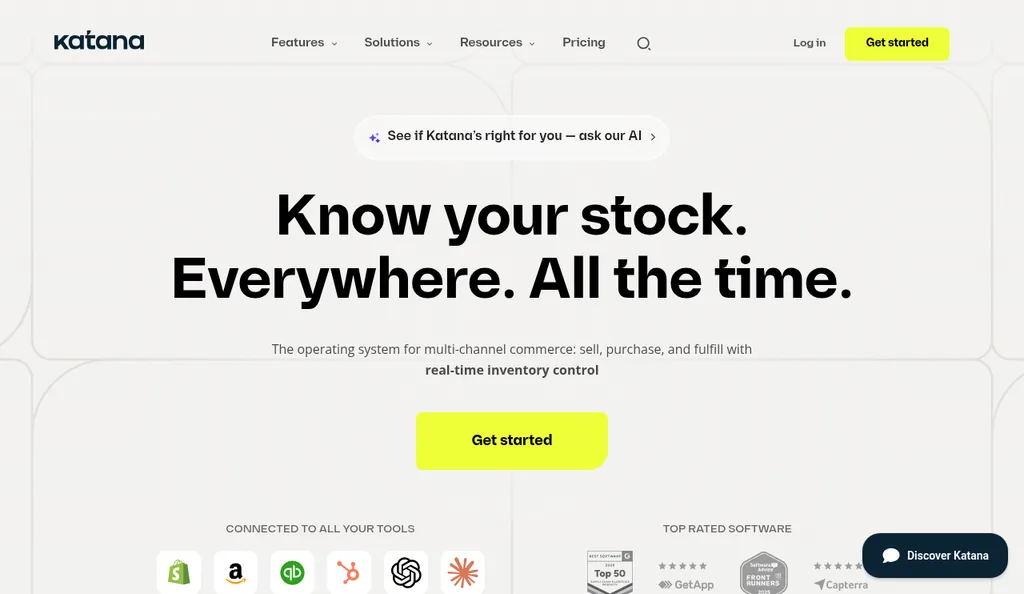
Katana homepage, checked October 2026
Katana is the pick for stores that make or assemble what they sell. Its WooCommerce integration page says it syncs inventory between WooCommerce and Katana, imports sales orders from your store, and tracks raw material and finished product availability so you can fulfill orders on time. You can also set reorder points that trigger purchase order reminders when stock reaches a threshold.
Katana changed its pricing model recently, so check the current page before you budget. The Katana pricing page lists a Free plan with no card required, covering up to 30 SKUs with unlimited users, integrations, and locations and all Katana features. Above that is Advantage, which has custom pricing under one annual contract and includes a guided setup, a customer success manager, and 24/7 live support.
The free plan is a genuinely useful way to test the WooCommerce sync with a slice of your catalog. Just know that most real catalogs will move to the custom-priced plan quickly.
Ordoro
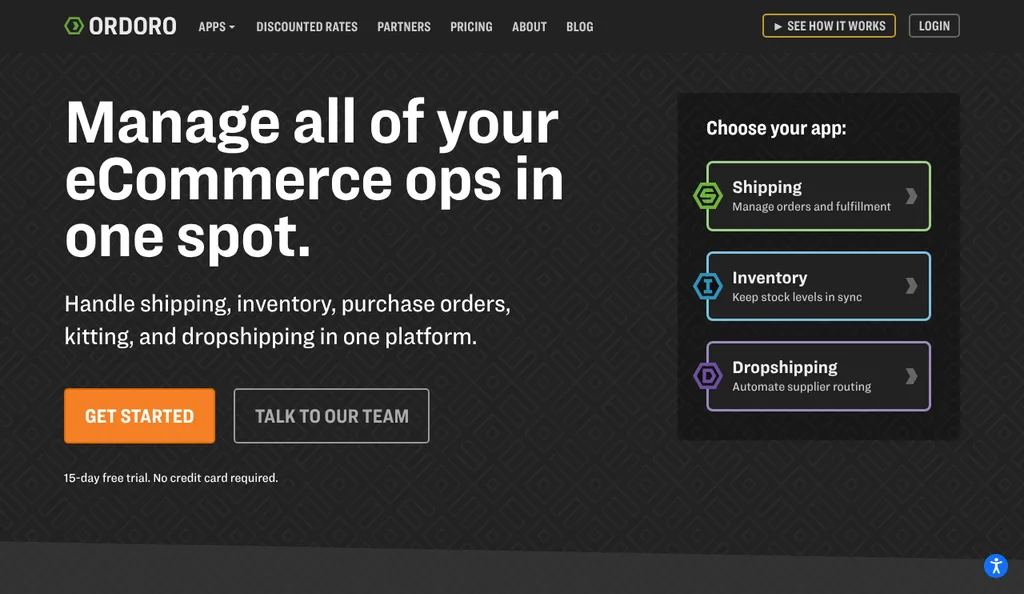
Ordoro homepage, checked October 2026
Ordoro combines shipping labels, inventory, and dropshipping in one app, which suits stores where fulfillment is the daily headache. Its WooCommerce page says you can link WooCommerce alongside channels like eBay and Amazon, write tracking information back to WooCommerce automatically, and see when it's time to restock and send purchase orders in a couple of clicks.
The Ordoro pricing page splits the product into Shipping, Inventory, and Dropshipping plans. Shipping has a free plan plus $59 and $149 a month tiers, Inventory plans are $349 and $499 a month for 1,000 orders a month, with purchase orders only on the higher tier, and Dropshipping starts at $299 a month. There's a 15-day free trial with no credit card required.
If you mainly need better label printing and tracking, the Shipping plans are a cheaper way in. The Inventory plans are where Ordoro competes with Cin7 and Zoho.
Where SupplyAutomate Fits For WooCommerce Importers
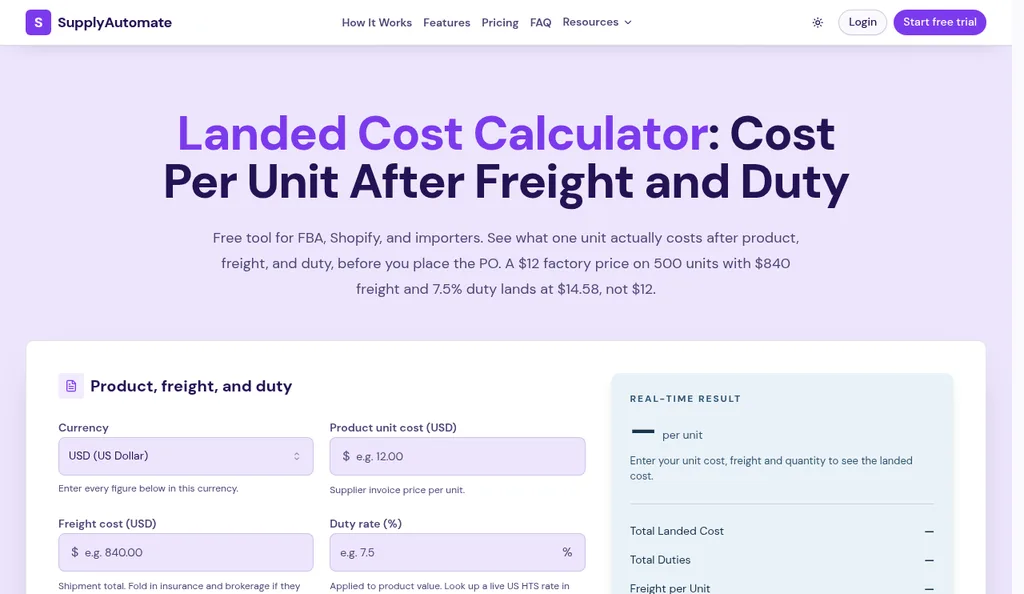
SupplyAutomate landed cost calculator, checked October 2026
Every tool above tracks how many units you have. None of them works out what each unit really cost you once a container lands, unless you type the freight and duty in yourself. If you import from overseas factories, that number decides your margin, and it's the part SupplyAutomate handles.
SupplyAutomate sits beside your store without connecting to it. You create the purchase order, upload the supplier invoice, packing list, freight bill, and customs entry, and each document is read and filed on the right order. Parcel and ocean container tracking show where the goods are, and the landed cost per unit is built from the factory price, freight, duty, and samples. You can export orders and landed cost reports to CSV or Excel and enter the cost in WooCommerce or your accounting system yourself.
The software is $199 a month or $1,999 a year with a 14-day trial and no card required, according to our pricing page. If you only need a quick number for one shipment, the free landed cost calculator does it in the browser, and our WooCommerce landed cost guide shows how to store that cost on your products.
How To Choose For Your Store
Start with the cheapest option that solves the problem you actually have. If you have one location and your issue is surprise stockouts, WooCommerce's own thresholds and emails, set from a real reorder point, may be all you need. If you want suppliers and purchase orders without leaving WordPress, install ATUM and give it a month.
Move to a separate inventory app when you sell on more than one channel or have more than one stock location, because that's when a plugin inside one store starts to strain. Zoho Inventory is the budget choice, Cin7 is built for multichannel and wholesale volume, Katana is for manufacturing, and Ordoro is for stores where shipping is the bottleneck. Try the WooCommerce sync on a test store or a small part of your catalog before you commit, since stock sync settings are where most problems show up.
Whatever you choose, keep the cost side separate in your head. Our guides to landed cost per unit and landed cost vs COGS explain why the unit cost on your product page and the true cost of an imported unit are often different numbers.
Frequently Asked Questions
Does WooCommerce Have Built-In Inventory Management?
Yes. WooCommerce can track stock quantities for physical products, hold stock for unpaid orders, and email you at low stock, out of stock, and backorder thresholds. It doesn't handle suppliers, purchase orders, or multiple warehouses, which is where plugins and inventory apps come in.
What Is The Best Free Inventory Plugin For WooCommerce?
ATUM is the most complete free option I found, with Stock Central, suppliers, purchase orders with PDF export, inbound stock, and inventory logs inside WordPress. Zoho Inventory and Katana also have free plans, but they are separate apps with limits of 50 orders a month and 30 SKUs respectively.
Which WooCommerce Inventory Tools Create Purchase Orders?
ATUM, Zoho Inventory, Cin7, Katana, and Ordoro's higher Inventory plan all handle purchase orders. WooCommerce on its own does not, so many smaller stores use a spreadsheet or a purchase order template until they need software.
Does SupplyAutomate Integrate With WooCommerce?
No. SupplyAutomate doesn't connect to WooCommerce or sync stock or orders. It tracks purchase orders, shipments, and landed cost from the documents you upload and from parcel and container tracking, and you can export the results to CSV or Excel.
How Do I Track Landed Cost For A WooCommerce Store?
Add up the factory price, freight, duty, and samples for each shipment and divide across the units, weighting freight by volume or weight where SKUs differ. Our guide to allocating freight across multiple SKUs shows the method, and the landed cost calculator handles a single shipment.
Picking One This Week
If I were running a WooCommerce store today, I'd turn on WooCommerce's stock settings properly first, with thresholds based on real lead times, and only then decide whether ATUM or a separate app is worth it. Most of the pain I've seen comes from stale numbers rather than from missing software. When you do upgrade, pick the tool that matches your biggest headache, and give yourself a quiet week to test the sync before a busy season.