You found one good factory on Alibaba, your first order sold through on Amazon FBA, and now you're placing the second one. Somewhere between the deposit receipt in your inbox and the packing list in a chat thread, a software ad promises to "manage all your suppliers." You have exactly one, so it's fair to wonder whether you'd be paying for a tool you don't need yet.
I built an Amazon FBA and Shopify brand to $3M ARR, and for a long stretch I bought most of my product from a single factory. This guide walks through what one supplier actually asks you to track, the free setup I'd use, the simple math for when software pays for itself, and the signs that you've outgrown a spreadsheet even with one factory.
TL;DR
- For most sellers with one factory, two or three SKUs, and a few orders a year, a well kept spreadsheet and a tidy document folder are enough. Software is optional at that stage.
- Supplier count is a weak signal on its own. What matters is how many orders you run at once, how many SKUs sit on each purchase order, how often freight and duty change, and who else needs the information.
- A paid tool is worth it when it saves more hours than its price divided by what your hour is worth, or when it stops a costly mistake like pricing off the wrong landed cost.
- Whatever you use, keep every quote, invoice, packing list, freight bill, and customs entry for each order, and work out landed cost per unit before you set your price.
- Pay a new factory through Alibaba Trade Assurance instead of sending a wire or bank transfer to a supplier you have never worked with.
The Short Answer
Usually no, at least at first. If you buy one or two products from one factory and place a handful of orders a year, a spreadsheet and a folder per order will cover you, and the money is better spent on samples or inventory.
The answer changes when the work around that one factory grows. Overlapping orders, a long SKU list, freight costs that swing from order to order, or a partner who needs the same information can turn one supplier into several hours of admin a week. At that point the cost of software is easy to justify, and the math later in this guide shows where the line sits for your own time.
What One Supplier Still Asks You To Track
One supplier sounds simple, but every order with that factory runs through the same eight steps. You get a quote, approve samples, send a purchase order and deposit, wait through production, pay the balance, ship, clear customs, and then work out what each unit really cost you.
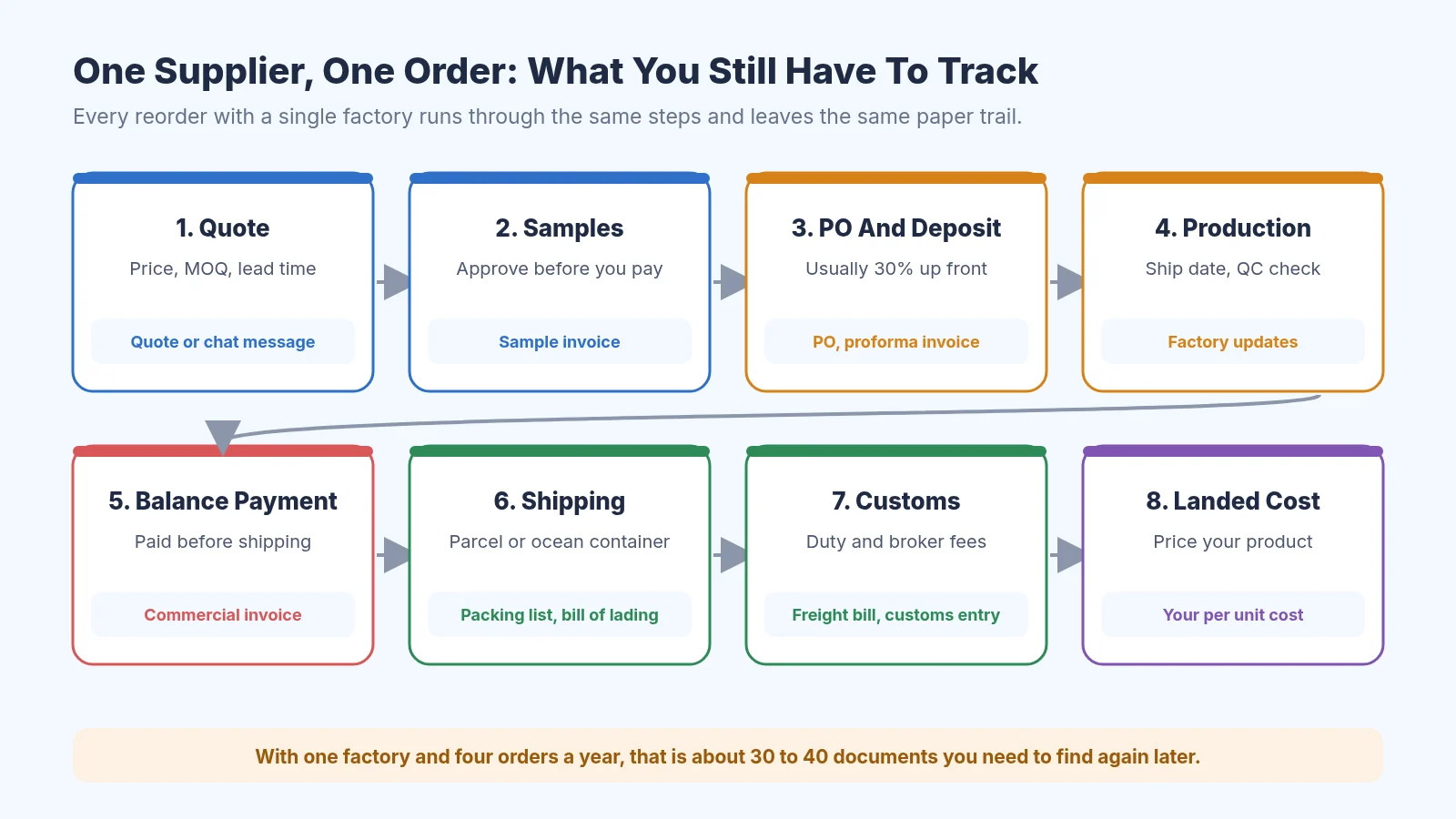
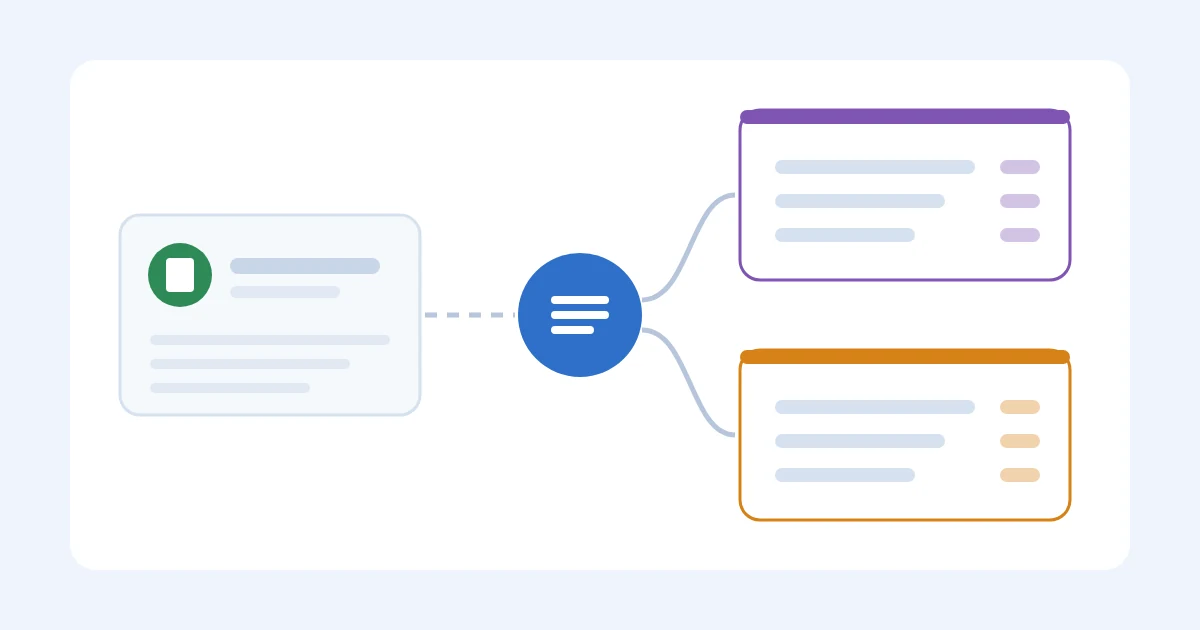
Every order with one factory runs through the same steps and leaves the same paper trail
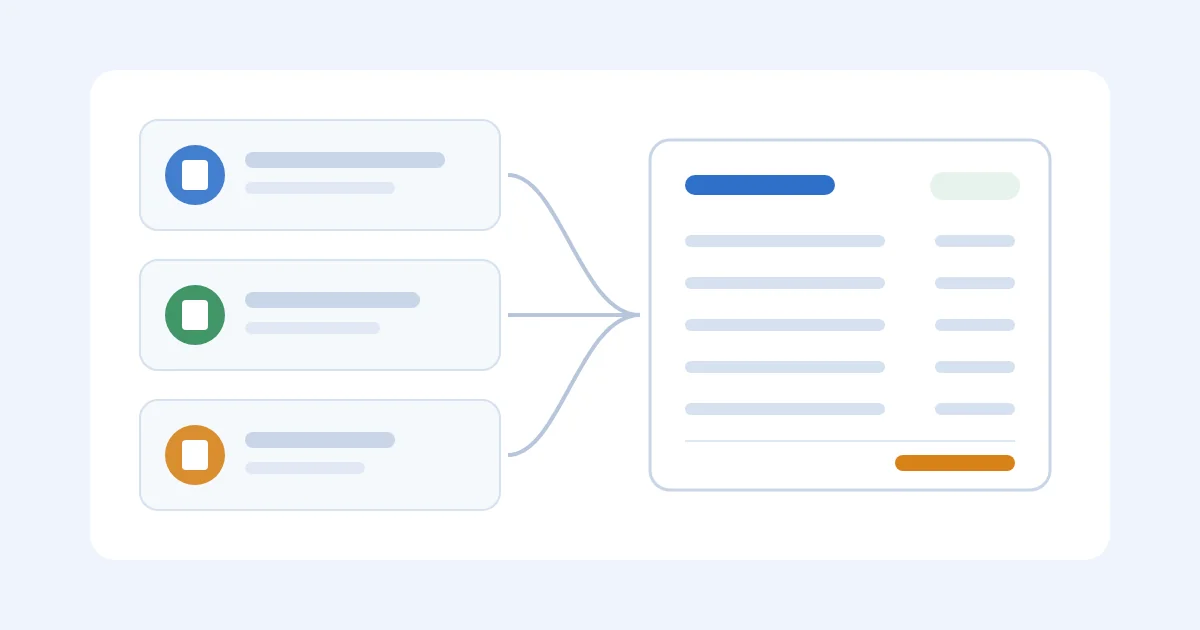
Each step leaves a document behind. With four orders a year, you end up with roughly nine documents per order, or about 36 files you need to find again when a carton is short, a duty bill looks wrong, or you want to compare this year's price with last year's. Our guide to organizing supplier invoices covers a folder layout that keeps those files easy to find.
The documents are also where your real costs live. The factory price is on the commercial invoice, freight is on the forwarder's bill, and duty is on the customs entry. If you want a plain explanation of how those add up, read what landed cost is and why it matters before you build any sheet.
The Free Setup That Works For One Factory
For one supplier, I'd start with three free pieces: a spreadsheet, a folder per order, and a payment method that protects you. Google Sheets works well because you can open it on your phone when the factory messages you, and you can share it with a partner or VA later without emailing files around.
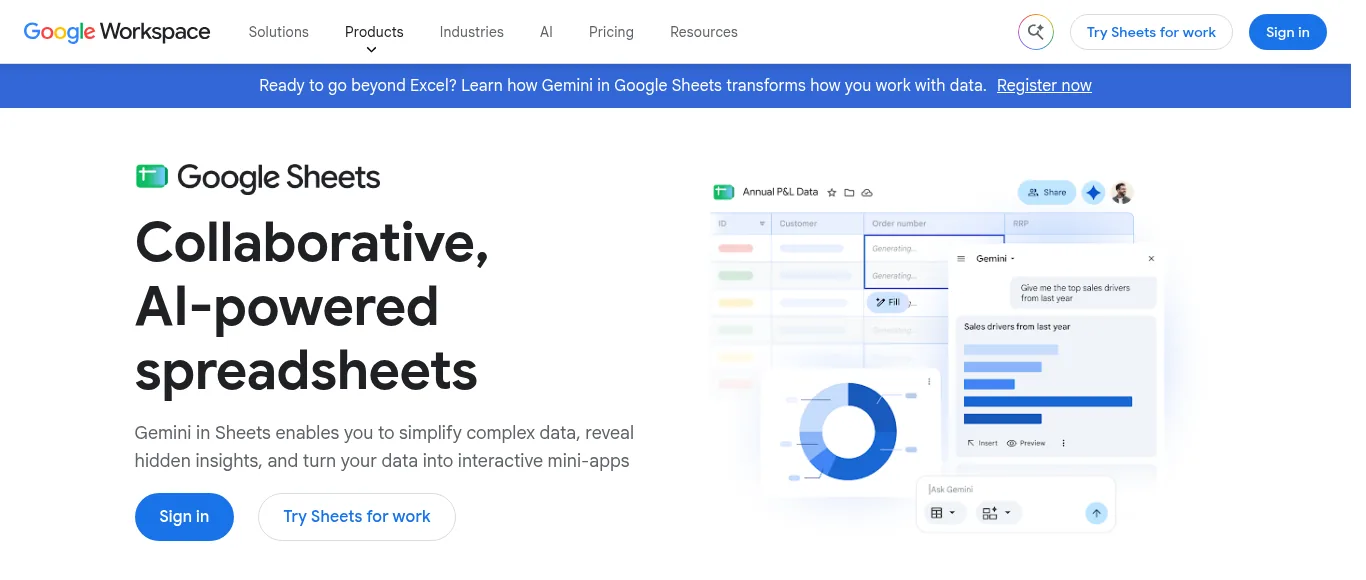
Google Sheets is free and is enough to run one supplier's orders
Set up the sheet with one tab for the supplier and one tab for orders. The supplier tab holds the factory's contact, the bank details you confirmed on a call, payment terms, MOQ, quoted lead time, and notes from each sample round. The orders tab gets one row per purchase order with the PO number, order date, deposit date, ship date, arrival date, units, and the landed cost per unit once the goods arrive.
You don't have to design it from scratch. The free supplier evaluation matrix gives you a scoring layout, the lead time tracker template records quoted against actual dates, and the landed cost spreadsheet template handles the per unit math. You can make the PO itself with the free purchase order creator or the purchase order template.
For payment, a first order with a new factory should go through Trade Assurance. It covers you if the goods don't ship on time or don't match what was agreed in the order, which is exactly the risk a first-time seller can't absorb. A direct wire or bank transfer to a supplier you've never worked with is very hard to get back if something goes wrong.
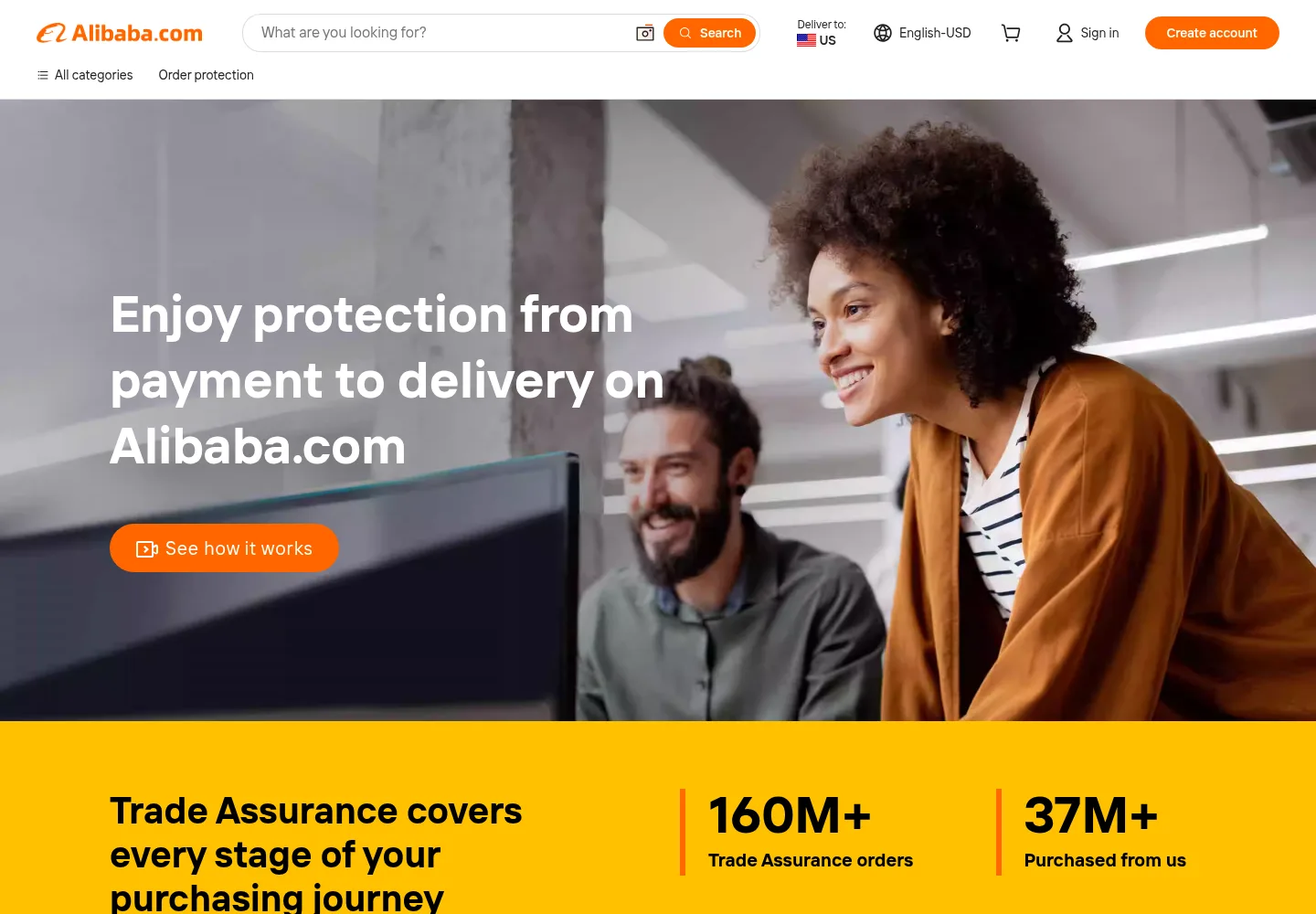
Alibaba Trade Assurance buyer protection page
Once you trust the factory, many sellers move to a deposit and balance split. Our guide to 30/70 payment terms with Chinese suppliers explains how those terms work and when to agree to them.
A Worked Example: Pricing Off The Wrong Number
Here is the mistake I see most often with one supplier, and it has nothing to do with software. Say you order 500 bamboo cutting boards at $6.00 each, so the commercial invoice says $3,000. Ocean freight on the forwarder's bill is $650, the customs entry shows $180 of duty, and you paid $40 for samples before the order.
Add those up and the order cost $3,870, which is $7.74 per board. If you set your price using the $6.00 factory price, every board you sell is $1.74 more expensive than you think. On 500 units, that's $870 of cost your margin math never saw, and it shows up later as a profit that is smaller than your spreadsheet promised.
A spreadsheet catches this just fine if you fill in freight, duty, and samples on every order. Software helps when those numbers sit in documents you don't get around to reading, or when they change a lot between orders. You can check your own numbers with the free landed cost calculator, and the import duty calculator and freight cost estimator help you estimate before the bills arrive.
Signs One Supplier Has Outgrown Your Spreadsheet
The number of suppliers you have matters less than how busy that one relationship gets. Here are the signals I'd watch, split into the ones that say a sheet is fine and the ones that say it's time to look at software.
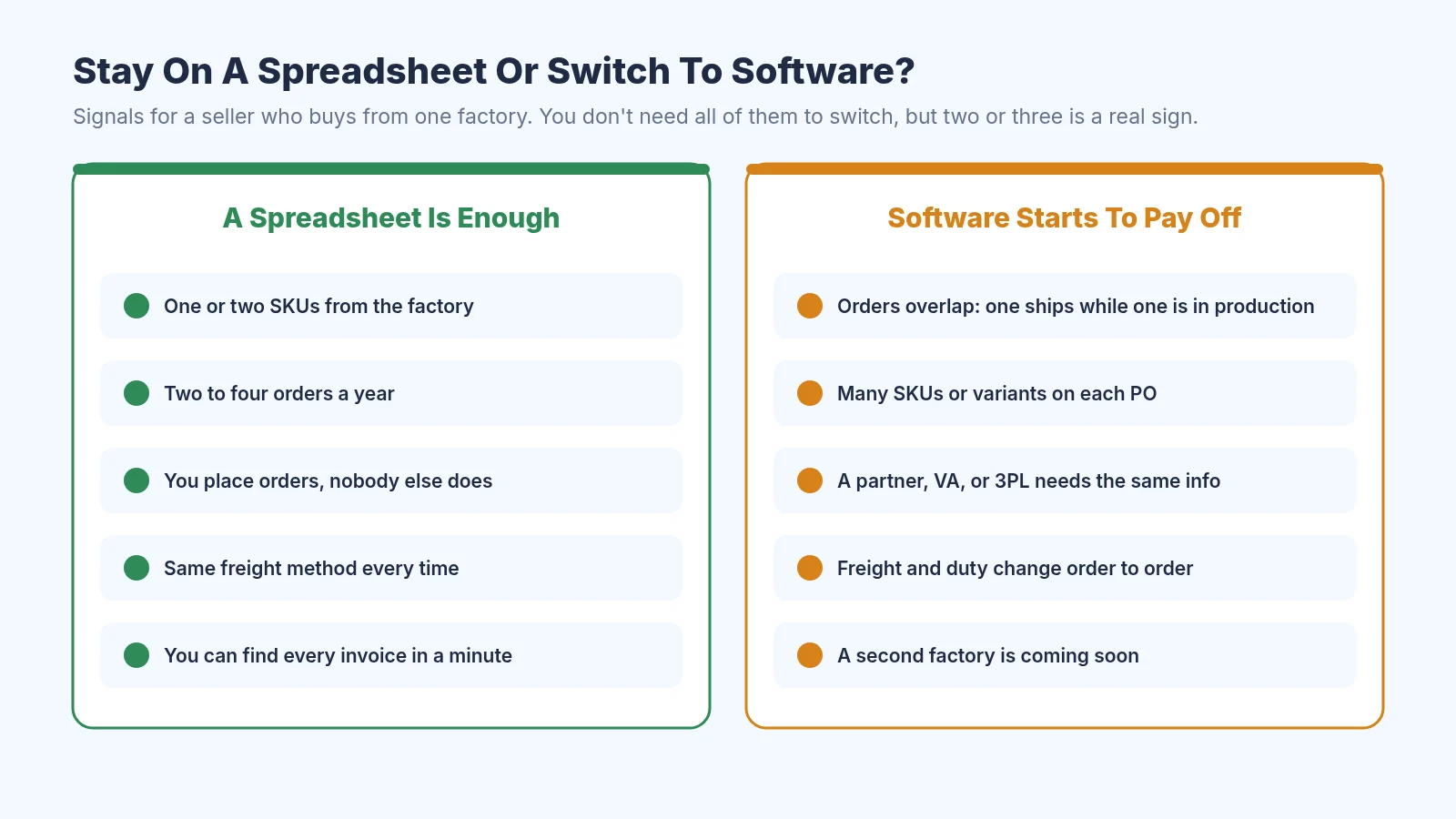
Signals that a spreadsheet is enough, and signals that software starts to pay off
The biggest one is overlapping orders. When one PO is in production, another is on the water, and a third is waiting on a quote, a single row per order gets hard to read and dates start slipping. Our post on whether supplier software can flag late shipments early shows what tracking looks like once you have several orders moving at once.
Many SKUs on each purchase order is the second. Ten colors in three sizes means 30 lines to match against the packing list and the invoice, and that is where short shipments hide. If that sounds familiar, the guide to reconciling a supplier invoice to a purchase order walks through the check line by line.
The third is other people. Once a VA, a business partner, a freight forwarder, or a 3PL needs to see order status, you spend time answering questions that a shared record would answer for you. A second factory on the way is the last sign, because every habit you set with the first one is easier to carry into a tool before you double the work.
The Break-Even Math For Supplier Software
You can work out whether a paid tool makes sense with one division. Take the yearly price and divide it by what an hour of your time is worth, and you get the number of hours the tool has to save you in a year to break even.
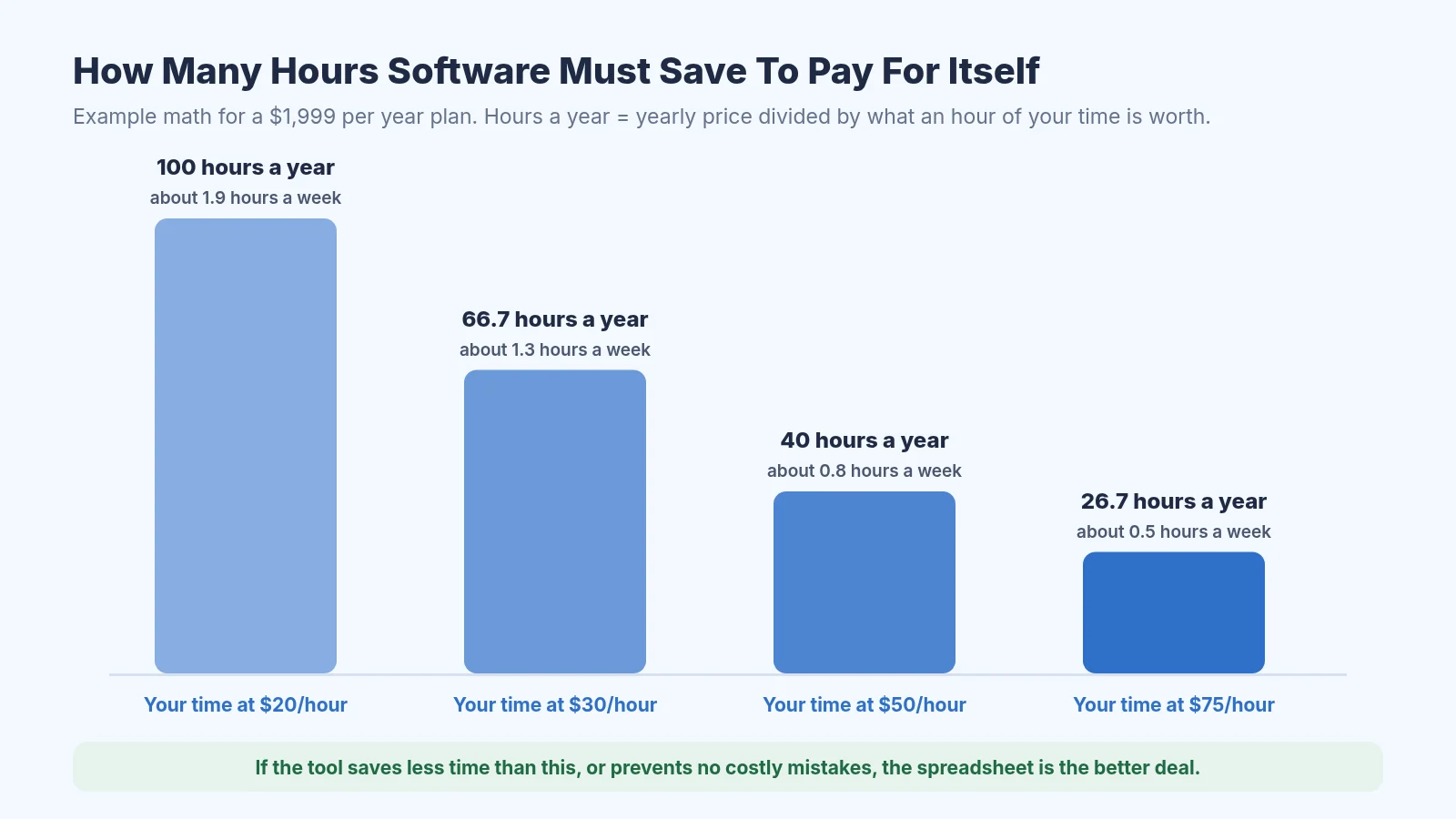
Hours a $1,999 per year tool must save, depending on what your hour is worth
At $1,999 a year and a $30 hour, the tool needs to save about 67 hours a year, or a bit under an hour and a half a week. If you place three orders a year with one factory and each one takes you an evening of admin, you are nowhere near that, and the spreadsheet wins. If you're spending a couple of hours every week chasing ship dates, matching invoices, and rebuilding landed cost, the math tips the other way.
Time saved isn't the only payoff. One order priced off the wrong landed cost, like the $870 gap in the example above, can cost more than months of a subscription. For a wider look at what different tools charge, our breakdown of supplier management software cost lists the price bands from free to enterprise.
Cheaper Middle Steps Before Paid Software
There is ground between a spreadsheet and a $199 a month tool. Zoho Inventory is one option a lot of small sellers try, because its pricing page lists a free plan for a single user and location, and paid plans that start at $29 a month billed annually.
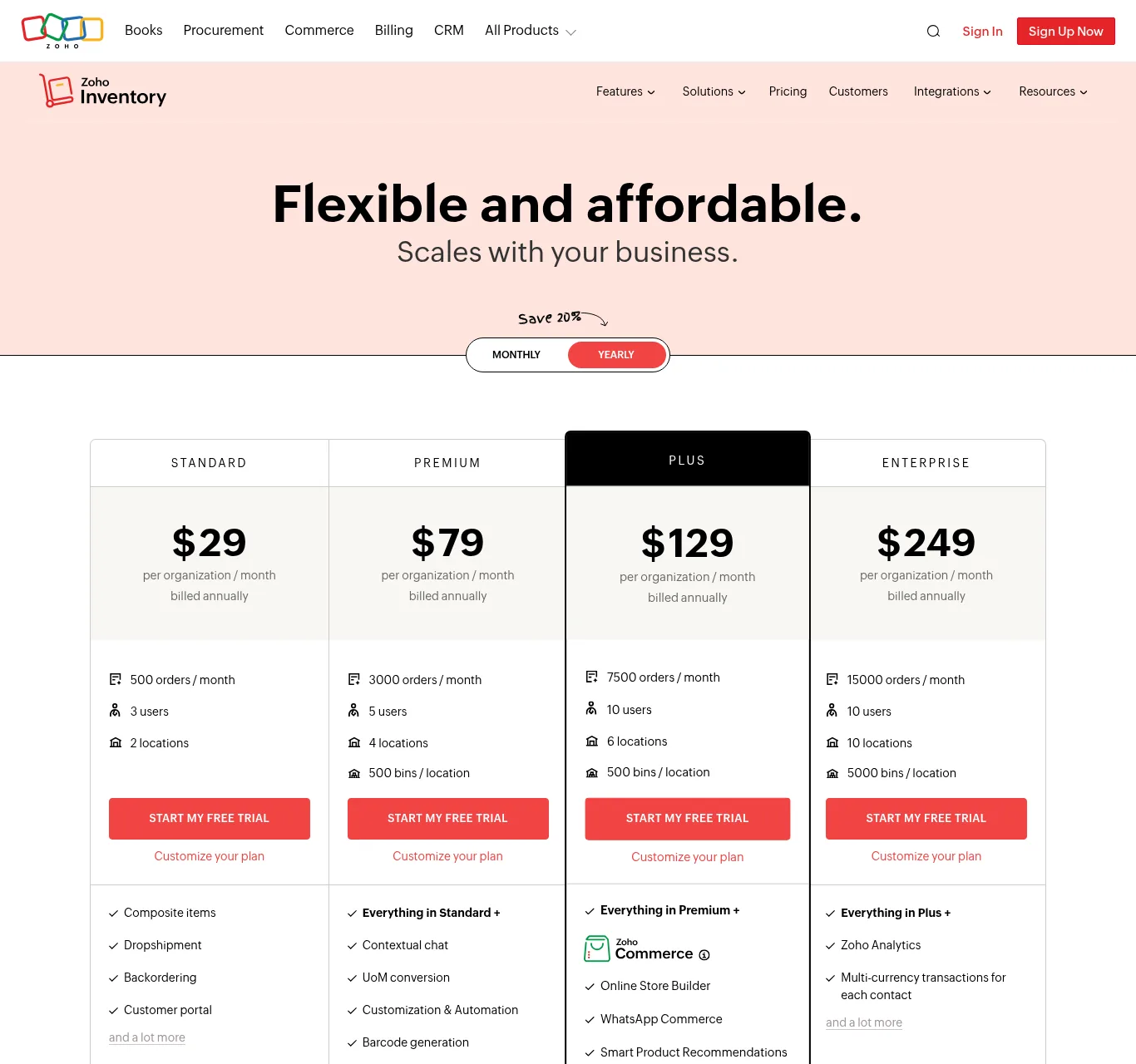
Zoho Inventory's pricing page lists paid plans and a free plan
Zoho Inventory's features page lists vendor price lists, purchase orders and bills, and vendor payments, so it can hold your supplier and order history in one place. It is built around stock and sales first, so check how much typing it needs for invoices, freight bills, and customs entries before you commit. Try it with one real past order and see how long the full record takes to build.
Another middle step is simply a better spreadsheet routine. Name every file with the PO number, update the order row the same day a document arrives, and fill in landed cost before you reprice. If you're coming from a messy sheet, the guide to moving from Excel to automated PO tracking shows which columns to keep and what to clean up first.
Where SupplyAutomate Fits
SupplyAutomate is one of the paid options, and I'd only look at it once the signs above apply to you. You upload supplier invoices, packing lists, freight bills, and customs entries, and it reads the key values onto the purchase order, keeps the supplier's terms and payments with the order, and tracks parcel and ocean container shipments. It calculates landed cost from factory price, freight, duty, and samples, and you can export your data to CSV or Excel.
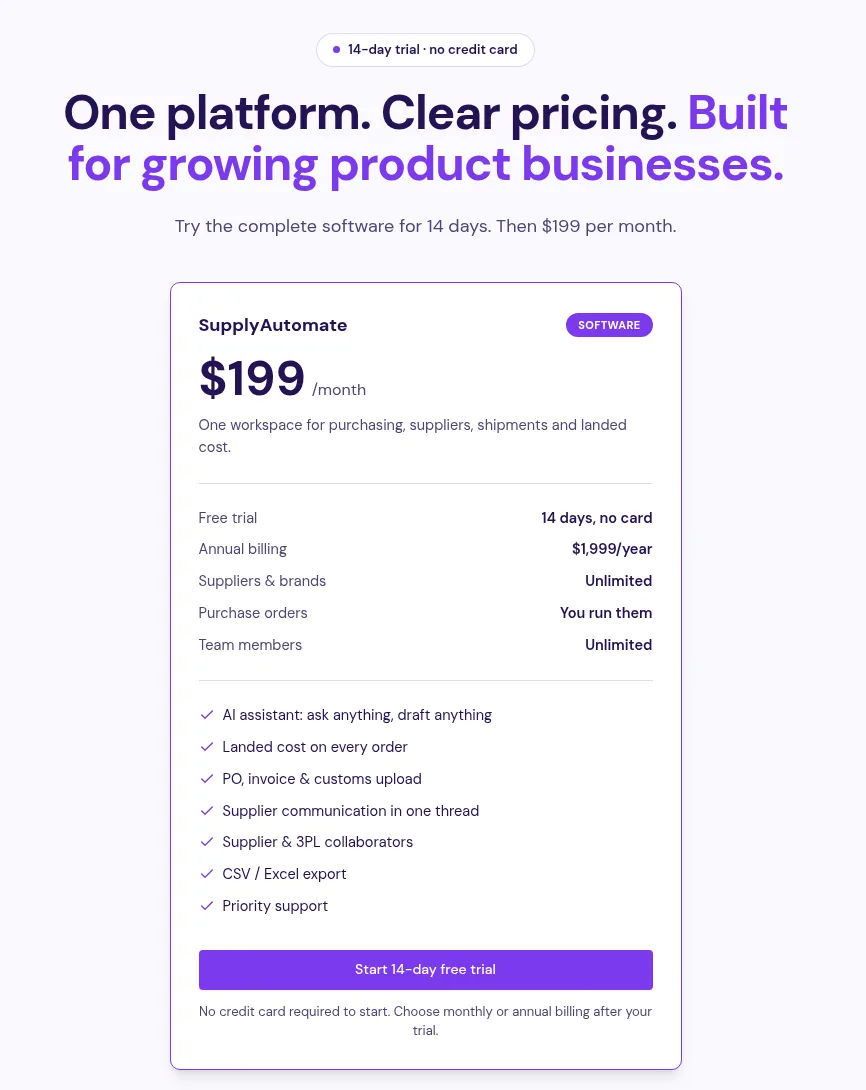
SupplyAutomate pricing: a 14-day trial, then $199 per month or $1,999 per year
Pricing is a 14-day free trial, then $199 a month or $1,999 a year per workspace, which is the figure used in the break-even chart above. SupplyAutomate doesn't connect to Shopify, Amazon, WooCommerce, QuickBooks, or Xero, and it doesn't sync sales, orders, or stock levels. If you want to test it, upload the documents from one order you've already received and compare its landed cost with your spreadsheet.
There are pages for Amazon FBA sellers and Shopify brands, full plan details on the pricing page, and an outsourced supply chain manager service if you'd rather hand off supplier follow ups entirely. To compare other tools, see our guides to supplier management software, supplier management software for e-commerce brands, and supply chain control tower software.
Frequently Asked Questions
Is Supplier Management Software Worth It For A Small Business?
It depends mostly on how much work your suppliers create. A small business with one factory and a few orders a year usually does fine with a spreadsheet. Once you have overlapping orders, many SKUs per PO, or a team sharing the work, the time saved starts to cover the cost.
How Many Suppliers Do You Need Before Buying Software?
There is no fixed number. One busy factory with monthly orders and 40 SKUs can create more admin than three quiet ones. Watch the signals in the decision chart above, and if two or three apply, it's worth a trial.
What Should I Track For A Single Supplier?
Keep the factory's contact and confirmed bank details, payment terms, MOQ, quoted and actual lead times, sample notes, and one row per purchase order. Save every quote, invoice, packing list, freight bill, and customs entry, and record landed cost per unit for each order.
Can I Manage One Supplier In Google Sheets?
Yes. A sheet with a supplier tab and an orders tab covers most single supplier sellers, especially with the free templates linked above. The habit that matters is filling in freight, duty, and samples on every order so your landed cost stays right.
How Do I Work Out The ROI Of Supplier Software?
Divide the tool's yearly price by what an hour of your time is worth. That gives the hours it must save each year to break even. Add any mistakes it would have caught, like a wrong landed cost or a short shipment, since one of those can be worth more than the subscription.
Does SupplyAutomate Connect To Shopify Or Amazon?
No. SupplyAutomate has no Shopify, Amazon, WooCommerce, QuickBooks, or Xero connection, and it doesn't sync sales or stock. You upload your supplier documents, and you can export landed cost and order data to CSV or Excel.
How I'd Decide This Week
If I had one factory and was about to place my second order, I'd build the two tab sheet tonight, make a folder for each PO, and pay through Trade Assurance. When the goods land, I'd fill in freight, duty, and samples and check the landed cost before I touched my price. That routine costs nothing and teaches you what your supplier work really looks like.
Then I'd keep an honest note of the hours for a month or two. If it stays at an evening per order, keep the sheet and spend the money on stock. If it creeps toward the break-even line for your hourly value, or orders start overlapping, that's the moment to trial a tool with one past order and see whether it actually saves you the time.
Related Guides
- Supplier Management Software For FBA And Shopify Importers
- Best Supplier Management Software For E-Commerce
- Supplier Management Software Cost In 2026
- Landed Cost Spreadsheet Vs Software
- Is ERP Software Overkill For A Small Shopify Store?
- Shopify Supplier Management: A Beginner's Setup Guide
- Supplier Onboarding Process For Importers
- Supplier Evaluation Matrix Guide
- How To Organize Supplier Invoices
- Managing Supplier Orders Over WeChat
- Procurement Software For Small Business
- Best Purchase Order Management Software
- Landed Cost Vs COGS
- Best Supply Chain Control Tower Software For E-Commerce
SupplyAutomate Pages And Free Tools
- SupplyAutomate For Amazon FBA Sellers
- SupplyAutomate For Shopify Brands
- SupplyAutomate Pricing
- Outsourced Supply Chain Manager
- Free Landed Cost Calculator
- Free Lead Time Calculator
- Free MOQ Calculator
- Free Import Duty Calculator
- Free Freight Cost Estimator
- Free Purchase Order Creator
- Free Supplier Evaluation Matrix
- Free Lead Time Tracker Template
- Free Landed Cost Spreadsheet Template
- Free Purchase Order Template