It's Tuesday morning, and your Shopify admin says you have 420 units of your best seller. Your WooCommerce wholesale store says 95, the purchase order sheet says 800 are on the way, and a chat message from the factory last week mentioned that the ship date slipped. Nobody on the team is sure which number to reorder against, and a wrong guess means either a stockout in your busiest month or cash tied up in inventory you did not need.
An ecommerce ERP is the software that sorts out that morning. It connects your online store orders with inventory, purchasing, suppliers, and cost, so one record can tell you what you have, what is coming, and what each unit really cost. You need one when you sell physical products across more than one channel or location, buy from suppliers on repeat purchase orders, and can no longer trust a single spreadsheet to hold it all together. In this guide I'll walk through what that looks like in practice, what an ecommerce ERP has to cover, and when a lighter setup is still the better call.
TL;DR
- An ecommerce ERP connects store orders, inventory, purchase orders, supplier documents, and landed cost in one system.
- You need one once you sell across several channels or locations, reorder from suppliers regularly, and your stock and cost numbers stop agreeing with each other.
- Its most important job is following each purchase from the factory to sellable stock while keeping the true unit cost on the SKU.
- Broad ERPs like NetSuite suit companies with formal finance needs, and focused ecommerce systems suit teams whose daily work is inbound orders and margin.
- Before you buy, run one real order, one refund, one freight bill, and one supplier date change through the system.
What Is An Ecommerce ERP?
ERP stands for enterprise resource planning, which is the general ledger plus the modules that touch it: inventory, purchasing, and sometimes CRM. An ecommerce ERP applies that idea to an online brand. Your storefronts, marketplaces, and 3PL are sales and fulfillment channels inside the system, and the ERP keeps them tied to the same purchasing and cost records.
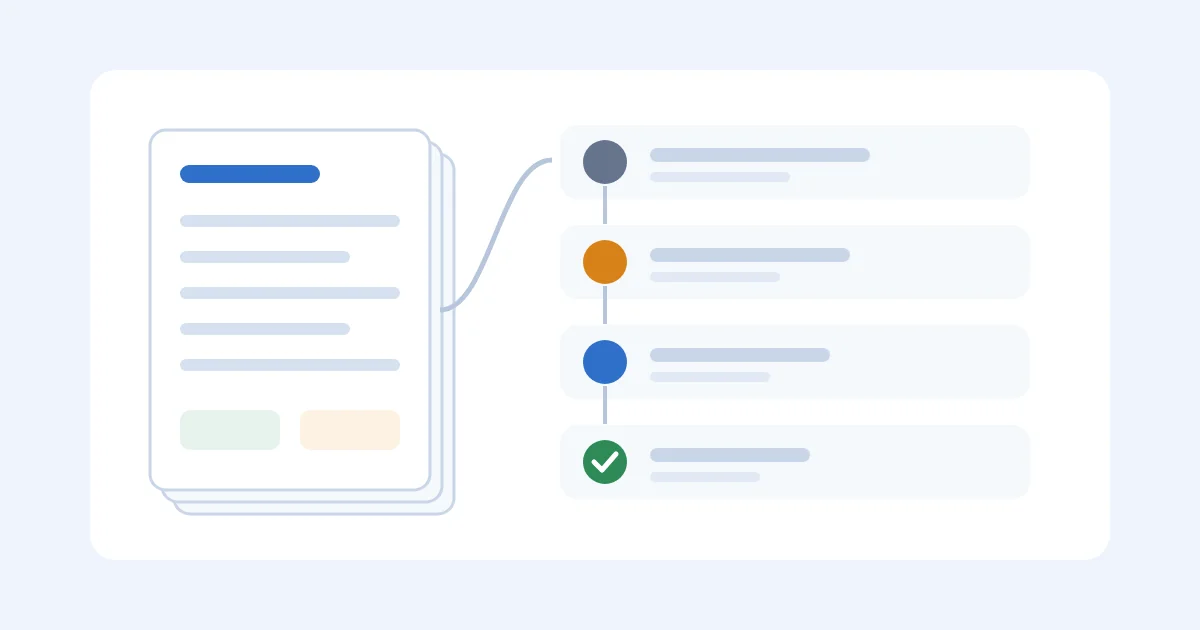
For a brand that imports finished goods, the useful meaning is narrower. The software has to follow one purchase from the factory to sellable stock and keep the cost of that path on the SKU. The records that matter are the purchase order, the supplier documents, the dates, the inbound charges, and the stock positions in each store or warehouse those units will land in.
A lot of ecommerce ERP demos are really a storefront connector with an ERP label on it. The NetSuite app for Shopify is a real product, and connectors like it do useful work moving orders and products between systems. The hard part is deciding which system owns each field, because a connector can move an order perfectly and still send the wrong warehouse or price. I'd apply the same test to any Shopify supply chain app you shortlist.
Who Needs An Ecommerce ERP?
You probably need an ecommerce ERP when a few of these are true at the same time. One on its own is usually manageable, but together they are what make a spreadsheet fall apart.
- You sell the same SKUs across more than one storefront, marketplace, or warehouse.
- You import finished goods and place repeat purchase orders with several suppliers.
- Freight, duty, and other inbound charges arrive after the goods, so your unit cost keeps moving.
- Two people on the team give different answers to "how many do we have?"
If only one of those fits, you may not need a full system yet. The breakdown in is ERP overkill for a small Shopify store covers where that line usually sits, and if Shopify is your only channel, the Shopify ERP walkthrough is the better starting point. If most of your volume runs through Amazon FBA, our guide to ERP for Amazon FBA covers that side and compares the tools built for it.
A full finance suite can also be a heavy first project. If you don't have a controller, multiple entities, or a finance team to own the implementation, a founder with four factories, an 80-SKU catalog, and two channels can spend a year configuring processes the business doesn't have yet. If you are still choosing between categories of software, the supply chain management software roundup maps the options, and the supplier evaluation matrix is a good way to get supplier terms written down before you migrate anything.
A Worked Example: One Mug, Two Stores
Here's a made-up but very typical example. A brand sells the same mug on its Shopify store and through a WooCommerce wholesale site, with stock held at a 3PL. The factory quote is $9.40, Shopify still carries last year's unit cost of $11.20, and the WooCommerce cost field was never updated at all.
This is what the team sees on a Tuesday in July. The left column is what the screen says, and the right column is what is actually true:
| Location | What The Screen Says | What Is Actually True |
|---|---|---|
| Shopify available | 420 | 90 of those are reserved on open orders |
| WooCommerce on-hand | 95 | 20 are damaged from the last receipt |
| 3PL received | 180 | 240 more are still at the port |
| The PO sheet | 800 "on order" | Factory confirmed 740, and the ship date slipped 9 days |
The PO sheet looks fine until you check its history. Here are the last three purchase orders, measured to the day each unit was actually sellable:
| PO | Days To Sellable | Unit Cost After Documents |
|---|---|---|
| March inbound | 59 | $13.10 |
| May inbound | 63 | $13.75 |
| July inbound | 74 | $14.85 |
July's shipment is where the cost moved. Its documents covered 2,400 units ordered and 2,340 sellable after inspection:
| Line | Amount |
|---|---|
| Factory invoice (2,400 × $9.40) | $22,560 |
| Ocean freight, revised after booking | $5,820 (sheet had $4,100) |
| Duty and brokerage | $2,160 |
| Trucking and 3PL receiving | $4,210 |
| Sellable units | 2,340 |
That works out to ($22,560 + $5,820 + $2,160 + $4,210) / 2,340 = $14.85 per unit. Price and ads were planned on $11.20, so every unit is $3.65 light before payment fees, storage, or returns. Nobody made a mistake on purpose, either. The Shopify cost was on the product page, the dates were in WeChat, and the $14.85 was sitting in a PDF.
The reorder side has the same problem. The team treats Shopify's 420 as the cover number and reorders when it looks low, but actual lead time over the last three shipments is about 65 days. At 55 units a day across both stores, they needed roughly 3,600 units of cover plus safety stock, and they were planning against 420.
You can run the legs through the lead time calculator and the cost through the landed cost calculator to see your own version of this. If you can't rebuild the $14.85 and the 74-day inbound from one record, that is exactly the gap an ecommerce ERP is meant to close.
What An Ecommerce ERP Has To Cover
Homepages love to lead with AI-powered warehouse orchestration, but I'd score any product against something more ordinary. Look at the work between "Shopify says we are low" and "this SKU is sellable at a cost finance will accept," and check how the system handles each step below.
Channel Stock Numbers Are Only A Starting Point
Your storefronts and your warehouse rarely count stock the same way. Units may sit with the factory, move by sea, wait at a port, sit at a 3PL, or sit on a store shelf, and reserved, inbound, damaged, and available-to-sell are all different numbers. It's fine if the software sits alongside your inventory app, as long as it stops you from placing a PO against units that are already spoken for.
Size your buffers with a safety stock calculation and a reorder point formula instead of a round number. If multiple locations are the real constraint, the ecommerce inventory management software guide compares the tools built for that job.
The Purchase Order Is The Record
A useful purchase order keeps the supplier, SKUs, quantities, agreed cost, Incoterm, promised date, and status, including partial shipments and revised ship dates. If a date change only exists in chat, the PO stops being useful the moment someone else needs it. The test I like is whether a second person can open the PO and see what the factory confirmed and where the units are headed.
Procurement software for small business covers the buying process around that record. If purchase orders are where most of your time goes, the roundup of purchase order management software is worth a look too.
Documents Live On The Order
Commercial invoices, packing lists, bills of lading, and freight invoices all belong on the same record as the PO. Invoice processing software handles the capture side, and automatic extraction saves real time. A person still has to confirm the quantity, the currency, and which PO each bill belongs to.
Landed Cost By SKU And Shipment
The factory price, the inbound charges, and the rule that allocates them should all sit together. What landed cost is covers the definition, and how to calculate landed cost walks through the math. For storefront specifics, there is a Shopify landed-cost walkthrough and a landed cost guide for WooCommerce sellers.
The software test is whether you can open one inbound and see why the SKU cost $14.85 instead of the $11.20 in the store. Estimates need to be replaceable when the real freight bill arrives, and shared freight on a mixed container has to be split on a rule you can repeat. If that split is your weekly fight, the guide to allocating freight across SKUs will help.
One Owner Per Field
Shopify may hold the catalog while the ERP owns purchasing, suppliers, and stock rules, or it can be the other way around. Either setup can work, but two systems writing to the same field will cause trouble. Write down the field list (SKU, cost, price, inventory owner, order status) and decide who owns each one.
A paid order should not enter purchasing twice because two systems read different statuses, and a 3PL receipt should update available stock exactly once. It also helps to decide up front how sync errors get handled and who is allowed to pause a sync. If your pain is mostly on the customer order side, Shopify order management software is the better place to look.
Supplier Messages Next To The Order
Most factories live in WeChat or email. Keep the thread, or a dated summary of it, on the PO so the next person doesn't have to hunt through chat. Supplier management software covers the factory-facing side, the supplier management tools for ecommerce brands roundup compares options, and supplier portal software explains what should live on the order itself.

Ecommerce ERP Vs Connector Vs The Admin Plus A Sheet
There are really five ways brands handle this, and each one is the right answer for someone. The table below shows where each model is strong and where it usually leaves a gap.
| System Type | Best At | Usual Gap | Use It When |
|---|---|---|---|
| Store admin plus a sheet | Channel orders and a visible buy list | Documents and import cost | One person, simple POs, one dominant channel |
| Direct connector | A defined set of objects into an ERP | Supplier files, landed cost, failed jobs | Stable catalog and simple order flow |
| Middleware or OMS | Routing, translation, many channels | PO and freight as first-class records | Your channels use different order states |
| Broad ERP (NetSuite, Business Central, SAP, Acumatica) | Finance, inventory, purchasing, entities | Setup, and product-level import cost unless you build it | You already have formal finance needs |
| Focused importer or ecommerce system | Channel orders, suppliers, documents, cost | Fewer industrial and multi-entity processes | The daily work is inbound execution and margin |
Shopify documents connectors for NetSuite and Business Central, and nearly every option above can show a Shopify or WooCommerce logo. That is why integration alone shouldn't decide the choice. I'd pick the narrowest model that handles your real exceptions, using a paid order, a refund, a return, a 3PL receipt, and a factory date change as the test set.
Shopify's own ERP comparison for merchants is candid that the storefront is only part of the business. Its migration guidance is worth following too: check imported prices, weights, and inventory, and run test transactions before launch. If your books need a final accounting home, review landed cost in QuickBooks before you decide where cost adjustments should live, and keep your templates running until the new system has earned the right to replace them.
Where A Focused Ecommerce System Fits
SupplyAutomate is the focused kind of system from that table. We built it for Shopify and WooCommerce brands that import their products and want purchase orders, supplier documents, and landed cost in one workspace. You upload the invoice, packing list, and freight bill, match them to the PO, and see the SKU cost along with anything that is still late. If you sell through Shopify or Amazon, the Shopify ERP and Amazon FBA ERP pages show how SupplyAutomate sits beside each store, working from your supplier documents while orders and sellable stock stay where they are.
Parcel and ocean container tracking sit on each shipment and everything exports to CSV or Excel, which covers the work between the supplier and the shelf that store admins and most ERPs leave in a spreadsheet. It won't replace a controller's ERP, so if you need multi-entity consolidation, shop-floor MRP, or a global chart of accounts, the broad ERP row is where to look. Either way you still need clean SKUs and honest dates, and I'd start with one recent PO and its documents before any catalog import. The profit margin calculator is handy alongside the cost record while you get set up.

Ecommerce ERP FAQ
What Is An Ecommerce ERP?
An ecommerce ERP is software that connects online orders with inventory, purchasing, fulfillment, suppliers, and finance. The useful version follows each SKU from the factory PO to the customer sale and separates available stock from inbound or committed units. A storefront connector on its own only covers part of that.
Who Needs An Ecommerce ERP?
Brands that sell physical products across several channels or locations, reorder from suppliers regularly, and deal with freight and duty that arrive after the goods get the most out of one. If your stock and cost numbers already disagree between systems, that is usually the sign. A single-channel store with a small catalog can often wait.
Can One System Cover Shopify And WooCommerce?
Yes, some ecommerce and importer systems cover both, and a broad ERP can too, usually as a bigger project. Confirm the exact integrations before you buy. Shared order, supplier, document, and landed-cost processes matter more than the length of the integrations page.
What Is Landed Cost In Ecommerce?
Landed cost is the total cost of getting a unit ready to sell, starting with the supplier invoice and adding freight, duty, customs charges, inspection, and inbound handling. You use it to price and reorder on every channel. Payment and marketplace fees usually belong in the margin view, unless your accountant tells you to treat them differently.
When Is A Full ERP The Wrong First Buy?
A full ERP is usually the wrong first buy when you have no controller, no multiple entities, and no finance team to own the rollout, and the real pain is a freight bill and a date that never reached the SKU. A suite is the right project when the books need one. Documents, dates, and unit cost can be fixed first without that project.
Choosing Your Ecommerce ERP
What most brands are really after is one record that shows what they ordered, what the factory confirmed, when the units become sellable, and what each one really cost once the freight bill lands. If your team can answer those questions for one recent PO without opening three tools, you are in good shape, and if you can't, that PO is the best place to start your search. When you're ready to try it on a real shipment, SupplyAutomate is free to start, and the landed cost calculator will show you which number you have been reordering on.