The freight bill shows up three weeks after the container clears. Someone already booked the next purchase order off the factory invoice, and a well-meaning teammate is about to expense the $1,860 ocean freight because that is faster than figuring out which SKUs it belongs to. If those charges go to expense, inventory stays cheap and the margin report lies.
QuickBooks does not build landed cost out of a supplier invoice on its own. Freight, duty, brokerage, and trucking usually land on other bills, often weeks later, from other vendors. What you set up is a clearing account for those extras, a way to put each charge onto the SKUs that moved, and a habit of checking that the leftover for that shipment is zero. On Desktop with Advanced Inventory that is often Calculate Landed Cost. On Online it is usually a worksheet or a connected allocator.
Tariffs make the timing worse, not the method different. QuickBooks treats import duty as part of inventory cost rather than an operating expense. On a 1,000-unit order at $20, a $2,400 duty bill on top of $1,800 freight, $200 insurance, and $600 brokerage moves the shipment from $20,000 to $25,000, or $25 per unit, only if you record customs and logistics bills separately and allocate them back (QuickBooks' tariff reporting guide). This guide is for the week you have a mixed shipment, a freight bill, and a duty receipt, and you need the books to match what the goods cost. Check the per-unit math on the landed cost calculator before you allocate. The inbound formula covers the arithmetic. Stay here for how those numbers hit QuickBooks.
How We Tested This Workflow
In our review we walked this clearing-account flow end to end in two file types: Desktop Enterprise with the Advanced Inventory Landed Cost tab enabled, and an Online file with a holding account and a manual allocation sheet. We verified the worked $3,040 allocation below against the bill register both times, including the $2,188 quantity split and the $852 value split, the resulting $7.11 and $21.65 unit costs, and the zero-out check in clearing after posting.
For the setup steps we checked Intuit's official landed cost setup documentation and their tariff treatment of duty as inventory cost rather than expense. Three things disqualify a method outright in our book: spreading every charge on a single basis (quantity for duty distorts value), expensing freight because it is faster, and deleting a posted allocation to tidy a report. If a workflow requires any of those, it will not survive a margin review or a tax preparer's questions.
TL;DR
- Create an Other Current Asset clearing account and Other Charge items for freight, duty, brokerage, and trucking before you post the first extra bill.
- Post the supplier invoice at factory value, then post each outside charge to clearing with the same PO memo.
- Allocate with a basis that matches the charge (quantity for similar units, value for duty) and keep a worksheet with the bill.
- Prove the shipment nets to zero in clearing, then check inventory valuation and margin by SKU.
- Desktop Enterprise can use Calculate Landed Cost; QuickBooks Online often needs a sheet or a connected allocator.
Who This Guide Is For
You import finished goods for Amazon FBA, Shopify, or WooCommerce. Inventory lives in QuickBooks, the purchase orders keep coming, and the factory invoice alone understates what it cost to put those goods on the shelf.
If you only post a couple of import bills each quarter and one person still owns the worksheet, you do not need a software project for this. The clearing-account method below will get you through until the allocator starts spreading a wrong number. When you need the allocation rule itself (weight, volume, value), use how to allocate freight across SKUs. This guide is about which QuickBooks account to use, which bill to enter, and which button to click. For the COGS side of the same question, meaning how those inventory costs flow through to the P&L, Bookkeeping and Accounting of Florida Inc.'s guide to calculating cost of goods sold is a solid plain-English companion.

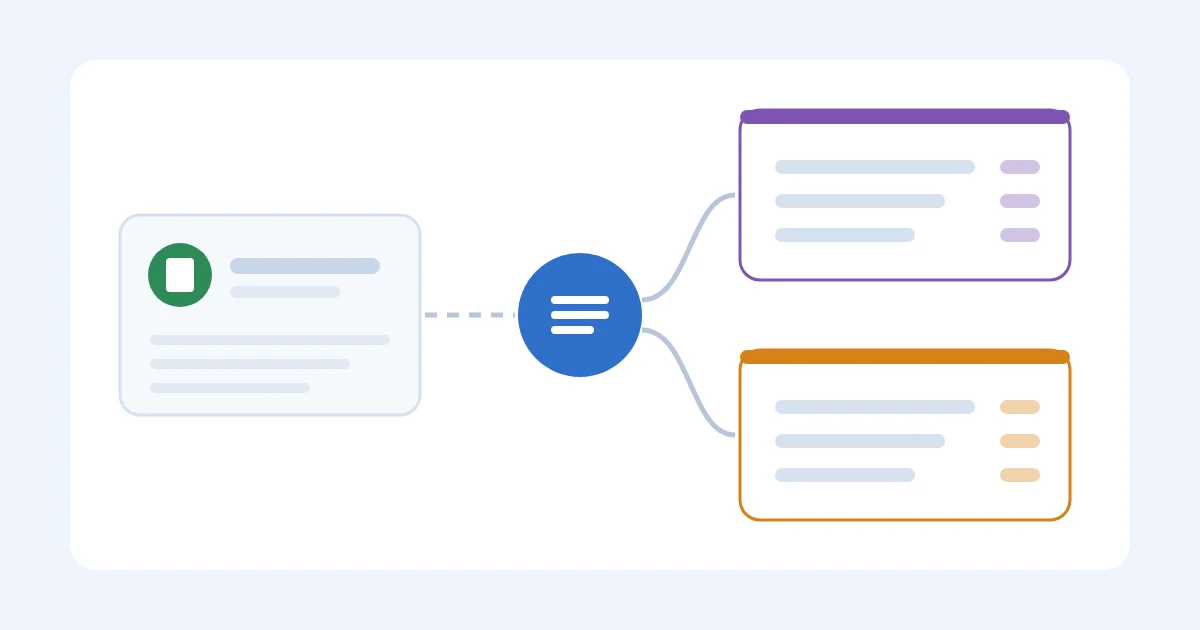
Freight, duty, and insurance bills all feed the unit cost
Step 1: Pick The Edition And The Clearing Account
Desktop's native allocator lives under Advanced Inventory. Intuit's setup article ties that to Enterprise Platinum or Diamond with Advanced Inventory enabled (and an internet connection), so confirm the current plan page before you buy a tier just for this screen. Open Edit, Preferences, Items and Inventory, Company Preferences, then open Advanced Inventory Settings, go to the Landed Cost tab, turn it on, and name the clearing account.
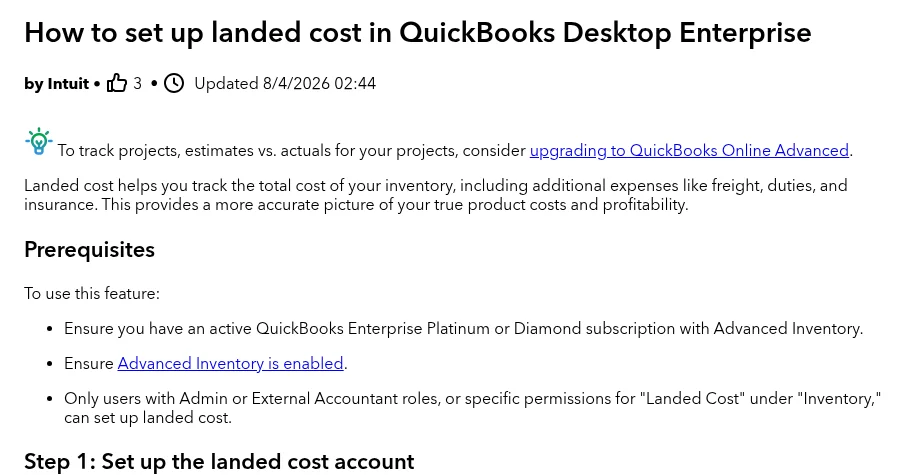
Intuit's help article on setting up landed cost in Desktop Enterprise
QuickBooks Online uses a different screen. Some Online setups have import or tariff tools, but many sellers still gather charges in a holding account and allocate by hand or through a connected inventory app. Check the subscription you have before you promise a one-click allocate.
The clearing account is an Other Current Asset. It holds freight and duty until you assign them to inventory. After a clean allocation the balance for that shipment is zero. A leftover usually means a bill was missed, duplicated, or posted to the wrong PO.
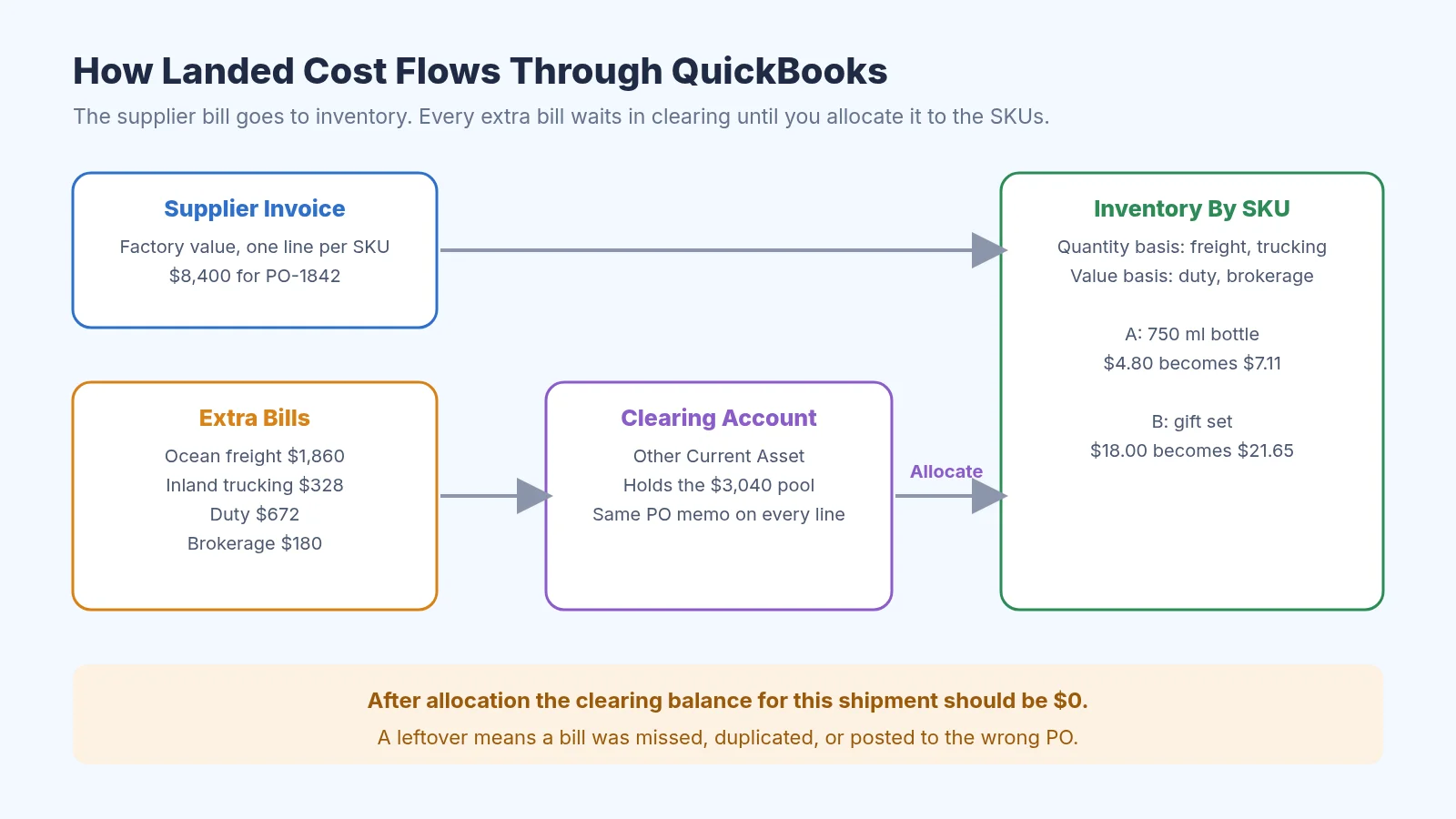
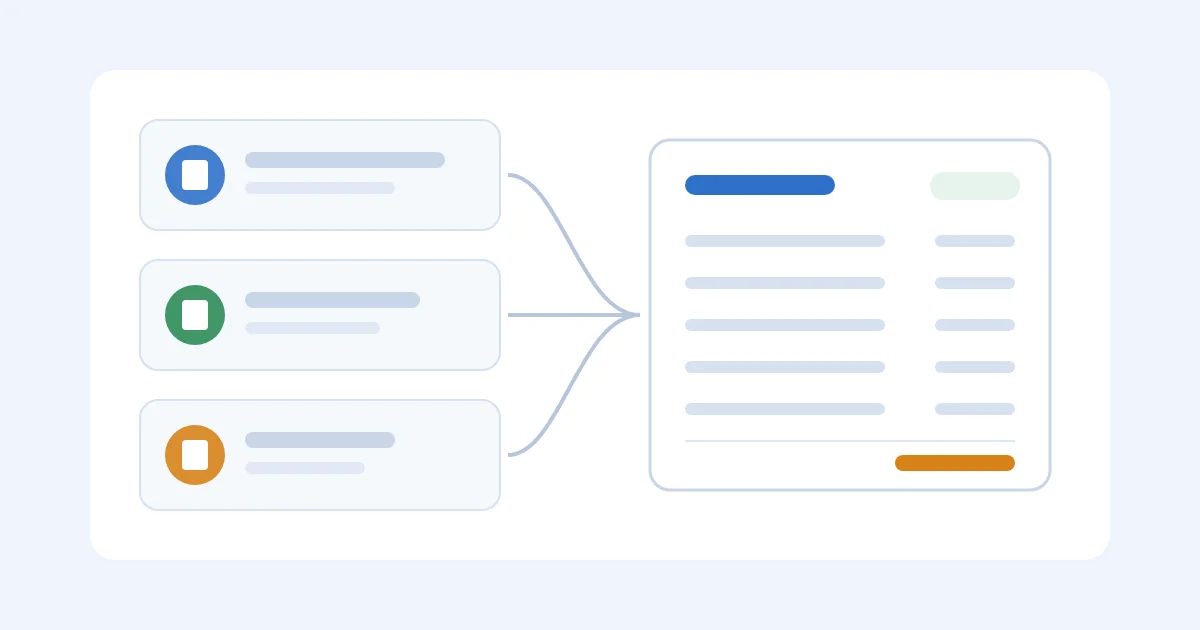
How the clearing account holds extra bills until you allocate them
Then create Other Charge items for the costs you incur:
- Freight / ocean / air
- Duty or tariff
- Cargo insurance
- Brokerage, port, or handling
- Inland trucking or FBA inbound
Map each item to the clearing account. Desktop may demand a sales account before it saves the item, even if you never sell "freight," so use a dummy income account and never invoice it. Online users without the allocator need the same holding account and a naming habit: put the PO or shipment ID in every bill memo so one shipment sorts together when you open the register later.
Do not post the first freight bill until the items and the clearing account exist. Fixing the chart of accounts after six bills is how the leftover never clears.
For duty specifically, the Other Charge item has to point at clearing, not at a duty expense account. That is the whole mechanism that keeps tariffs inside inventory instead of dumping them into overdraft on the P&L. When the CBP payment or the broker invoice includes duty, post the duty portion against the tariff item and the brokerage portion against its own item on the same bill, so tariff money waits in clearing with everything else from that shipment.
Before you post, verify the rate. Pull the HTS code from the commercial invoice and confirm the percentage on the broker bill matches what that code says, because statutory rates, exemptions, and trade programs can leave the rate you pay far from the headline figure. Census Bureau data across roughly 19,000 product categories found the actual rate paid in September 2025 was 14.1% against a statutory 27.4%, and average effective rates roughly quintupled during 2025 (NBER tariff pass-through digest). If the bill and the invoice disagree, resolve it with the broker before the allocation. Our breakdown of duty rates for Chinese imports (Calculate Import Duty From China) covers reading the HTS line.
The mistake we see most often: sellers create a single "Import Costs" Other Charge item and route freight, duty, and brokerage through it. It saves two minutes on setup and costs you every basis choice later, because you cannot allocate value for duty if duty and freight share a line.
QuickBooks Tariff Setup Checklist
For a tariff-bearing import, run this in order before any bill posts:
- Create the Other Current Asset clearing account.
- Create the duty/tariff Other Charge item mapped to clearing, and note the dummy income account Desktop asks for.
- Post the supplier invoice at factory value, one line per SKU.
- Post each tariff and freight bill, including CBP, broker, and carrier bills, against its mapped item, with the PO or shipment ID in every memo.
- Verify the duty rate on the broker bill against the HTS code on the commercial invoice.
- Allocate by matching basis: value for duty, quantity for freight and trucking.
- Prove the clearing account nets to zero for that shipment before closing the accounting period.
That is the tariff setup for imported goods in seven lines. The steps below explain the why and the screens; this list is what you hand to whoever posts the bills.
Step 2: Post The Inventory Bill, Then The Extra Bills
Record the supplier invoice as inventory at the factory value, with separate lines for separate SKUs. Quantity, rate, and date have to match the item you will receive. A blended "mixed goods" line makes the later allocate guess.
Enter each outside charge as its own bill, against the mapped Other Charge item, rather than as an expense. The freight carrier gets freight, the broker or CBP payment gets duty, and the trucker gets trucking. Those amounts sit in clearing until you allocate.
The freight invoice often arrives after the goods, and that is fine as long as the memo still names the same PO. Organizing supplier invoices is the filing version of this. During a margin review you will want to know which inventory that $1,860 belonged to.
Run the clearing-account detail before you allocate. Look for a second copy of the same bill, a credit you ignored, or a charge tagged to last month's container, because an allocator will spread a bad total very efficiently. Check the per-unit math outside QuickBooks first: the landed cost per unit formula and the landed cost calculator should agree with the bills in clearing. If they do not, stop. Do not let Desktop Calculate Landed Cost spread a typo.
Step 3: Allocate The Pool (Desktop, Online, And A Worked Shipment)
Allocation moves the clearing balance onto inventory. You pick the items and a basis (quantity, value, percentage, or a manual amount), and you should use the basis that matches how the charge arose. If you use one rule for every line, a bulky cheap SKU can end up subsidizing a dense expensive one.
QuickBooks Desktop Enterprise
Intuit's current path is Inventory, Calculate Landed Cost: add the inventory bill, add the shipping and handling bills, then split by quantity, amount, percentage, or shipping-and-handling cost and post. Some files still expose Calculate Landed Cost on the inventory bill itself, so use the screen you have.
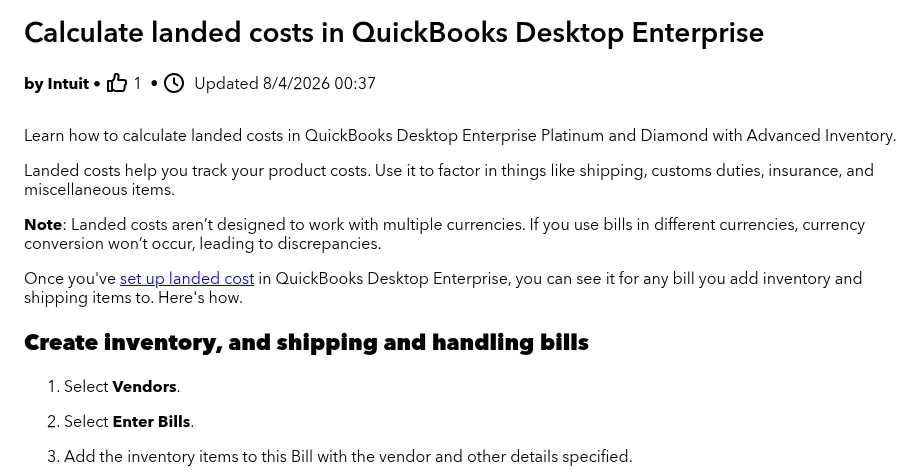
Intuit's help article on calculating landed costs
Find the unallocated freight, duty, and trucking bills for that shipment. If one freight invoice covers two containers, enter only this container's share. The calculate article is the official walkthrough.
Quantity is fair when units are similar. Value is fair for duty and insurance. Manual is what you use when the carrier invoice already splits by carton or weight. Review the new unit costs before you save, and if QuickBooks offers to update sales prices, say no unless your pricing policy is a cost markup you have already approved outside the books.
QuickBooks Online
Without a Desktop-style window, compute the add-on per line in a sheet, raise the inventory-bill rates by those amounts, and add an offsetting negative line so the bill still equals what you owe the supplier. Check both totals. This is easy to get wrong.
A third-party allocator can do the arithmetic; treat it as a control point. Read the source bills and posted unit costs before the accounting period closes.
Worked Allocation: $8,400 Of Product, $3,040 Of Extras
PO-1842 is two SKUs on one ocean shipment.
| SKU | Units | Factory unit | Line value |
|---|---|---|---|
| A: 750 ml bottle | 1,000 | $4.80 | $4,800 |
| B: gift set | 200 | $18.00 | $3,600 |
| Product | 1,200 | $8,400 |
Bills in the clearing account, same PO memo:
| Bill | Amount | Basis |
|---|---|---|
| Ocean freight | $1,860 | Quantity (similar carton labor; units are close enough) |
| Inland trucking | $328 | Quantity |
| Duty (8% of $8,400) | $672 | Value |
| Brokerage | $180 | Value |
| Pool | $3,040 |
Freight + trucking = $2,188. Split by units (1,200):
- A: 1,000 / 1,200 × $2,188 = $1,823.33 → $1.82 per unit
- B: 200 / 1,200 × $2,188 = $364.67 → $1.82 per unit
Duty + brokerage = $852. Split by factory value ($8,400):
- A: $4,800 / $8,400 × $852 = $486.86 → $0.49 per unit
- B: $3,600 / $8,400 × $852 = $365.14 → $1.83 per unit
Posted landed cost:
| SKU | Factory | Freight/truck | Duty/broker | Landed |
|---|---|---|---|---|
| A | $4.80 | $1.82 | $0.49 | $7.11 |
| B | $18.00 | $1.82 | $1.83 | $21.65 |
If you dumped the whole $3,040 across 1,200 units, each SKU would pick up $2.53. A would show $7.33 and B would show $20.53, so B is then $1.12 light on the value-based charges. Price B off that number and the gift set funds the bottles.
Keep the worksheet with the bill. Landed cost vs COGS is why the allocation matters after the units sell: the higher inventory cost becomes COGS. A late duty bill does not get attached to a different receipt; post a new allocation with a memo that names the entry.
Step 4: Check Valuation, COGS, And The Leftover Balance
After posting, open inventory valuation by item. The unit-cost change should match what you allocated, subject to your costing method and any units already sold. Then open the clearing account: this shipment's lines should net to zero. A leftover is fine only if another shipment is still waiting. Otherwise you have a duplicate, a miss, or an unposted credit.
Check margin by SKU next. A bottle that looked fine at $4.80 can look thin at $7.11 once Amazon storage or a Shopify promo sits on top, so do not judge from one report. If the period is open, correct the source bill and reallocate. If it is closed, use an approved adjustment with a memo that shows the old amount. Deleting a posted allocation to clean a report breaks the trail your tax preparer will ask for.

Review inventory valuation and margin by SKU after you allocate
You still post in QuickBooks. SupplyAutomate holds the shipment documents and the operating cost so you can compare $7.11 to the entry before you post. Amazon FBA sellers should still keep marketplace fees out of this inventory figure unless the accountant says otherwise; the Amazon FBA duties and returns page covers that split. Shopify sellers can read the Shopify landed cost tools next to the same QuickBooks plan. When the workbook is the allocator, spreadsheet vs software is the point where the file stops being worth maintaining.
Troubleshooting: Common Posting Problems
Most leftovers come from memo and timing mistakes. Expensing the freight will not clear them.
- Clearing will not zero out. Check for a duplicate bill, a credit you ignored, or a charge tagged to last month's container. Sort the register by the PO memo you used on every line.
- Unit costs look wrong after allocate. Re-run the sheet outside QuickBooks with the landed cost calculator. If the sheet and the bills disagree, stop before you post again.
- One freight invoice covers two containers. Enter only this container's share into the allocation. Spreading both containers onto one receipt is how SKU B gets someone else's ocean.
- Duty arrives after you sold through the lot. Post a new allocation with a memo that names the late bill. Do not attach it to an unrelated receipt.
- Tariff posted at the wrong rate or onto the wrong shipment. In an open period, record a reversal of the duty line: edit or void the broker bill line and repost against the tariff item at the corrected rate, or reclassify the amount into the clearing item, then reallocate and confirm clearing nets to zero. If the period is closed, do not edit the bill: post an approved adjustment entry with the original amount and reason visible in the memo, so the reversal is traceable when the books reopen for audit.
- Broker invoice bundles duty, fees, and freight on one bill. Split it on entry: one line per component against its own mapped Other Charge item, using the broker's cost breakdown as the source document. Posting the whole invoice to one item means duty rides on a freight basis and the SKU-level landed cost stops meaning anything.
- Online has no Calculate Landed Cost window. That is normal for many plans. Use the sheet method above, or a connected allocator, and treat the posted unit costs as a control point.
- Someone already expensed the freight. Reverse or reclassify into the clearing Other Charge item while the period is open, then allocate. Closed period: an approved adjustment with the old amount visible.
When QuickBooks Is Enough
In our review, across roughly two dozen importers we have walked through this pipeline, the clearing-account method holds comfortably past about 10 POs a month with a single person posting. The failure point is not volume; it is hands. When three different people post bills, the memo naming convention decays within a month and clearing stops zeroing out, because nobody remembers which PO "misc import" refers to. The second break hits when duty arrives after sell-through: with 200 units of SKU B already gone, a late tariff bill has nothing to attach to, and the answer is either a manual COGS entry or a margin report you cannot explain. Past roughly 15 POs a month, or the first duty bill that lands in a different quarter than its shipment, an allocator or a dedicated tool earns its cost.
Paying for a higher QuickBooks tier, or an integration, is an operations choice. Compare it with the hours spent matching invoices, and do not invent a payback from a vendor price you have not been quoted. Confirm any connected tool's current sync before you promise "automatic." The posting still has to match the bills.
If you are still deciding whether the workbook is the allocator forever, landed cost spreadsheet vs software is the companion decision. For the wider import stack beside the books, see best supply chain management software.
Frequently Asked Questions
What Is Landed Cost In QuickBooks?
The full cost of getting inventory ready to sell, posted onto the items: supplier price plus freight, duty, insurance, and eligible handling. Those charges sit in a clearing account until you allocate them, so valuation and later COGS follow the shipment instead of the factory invoice.
What Is The Formula For Landed Cost?
Unit landed cost = (factory cost + freight + duty + insurance + handling) ÷ total units. In the worked example above, SKU A's $4.80 factory cost plus $1.82 of freight/trucking plus $0.49 of duty/brokerage nets to $7.11 per bottle. The landed cost per unit page walks the formula in full.
Does QuickBooks Online Have A Landed Cost Feature?
Sometimes, depending on plan and feature access. Many Online users still use a holding account and a worksheet, or a connected allocator. Check the company file you have, and do not assume the Desktop Calculate Landed Cost window will appear.
Which QuickBooks Version Supports Landed Cost?
Desktop's native feature is tied to higher-tier Enterprise with Advanced Inventory. Online has separate import and tariff tools that are not the same workflow. Simple Start and a basic Online file usually mean manual allocation or an add-on.
How Should I Allocate Freight And Duty To Inventory?
Use the basis that matches the charge: quantity for similar units, value for duty and insurance, and weight or volume when the carrier invoice is built that way. Enter those as manual amounts if Desktop cannot see weight, and write the method on the bill. The $3,040 example above is the shape: two bases, one shipment.
How Do I Record A Reversal In QuickBooks?
In an open period, edit or void the source bill line and repost it correctly. For a misposted tariff, that means reversing the duty line against the tariff item and re-entering it at the right rate, then reallocating. In a closed period, do not touch the bill; post an approved adjustment entry with the original amount and reason in the memo so the audit trail stays intact.
What Happens To Profit After Landed Cost Is Posted?
Unsold units get a higher inventory cost. When they sell, that cost hits COGS and reported gross profit falls. A supplier-only report will look better, and it will also misstate your margin.
Can I Remove A Landed-Cost Allocation?
Correct it. In an open period, edit or reverse the source and repost. In a closed period, use an approved adjustment with a memo, and keep the original amount visible.
Conclusion
If leftover charges are bouncing in QuickBooks, start with the memos before you expense the freight. Rebuild the $7.11 / $21.65 style table from the bills, then post that allocation. The landed cost calculator is the check. If the documents are already hard to find, SupplyAutomate can sit in front of the books so the freight PDF and the PO stay attached before anyone posts.
Related Guides
- What Is Landed Cost And Why It Matters
- How To Calculate Landed Cost
- How To Calculate Landed Cost For Imported Products
- Landed Cost Per Unit
- Allocate Freight Cost Across Multiple SKUs
- Landed Cost Vs COGS
- Landed Cost Amazon FBA
- Landed Cost Shopify
- Landed Cost Spreadsheet Vs Software
- How To Organize Supplier Invoices
- Best Supply Chain Management Software
- Calculate Import Duty From China