If you sell on Amazon FBA, ERP software has to connect more than the storefront. Stock is counted in more than one place, freight and duty often land weeks after the goods, and the supplier invoice no longer matches the order it belongs to. That workload can bury an Amazon FBA team in spreadsheets before the next purchase order is ready.
An ERP for Amazon FBA connects sales, stock, purchasing, supplier data, and true product cost in one working system. This guide explains how the setup works, what features matter, and where SupplyAutomate fits for sellers using Amazon, Shopify, and WooCommerce.
What ERP For Amazon FBA Means
ERP for Amazon FBA is business software that links your Amazon sales data with the rest of your operation. It gives you one place to manage stock, purchase orders, supplier records, shipment details, costs, and financial handoffs. For a plain definition of the wider category, enterprise resource planning is the integrated management of core business processes through shared software.
FBA means Amazon stores and ships your products. That sounds simple until the numbers spread across several systems. Amazon may show units in stock, a freight forwarder may hold shipment data, and a supplier may send a revised invoice by email. Your accounting file then needs the right cost for each unit.
An ERP pulls those records into a shared workflow. A sale can reduce available stock, a low-stock rule can point to a purchase order, and a supplier invoice can attach to that order. Once freight, duty, insurance, and other import charges are assigned, the system can show landed cost, which is the full cost of getting one sellable unit ready for sale.
That last part is where many systems fall short. Enterprise suites like NetSuite tend to handle finance well and leave import charges in a spreadsheet, and a walkthrough of a NetSuite and Amazon Vendor Central integration shows how much of that work ends up living in the connector. We built SupplyAutomate around real-time landed-cost insight for that reason, and Cin7 lists tariff-clarity tools of its own.
Good ERP design also starts with clean supplier data. Lead times, minimum order quantities, pack sizes, and unit costs need a home, and without those fields a forecast can look neat while still sending the wrong order to a factory. A supplier evaluation matrix is a practical way to get those terms recorded before you migrate them.
I like to think of the ERP as the control room. Amazon is one sales and fulfillment channel inside it, sitting next to your other stores, your suppliers, and your books.
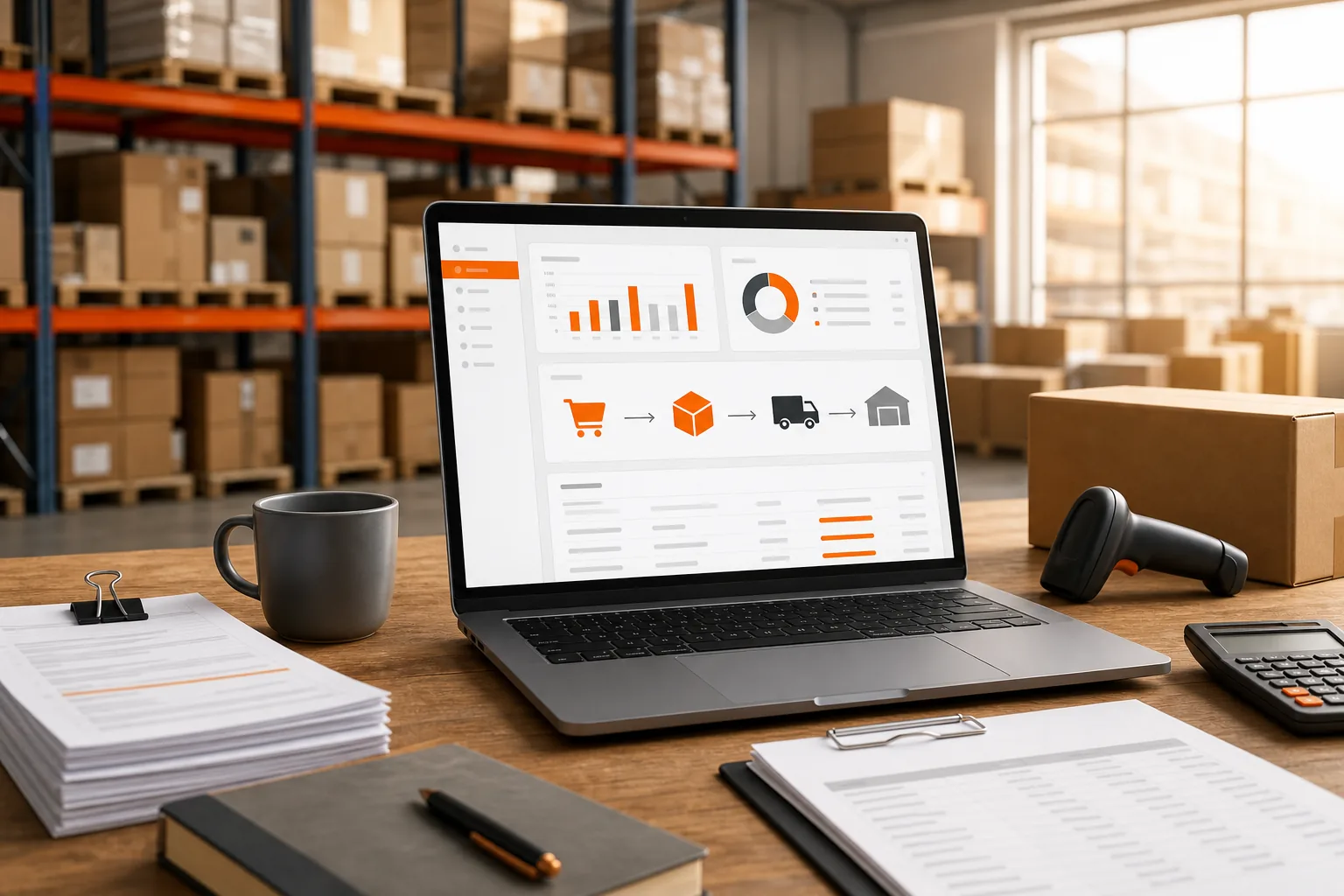
Key Takeaway: An Amazon FBA ERP should connect the sale to the stock movement, supplier order, shipment cost, and final margin. If one of those links is missing, the margin on your screen is a guess.
How An Amazon FBA ERP Connects Orders, Inventory, And Suppliers
Amazon FBA data becomes useful when the system can follow an item through its full path. The path starts with demand and ends with a margin figure you can trust.
First, the ERP imports or receives order data from Amazon. It matches the order to the right SKU, which is the stock keeping unit used to identify a product. If you also sell through Shopify or WooCommerce, those orders enter the same stock picture. When Shopify is the larger channel, the Shopify ERP setup guide works through the same decisions from that side.
Next, the ERP updates inventory by location. Units may sit with a supplier, move by sea, wait at a port, sit in an Amazon fulfillment center, or remain in a third-party logistics warehouse. Each state affects what you can promise to shoppers.
Then the purchasing side takes over. A purchase order, or PO, tells a supplier what to make or ship, and the ERP can hold the agreed unit cost, quantity, pack size, and expected date. When the supplier sends an invoice or packing list, the team can compare it with the PO without digging through three spreadsheets. Procurement software for Amazon FBA and Shopify sellers covers how those buying decisions get organized, and the purchase order management guide for Amazon FBA sellers goes deeper on the PO itself.
| Data point | What the ERP should do | Why the seller needs it |
|---|---|---|
| Amazon order | Match the order to the correct SKU | Shows demand and reduces manual entry |
| Inventory status | Separate available, inbound, reserved, and damaged units | Stops false stock counts |
| Purchase order | Store quantity, cost, supplier, and due date | Gives the team one buying record |
| Supplier document | Attach invoices and packing lists to the PO | Supports checks before payment |
| Freight and duty | Assign import charges to the shipment or SKU | Shows the cost behind the margin |
After the goods arrive, receiving data closes the loop. A partial receipt should never look like a full receipt. If fewer units arrive than the PO specifies, the open balance still matters for cash planning and replenishment.
The same logic applies to Shopify and WooCommerce. A store order should reduce the right stock pool and then move to the correct fulfillment path. If Amazon handles the shipment through a fulfillment service, the ERP needs to keep that order tied to the original channel and cost record.
For sellers still working from files, these free supply chain Excel templates can help structure purchase orders, packing lists, commercial invoices, supplier scorecards, and inventory tracking while you plan a more connected system. They make a perfectly good bridge while you decide what to buy.
The key test is simple. Pick one late SKU and ask, "What did it cost, where is it now, and what should we buy next?" Your ERP should answer without a spreadsheet hunt.
The Capabilities Amazon FBA Sellers Actually Need
A long feature page tells you very little about the best ERP for Amazon FBA. What matters is how the system handles the messy handoffs in your daily work, so these are the five areas I would look at first.
1. Order And Inventory Control
Start with channel sync. Amazon, Shopify, and WooCommerce should feed a shared view of demand, and the system should show where stock sits and which units are already committed.
That distinction matters during a launch. You may have 500 units on the water, 200 at Amazon, and 100 promised to wholesale buyers, and a simple "in stock" number hides that risk. A useful ERP separates physical stock from available-to-sell stock, and a safety stock calculation helps you size the buffer on top.
2. Purchase Orders And Supplier Records
Your ERP should keep supplier terms beside the PO. That includes agreed cost, lead time, minimum order quantity, pack size, and expected ship date.
Document processing can save more time than another dashboard. When a supplier sends an invoice, the system should read the key fields and file the document against the correct order. A buyer can then review exceptions instead of retyping every line, which is the case invoice processing software sets out in full.
3. Landed-Cost Visibility
Landed cost should include more than the factory quote. Freight, duty, customs fees, inspection, storage before sale, and other shipment charges can change the margin on a SKU.
SupplyAutomate focuses on real-time landed-cost insight for this reason. Its scope covers AI-driven supply chain work for Amazon FBA and Shopify sellers, with purchase order, cost, and supplier communication workflows in the same product. You can also review the landed cost per unit formula and examples when setting up your own cost model, or the Amazon FBA landed-cost walkthrough for the fee side.
4. Document And Exception Handling
Automation should send unusual records to a person. It should never quietly approve a supplier invoice that differs from the PO. In practice, a good system does four things here:
- Flag a quantity mismatch.
- Show a changed unit cost.
- Mark a late shipment.
- Keep the source document beside the record.
This is where automation styles differ. SupplyAutomate centers on document processing, while other products emphasize demand forecasts, AI chat, carrier rules, advertising automation, or review and reimbursement work.
5. Margin Views By Channel
Revenue alone won't tell you if Amazon is winning. The view should account for product cost, freight, duties, marketplace fees, fulfillment fees, returns, and refunds where the data is available.
A seller may find that a Shopify order has a better gross margin than an FBA order, even when the selling price is the same. That insight can shape promotions, reorder timing, and channel strategy.
Pro Tip: Test one SKU through the full flow before importing your whole catalog. Use a recent PO, one supplier invoice, and one shipment with known freight charges.
I'd be wary of any system that promises perfect margin data without asking how you record duties, returns, storage, and adjustments. Cost rules need clear inputs, and a good vendor will ask about yours early.
How SupplyAutomate Fits Amazon FBA, Shopify, And WooCommerce Workflows
SupplyAutomate is built for Amazon FBA, Shopify, and WooCommerce sellers who import their products and need one supply chain view of what they bought, what is on the water, and what each unit cost. The fit is strongest when your pain sits in the gap between the sale and the supplier, which is the part a single marketplace dashboard never sees.
The Amazon FBA ERP page covers how SupplyAutomate handles factory orders, inbound shipments and landed cost per unit for FBA sellers specifically.
Here's the workflow. You upload the supplier invoices, packing lists, freight bills, and customs entries you already receive, and SupplyAutomate reads each one and files it against the right purchase order and SKU. Parcel and ocean container tracking then show where every shipment sits, so you can see what is still on the way before it reaches Amazon.
Costs get the same treatment. A factory invoice is only one part of what a unit costs, and freight and import charges can land later, which makes early margin reports misleading. SupplyAutomate's real-time landed-cost insights give the operator a way to review those costs as the shipment picture changes.
That matters when a product sells through two channels. Suppose the same SKU moves through Amazon FBA and your WooCommerce store. SupplyAutomate gives you one landed cost per unit built from the factory price, freight, duty, and samples, and you can export it to CSV or Excel to set beside each channel's fees in your own sales reports. That lets you ask the better question: "What did this order contribute after it reached the customer?"
Supplier communication also needs a clear trail. A buyer should be able to see what was ordered, what the supplier confirmed, which documents arrived, and what still needs review. That reduces the handoff gap between purchasing and finance, and the roundup of supplier management software compares the systems built to hold it.
SupplyAutomate positions its product for Amazon FBA sellers, Shopify store owners, eCommerce brand managers, and supply chain teams in small to mid-sized businesses. It is a focused choice for teams that want AI support around documents and cost data without buying a broad manufacturing suite.
There is a trade-off. A niche eCommerce ERP may not aim to cover every enterprise process. That can be a benefit if your daily work centers on supplier orders, inbound shipments, documents, and product cost.

ERP For Amazon FBA Vs. Seller Tools And Marketplace Dashboards
Seller tools and marketplace dashboards are useful, but they solve a narrower problem than an ERP for Amazon FBA. A dashboard may show sales, ads, refunds, or stock alerts. An ERP connects those signals to purchasing, supplier documents, landed cost, and accounting work.
| System type | Best at | Common gap | Use it when |
|---|---|---|---|
| Marketplace dashboard | Channel orders and account activity | Limited view of supplier and import cost | Amazon is your main channel and operations are simple |
| Seller operations tool | Ads, refunds, reviews, alerts, or keyword work | May not manage POs or landed cost | You need to improve one marketplace task |
| Broad ERP | Finance, inventory, purchasing, and wider business records | May require more setup than an eCommerce team wants | You have complex entities or formal finance needs |
| Focused eCommerce ERP | Channel orders, stock, suppliers, documents, and cost | May cover fewer industrial processes | Your business runs mainly through online sales channels |
The difference shows up during a reorder. A seller tool might alert you that stock is low, while an ERP should help you check supplier lead time, open POs, inbound units, freight cost, and expected margin before you buy.
It also shows up during a finance review. The accounting team may ask why a SKU's margin changed, and a connected ERP can point to a revised supplier invoice or a duty charge. A dashboard may only show the final result.
Some broad systems cover manufacturing, warehouse work, demand forecasting, and accounting links. Others focus on inventory, order management, production, or purchasing, and marketplace tools may focus on ads, reviews, refunds, reimbursements, or alerts. None of those areas is automatically the wrong choice, so the real question is where your operational gap lives.
Marketplace coverage is the easiest thing for a vendor to list and the least likely to answer a cost question, so check landed cost separately from the channel count. SupplyAutomate builds landed cost from the supplier invoices, freight bills, and customs entries you upload, and every figure exports to CSV or Excel. If your books need a final accounting record, review the landed-cost workflow for QuickBooks before you decide where cost adjustments should live.
I usually suggest picking the system that answers your most expensive unanswered question. If that question is "how many units are left," a marketplace tool may be enough. If it is "what did this SKU really cost and when should we reorder," an ERP is the better fit.
What Makes A Good ERP For Amazon FBA Sellers
When I compare ERP software for Amazon sellers, I score each option against the same six criteria. No tool wins on all six, which is why the comparison below is organized by use case.
- Automated invoice and PO processing: supplier invoices get read into the system instead of retyped into a template.
- True landed cost per unit: factory price, freight, duty, and tariffs roll into one number per SKU.
- Supplier document handling: packing lists, bills of lading, freight bills, and customs entries are read and filed on the right order, so shipment and cost records stay complete.
- Supplier and lead time tracking: reorder timing is based on real supplier history.
- Forecasting and reorder points: the system flags what to reorder before you run out.
- Runs without a dedicated ops hire: a founder or a single ops person can operate it day to day.
Native channel integration is worth weighing too. SupplyAutomate does not connect to Amazon, Shopify, or WooCommerce, so order and inventory data stay in those platforms. If pulling that data in automatically is a must-have, look at Cin7 or Extensiv first.
Best ERP Software For Amazon FBA Sellers Compared
These are the tools Amazon sellers ask me about most: SupplyAutomate, Cin7, Extensiv, Inventory Planner, and NetSuite, plus the spreadsheet most of them are trying to leave. Each one fits a different kind of operation, so it helps to start with the problem that costs you the most and work back to the tool. For a wider first shortlist, Online Brand Growth's roundup of Amazon stock management software is a useful starting point, though it shouldn't replace testing a tool on your own orders.
| Tool | Best for | Standout feature | Key limitation |
|---|---|---|---|
| SupplyAutomate | Landed cost and invoice automation | AI reads supplier invoices and POs directly, with no templates | No sales channel sync, and not built for retail POS |
| Cin7 | Multi-warehouse, multi-channel inventory | Native connections across Amazon, wholesale, and retail | Setup and configuration take real time to get right |
| Extensiv | Amazon-heavy fulfillment orchestration | Deep 3PL and FBA warehouse routing | Landed cost and invoice automation are thin |
| Inventory Planner | Demand forecasting and replenishment | Reorder point math from historical sales velocity | No invoice processing or landed cost calculation |
| NetSuite | Full financial ERP at scale | Accounting, inventory, and operations in one system | Heavy and expensive for a single-entity seller |
| Spreadsheets | Small, stable catalogs | Zero cost and full control over the format | Manual entry, no automation, and breaks as you grow |
SupplyAutomate: Best For Landed Cost And Invoice Automation
SupplyAutomate is our product, so weigh this section with that in mind. It processes supplier invoices and purchase orders directly: you upload the paperwork you already have, and the AI extracts line items, applies freight and duty, and produces a landed cost per unit. It is built for Shopify, WooCommerce, DTC, and Amazon FBA sellers who buy physical goods from overseas suppliers, and it is a poor fit if you need in-store POS or multi-location retail inventory.
Supplier management is part of the product, and teams that want the work handled for them can add our Outsourced Supply Chain Manager service. The fairest weakness is that SupplyAutomate does not connect to Amazon, Shopify, or WooCommerce, so sales and order data stay in those platforms while your supplier paperwork comes in by upload. It suits FBA and Shopify sellers who need accurate landed cost and automated invoice processing without hiring a dedicated ops analyst.
Cin7: Best For Multi-Warehouse Inventory Across Amazon And Wholesale
Cin7 is an inventory management platform for brands selling across several channels and warehouses at once, for example Amazon FBA, a Shopify store, and a wholesale book of business in one system. It handles stock allocation across locations, syncs orders back to each sales channel, and supports B2B order flows alongside DTC. Its list of ecommerce and marketplace integrations is broad.
The trade-off is setup time, since implementation and configuration take real effort to get right. Landed cost and invoice automation are secondary features in Cin7. It is a strong pick for brands running Amazon FBA plus wholesale or multiple warehouses who care more about inventory allocation than landed cost precision, and it is usually more than a single-channel FBA seller needs.
Extensiv: Best For Amazon-Heavy Fulfillment Orchestration
Extensiv grew out of 3PL and warehouse management software, and that heritage shows in how it routes orders across fulfillment centers and FBA. It is strongest for sellers managing multiple 3PLs or a hybrid FBA and 3PL setup, where splitting orders across fulfillment centers is the daily headache. Its Amazon FBA integrations are well established.
Where it is thinner is landed cost calculation and invoice processing, compared with purpose-built tools. I would evaluate it against your fulfillment complexity first, because that is the problem it was designed to solve.
Inventory Planner: Best Add-On For Demand Forecasting
Inventory Planner, now part of Sage, focuses on one job: telling you what to reorder and when, based on sales velocity, seasonality, and lead times. It plugs into Shopify, Amazon, and other sales channels as a forecasting layer, so you can add it without replacing the rest of your stack. The reorder point math and seasonality handling are the reasons people buy it.
It does not process invoices or calculate landed cost, and you still need a separate system for purchase orders and supplier management. That makes it a good supplement for sellers whose forecasting is the weak link and whose invoicing already works. Getting lead time data accurate enough to feed a forecasting tool is its own project, and the lead time calculator tools guide and the reorder point formula for importers walk through that math.
NetSuite: Best For Full Financial Consolidation At Scale
NetSuite is a full enterprise ERP covering accounting, inventory, order management, and CRM in one system. Amazon FBA brands tend to adopt it once they are consolidating multiple entities, currencies, or sales channels into one set of books, and it offers deep customization for complex org structures.
That power comes with cost. Implementations are typically long projects, the system needs dedicated admin time to configure and maintain, and landed cost plus Amazon-specific workflows need custom build-out. It earns its place once you have outgrown lighter tools and have a finance team ready to own the rollout. If you go that route, HireAccountants' ERP implementation guide is worth reading alongside your project checklist.
Spreadsheets: The Budget Option For Small Catalogs
Spreadsheets are still the default for a lot of FBA sellers, and for a small, stable catalog with simple supplier relationships they can be the right call. They cost nothing, you control every formula, and there is no onboarding.
The limits show up as you grow. Every invoice and PO is manual entry, there is no automated landed cost, forecasting, or reorder alert, and the sheet starts to strain once you add SKUs, suppliers, or split shipments. If you are unsure which side of that line you are on, is ERP overkill for a small Shopify store covers where it usually sits.
Which ERP Should Amazon Sellers Choose?
If landed cost accuracy and invoice automation are your biggest pain, which is common for FBA sellers importing physical goods, SupplyAutomate is the one I would start with. If you run Amazon FBA alongside wholesale or multiple warehouses, Cin7 covers that breadth better. If forecasting is your only real gap, Inventory Planner solves it without forcing a full ERP switch.
NetSuite earns its cost once you are consolidating multiple entities, and Extensiv makes sense when fulfillment routing across 3PLs is the hard part. Spreadsheets remain fine for a small catalog, as long as you watch for the point where manual entry starts eating hours every week.
ERP For Amazon FBA FAQ
What Is ERP For Amazon FBA?
ERP for Amazon FBA is software that connects Amazon sales and fulfillment data with inventory, purchasing, supplier records, documents, costs, and finance workflows. It helps you follow each SKU from supplier order to customer sale. The strongest systems also separate available stock from inbound or committed units.
Do Amazon FBA Sellers Need An ERP?
Amazon FBA sellers need an ERP when spreadsheets and separate tools make stock, supplier, or margin data hard to trust. A small catalog with simple buying needs may not require one yet. The case becomes stronger when you sell on Shopify or WooCommerce, manage several suppliers, import goods, or review profitability by channel.
What Should An Amazon FBA ERP Track?
An Amazon FBA ERP should track orders, SKUs, inventory by location, purchase orders, supplier terms, inbound shipments, invoices, freight, duties, and landed cost. It should also show exceptions, such as a short receipt or a changed supplier price. Channel margin is useful when Amazon orders share stock with direct-store sales.
Can An ERP Connect Amazon FBA With Shopify And WooCommerce?
Yes, some eCommerce ERP systems connect Amazon FBA with Shopify and WooCommerce in one workflow. Confirm the exact integrations before buying. SupplyAutomate does not connect to any of the three. It works from the supplier invoices, packing lists, freight bills, and customs entries you upload, so it fits sellers on all three channels who want purchase orders, documents, shipment tracking, and landed cost in one place.
Is Cin7 Better Than SupplyAutomate For Amazon FBA?
Cin7 is stronger for multi-warehouse and multi-channel inventory allocation. SupplyAutomate is stronger for landed cost calculation and invoice automation. The right choice depends on which problem is bigger for your business.
Is Extensiv An ERP?
Extensiv works more as fulfillment and warehouse orchestration software than as a full ERP. It is strong on order routing across fulfillment centers and lighter on landed cost and invoice processing.
When Should A Seller Upgrade From Spreadsheets To ERP Software?
The upgrade usually makes sense once your SKU count or supplier count grows past what one person can reconcile each month. Another sign is when landed cost keeps changing after you have already priced the product.
What Is Landed Cost In Amazon FBA?
Landed cost is the total cost of getting a unit ready to sell, starting with the supplier invoice and adding everything that happens after it. It can include freight, duty, customs charges, inspection, and other import costs. For FBA sellers, a correct landed-cost view helps explain why a product with strong sales can still produce weak margin.
Conclusion
The right ERP for Amazon FBA is the one that connects your sales channels to the work behind them: suppliers, shipments, documents, and cost. For Amazon FBA, Shopify, and WooCommerce sellers who need document automation and live landed-cost insight, I think SupplyAutomate is the clearest fit, and the other tools above cover the cases where it is not. Whatever you choose, I'd run one active SKU, one open PO, and one supplier invoice through it first, and keep the cost rules clear enough that operations and finance both trust the number.